

ℹ️ Note: This feature is currently in Private Beta Release.
Overview
The Cloudamize AI Assistant is an embedded, context-aware AI chatbot designed to accelerate infrastructure analysis, explain cloud right-sizing rationale, and guide migration planning directly within the Cloudamize console.
Operating directly on your processed assessment data, the assistant delivers plain-English explanations of TCO calculations, application dependencies, and target cloud sizing across AWS, Azure, and Google Cloud.
Note: Express RVTools Analysis Status Direct querying and analysis for Express RVTools assessments via the Cloudamize AI Assistant are currently not supported while pending tooling integrations are being finalized. Our engineering team is actively developing this feature, and full RVTools compatibility for Cloudamize AI Assistant will be released in an upcoming platform update.
Activating the Cloudamize AI Assistant
The Cloudamize AI Assistant is an optional add-on feature for your assessment workspace. To enable the AI Assistant service for your organization:
-
Submit an Activation Request: Reach out directly to the sales team at
sales@cloudamize.comor submit a request through your account representative. -
Provisioning: Once your request is processed, the technical team will provision the Assistant service and assign your initial credit pool to your workspace.
Credit Allocation & Isolation
The Assistant operates on a usage credit system that is cleanly managed and isolated across environments:
-
Isolated Account Pool: Credits are dedicated strictly to your organization’s account balance. Team members share this balance, ensuring accurate usage attribution regardless of who initiates a chat session.
-
Protected Support Pool: Any setup, troubleshooting, or guided analysis conducted by Cloudamize Support engineers runs on a separate, dedicated support pool, ensuring support interactions never consume or deduct from your account’s credit balance.
Monitoring Your Credit Usage
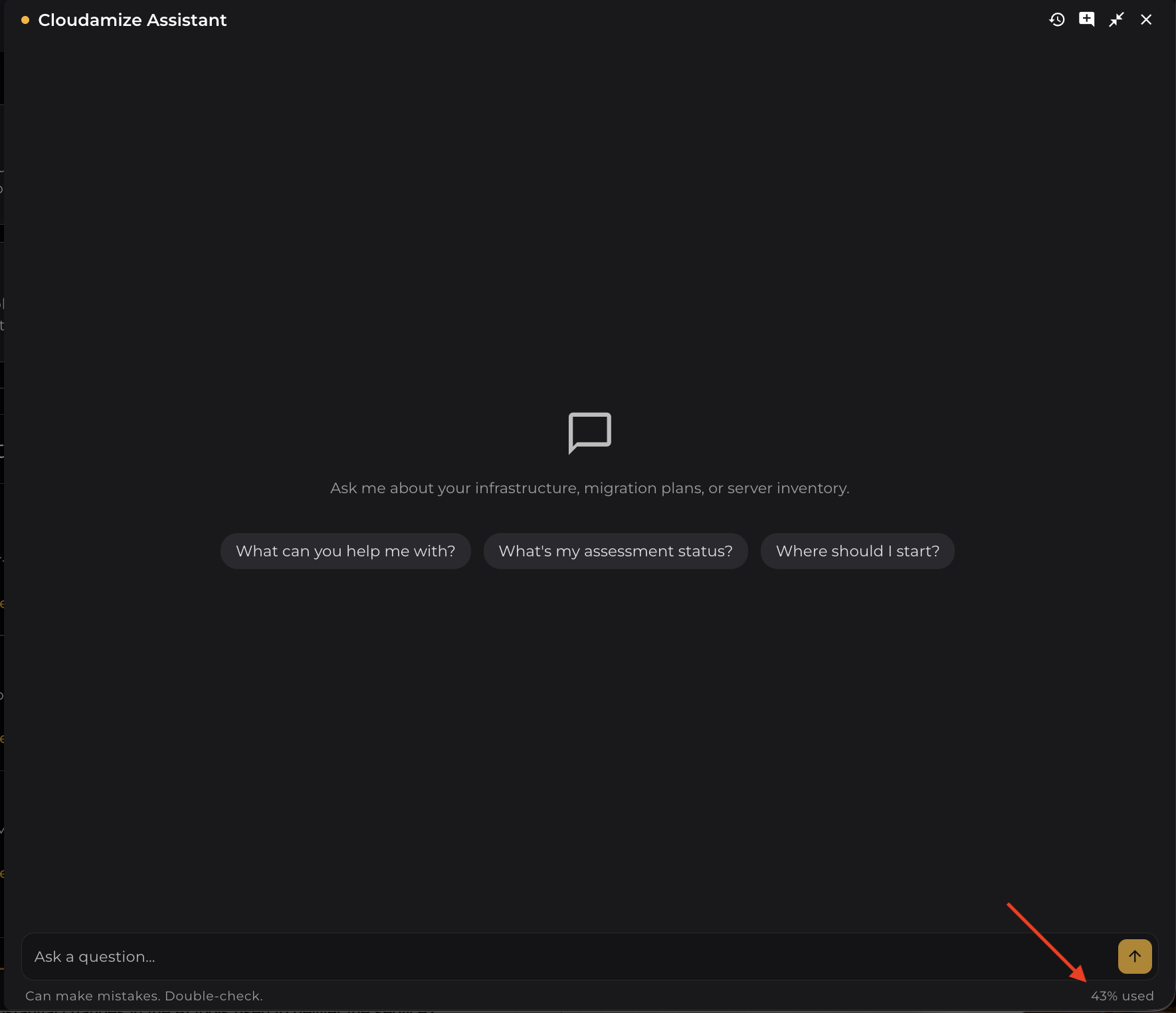
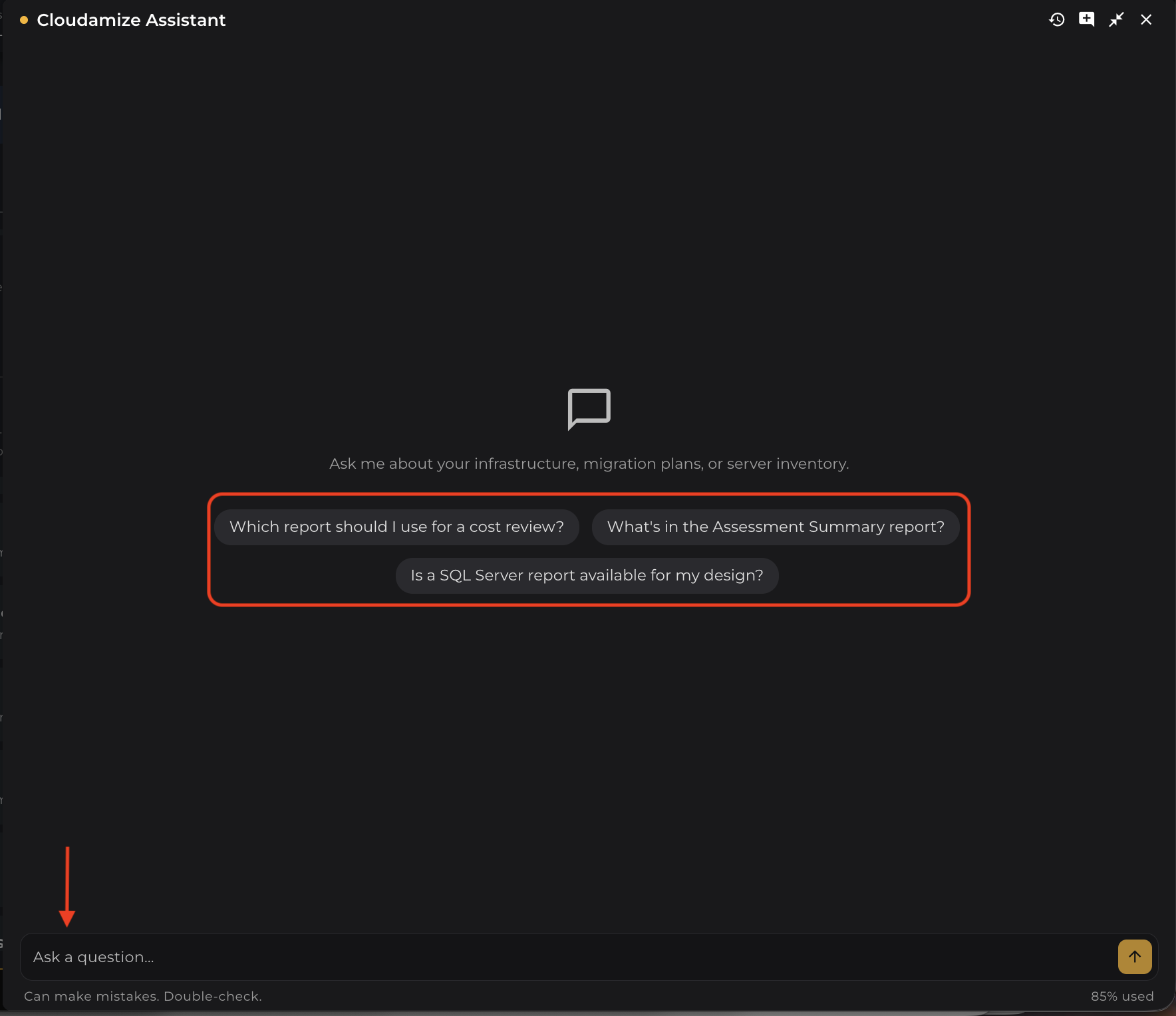
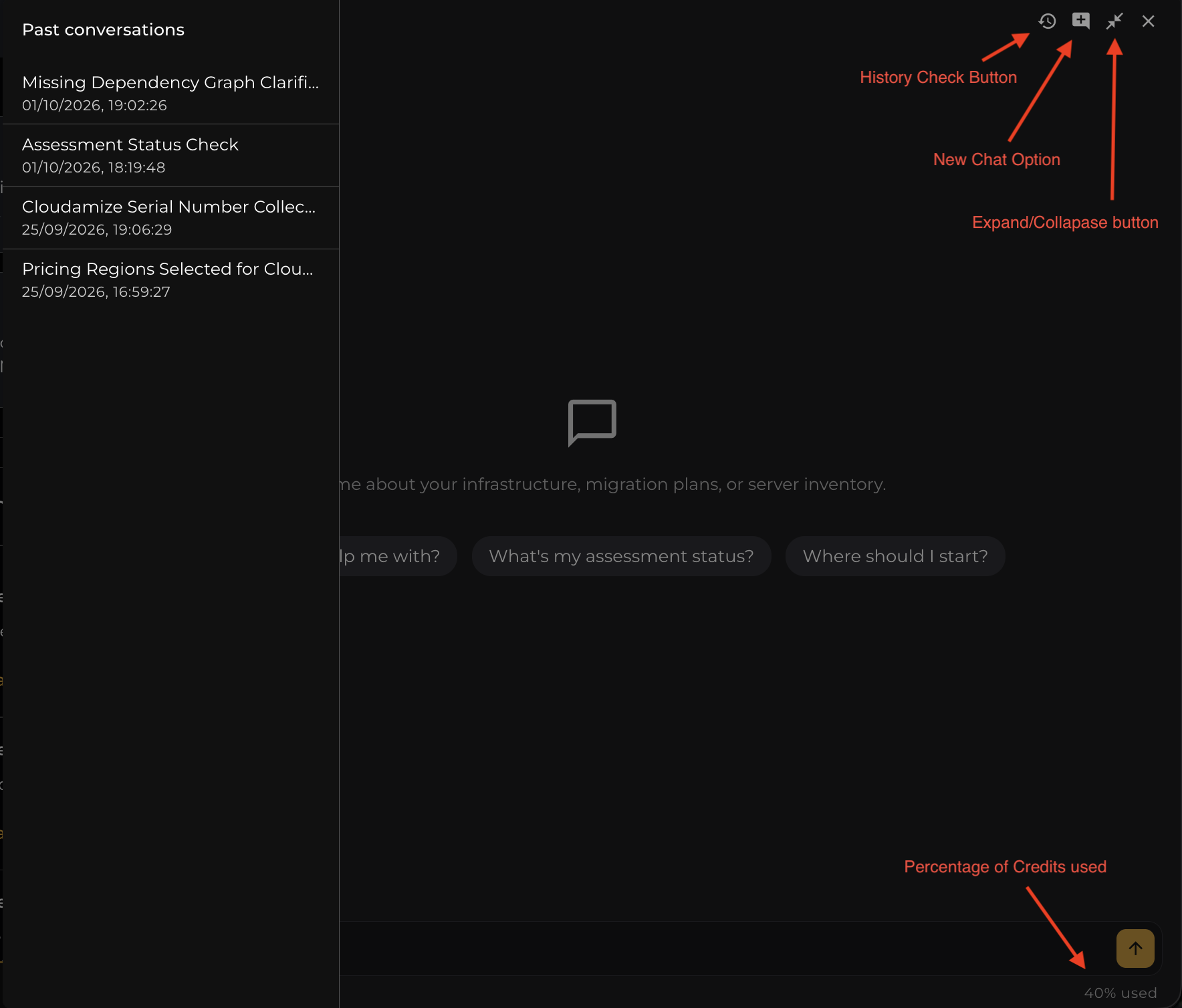
The Assistant footer shows the percentage of your credit allowance that you've used (for example, 43% used). You can check your usage at any time without leaving your conversation as shown in the below screenshot.
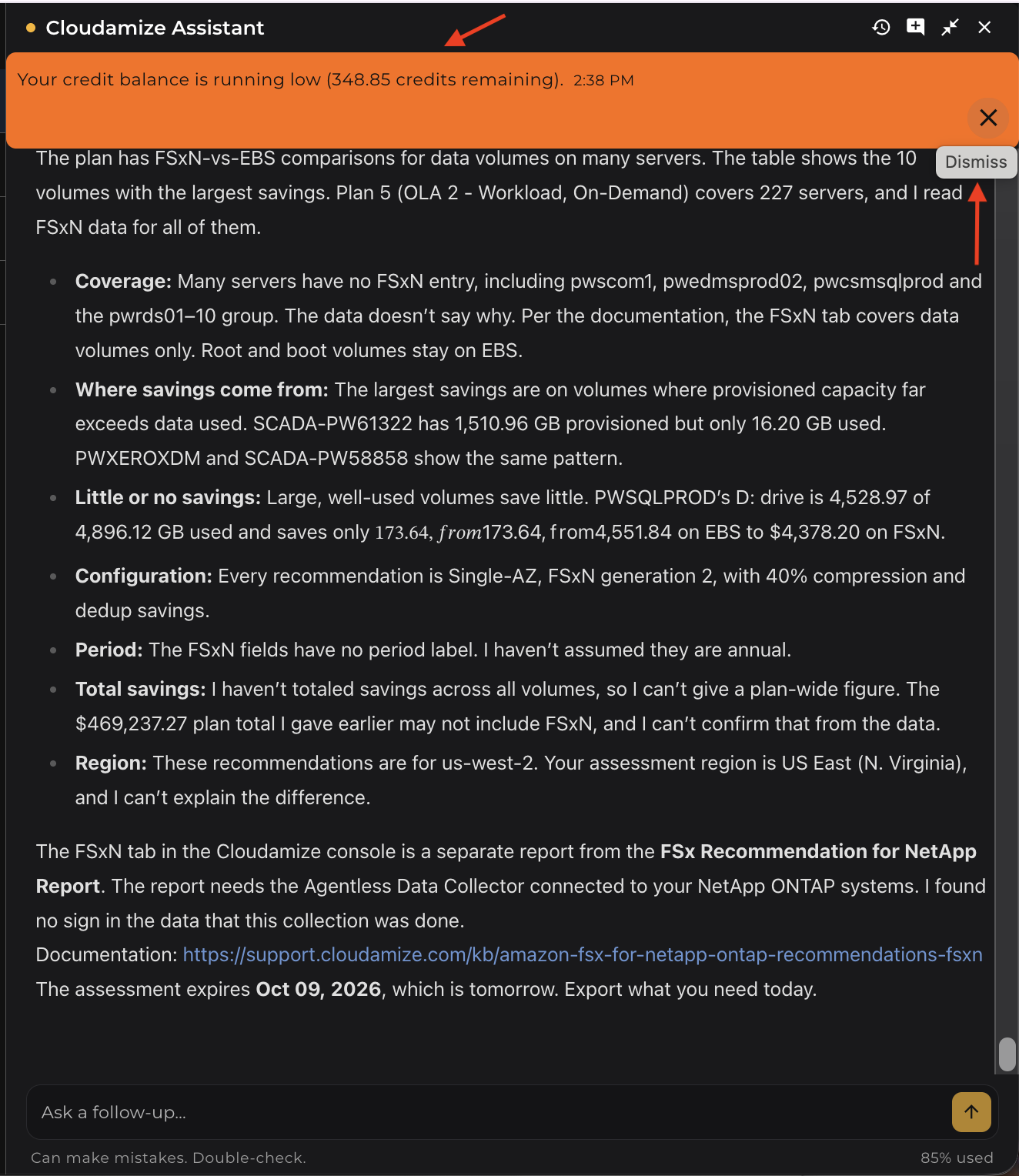
When your credits are running low or have been exhausted, the Assistant shows a single notice with the time it arrived. Select Dismiss to close the notice once you've read it.
NOTE: When your credit usage reaches 100%, the Cloudamize AI Assistant stops answering new questions and displays the message "Error: Quota_Exhausted". You can still open the panel and review your past conversations, but you can't submit new questions until more credits are added to your account.
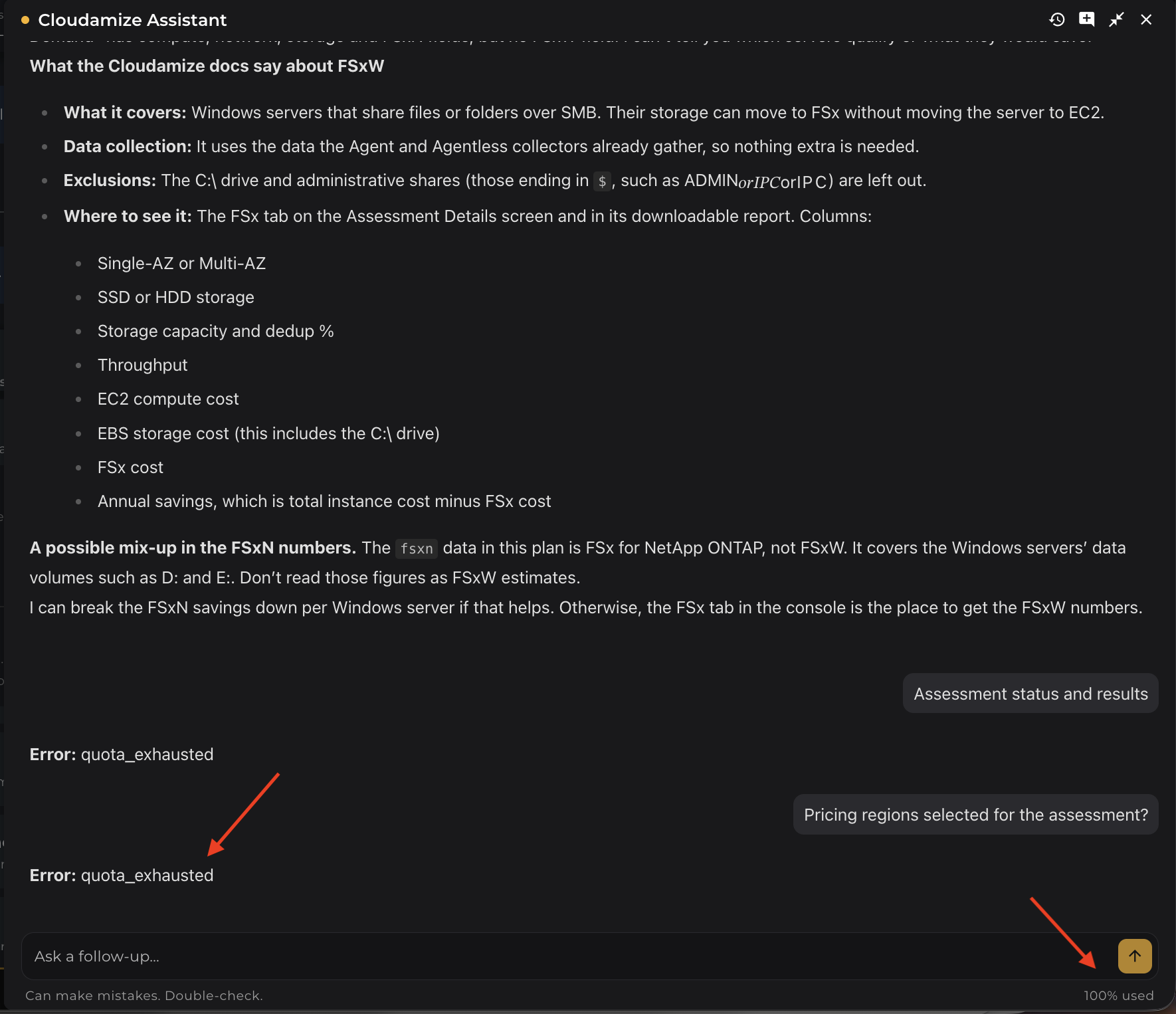
NOTE: When your credits run out, the Cloudamize AI Assistant displays a "limit exhausted" message, and you can't submit new questions until more credits are added. Here is how to get them added:
-
Request credits: Contact sales@cloudamize.com or your account representative and tell them you need more credits.
-
Review pricing: Our team will share the pricing for the additional credits.
-
Complete Payment: Traditional order forms can be provided, but credit cards are accepted to help expedite the process
-
Credits added: Once payment is received, credits are added to your account and you can continue using the assistant."
How to Access the Chatbot
-
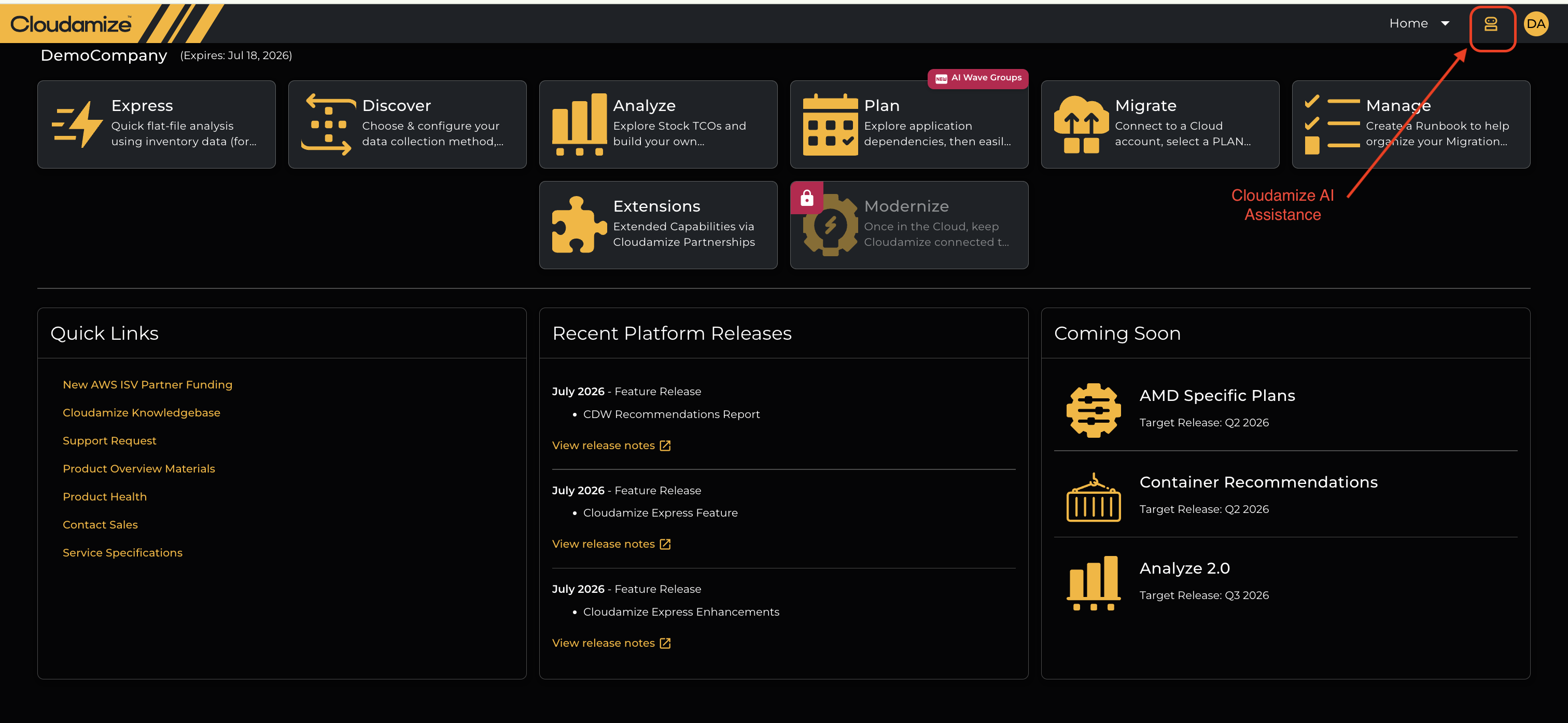
Persistent Header Icon: The AI Assistant is accessible from every single page across the Cloudamize Console.
-
Location: Look at the top-right navigation header bar (next to your user profile avatar). Click the yellow chatbot icon highlighted at the top right corner as shown below on the console header to open the chat panel at any time without leaving your active workflow.
Key Features
Context & Page Awareness
When you open the chatbot on any console page or sub-module, it automatically senses your active screen location:
-
Home / Dashboard: Summarizing high-level assessment status and recent platform releases.
-
Discover: Surfacing starter questions regarding agent setup, firewall requirements, and telemetry collection status.
-
Analyze: Providing instant breakdowns of TCO calculations, peak utilization metrics, and cloud right-sizing rationale (AWS, Azure, GCP).
-
Plan: Explaining application dependency groups and move group sequencing.
-
Migrate & Manage: Assisting with runbook setup, replication prerequisites, and target cloud account credentials.
Dynamic Suggested Prompts (Chips)
Clickable starter question chips appear at the bottom of the chat window, tailored to the page you are viewing. Clicking a chip immediately submits the query without manual typing. Suggested prompts are highlighted so they're easy to spot.
UI Controls
History Check Button (Past Conversations Sidebar)
-
Location: Located in the top-right header of the Cloudamize Assistant panel (clock/counter-clockwise arrow icon).
-
Functionality: Clicking the History button toggles open a Past Conversations left-side panel displaying your complete history of past chat sessions with timestamps.
-
Navigation: Click on any previously logged topic (e.g., AWS TCO, Cloudamize Dependency Groups, or Assessment Status) to instantly reload and review past AI responses and analysis.
New Chat Option (Session Reset)
-
Location: Located at the top right of the Assistant header bar (plus icon inside a speech bubble).
-
Functionality: Click this button at any time to clear the current conversation screen and instantly start a fresh chat thread with updated suggested starter prompts.
Expand and Collapse side panel
Use the Expand/Collapse button to widen the Assistant side panel. This makes longer answers easier to read. Select the button again to return the panel to its original width.
On screens 1024px wide or narrower, the panel already fills the full width, so the Expand/Collapse button is hidden.
Security, Privacy & Data Isolation
-
Strict Account Boundaries: The AI assistant strictly respects Role-Based Access Control (RBAC) and tenant isolation. It cannot query or disclose information from other assessment IDs, workspaces, or external user emails.
-
No Database Execution: The assistant operates solely as an analytical guide. It cannot execute raw database queries, SQL scripts, or backend administrative changes.
If you have any queries, please get in touch with the helpdesk via our Helpdesk Portal or by email at helpdesk@cloudamize.com.