

Overview
The AWS Transform Extension converts a completed Cloudamize migration plan directly into a ready-to-review AWS Landing Zone written as Infrastructure as Code (IaC). Users select an existing migration plan, provide foundational AWS account details, and download an IaC project supporting Terraform, CDK (TypeScript), CloudFormation, or Landing Zone Accelerator (LZA) directly from within Cloudamize.
Where Your Data Goes
-
Execution Environment: Cloudamize runs the AWS Transform job within Cloudamize’s own AWS account, no data is sent to your AWS account.
-
Regional Storage: The finished project is stored in your region (Europe for EU customers; the US for all other regions).
-
Workspace Cleanup: The AWS Transform workspace is deleted automatically once your project is ready.
Core Architecture & Privacy Principles
-
Code Only (Zero-Touch Deployment): Nothing is provisioned or created inside the customer's AWS environment. Cloudamize outputs code for manual review, plan dry-runs, and execution by the customer.
-
No AWS Credentials Required: Cloudamize runs the generation workload internally. Customers do not need an AWS Transform subscription, local connectors, or cross-account IAM permissions.
-
Direct Data Pipeline: Server inventory, application maps, databases, and network dependencies are pulled automatically from the Cloudamize assessment plan into the AWS Transform landing-zone agent.
Prerequisites & Availability
The AWS Transform extension appears conditionally based on customer scope:
-
Cloud Provider: The engagement must include AWS.
-
Billing Tier: The active billing plan must include Assess.
-
Plan Status: At least one AWS migration design (Custom, Designer, Cloudamize Default, or OLA) must have finished processing.
Configuration Fields
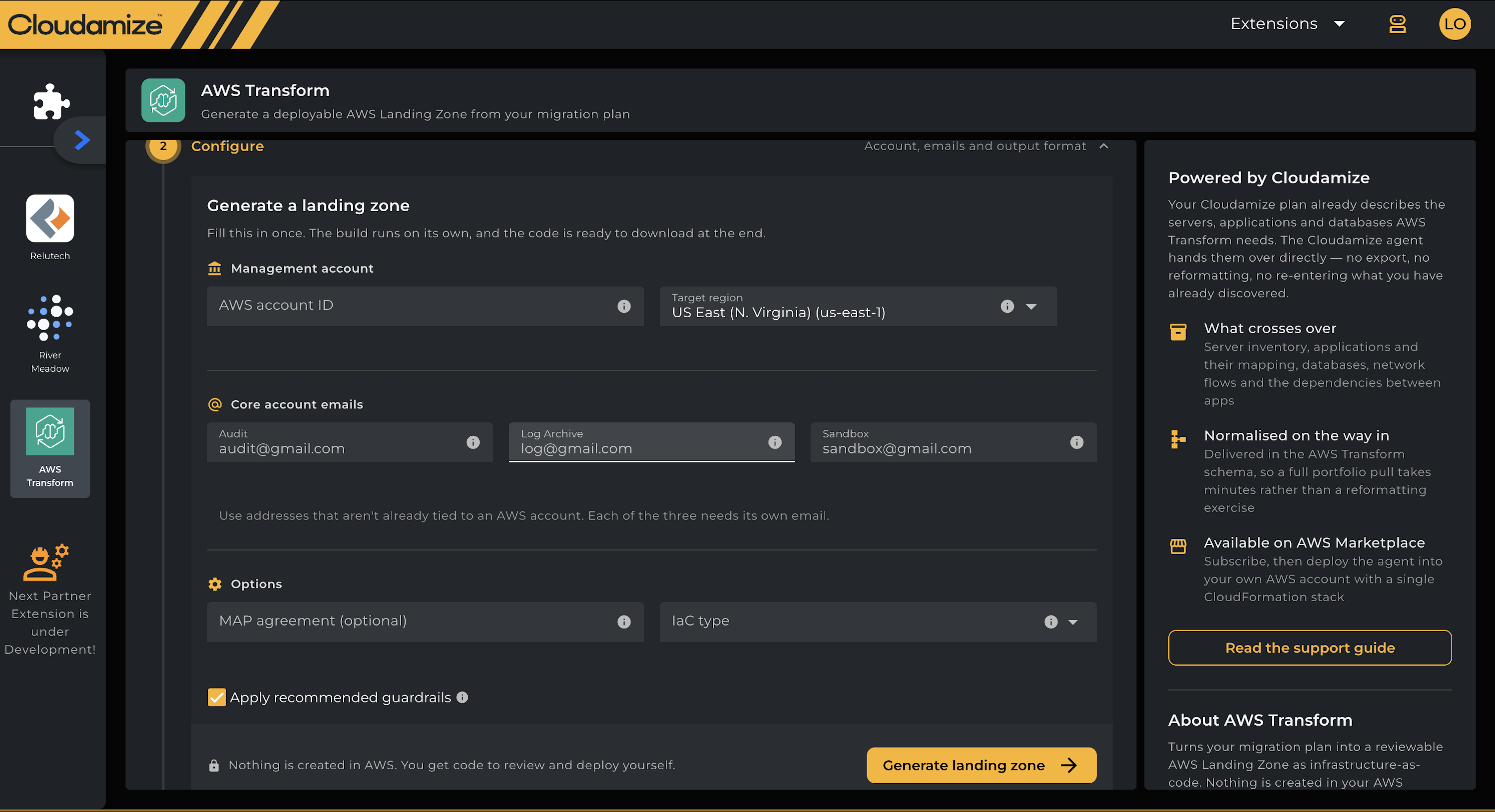
The extension requires specific inputs to structure the landing zone templates:
|
Section |
Field |
Required |
Description / Format Constraints |
|
Cloudamize Plan |
Plan |
Yes |
Completed AWS migration plan. The default design is preselected. |
|
Management Account |
AWS Account ID |
Yes |
12-digit numeric ID (real or placeholder). Injected as a code variable. |
|
Management Account |
Target Region |
Yes |
Target AWS region (defaults to |
|
Core Account Emails |
Audit |
Yes |
Dedicated, unused email address for security and compliance audits. |
|
Core Account Emails |
Log Archive |
Yes |
Dedicated, unused email address for centralized CloudTrail and Config logs. |
|
Core Account Emails |
Sandbox |
Yes |
Dedicated, unused email address for non-production experimentation. |
|
Options |
MAP Agreement ID |
No |
AWS Migration Acceleration Program engagement ID; used to tag resources. |
|
Options |
IaC Type |
Yes |
|
|
Options |
Apply Recommended Guardrails |
Optional |
Enabled by default. Appends AWS-recommended SCPs to mandatory Control Tower controls. |
Email Requirements: Every core account requires a unique email address not already registered with AWS. Additional workload accounts generated by the design use plus-addressing derived from the signed-in user's email (e.g., user+<account>@company.com).
End-to-End Generation Procedure
-
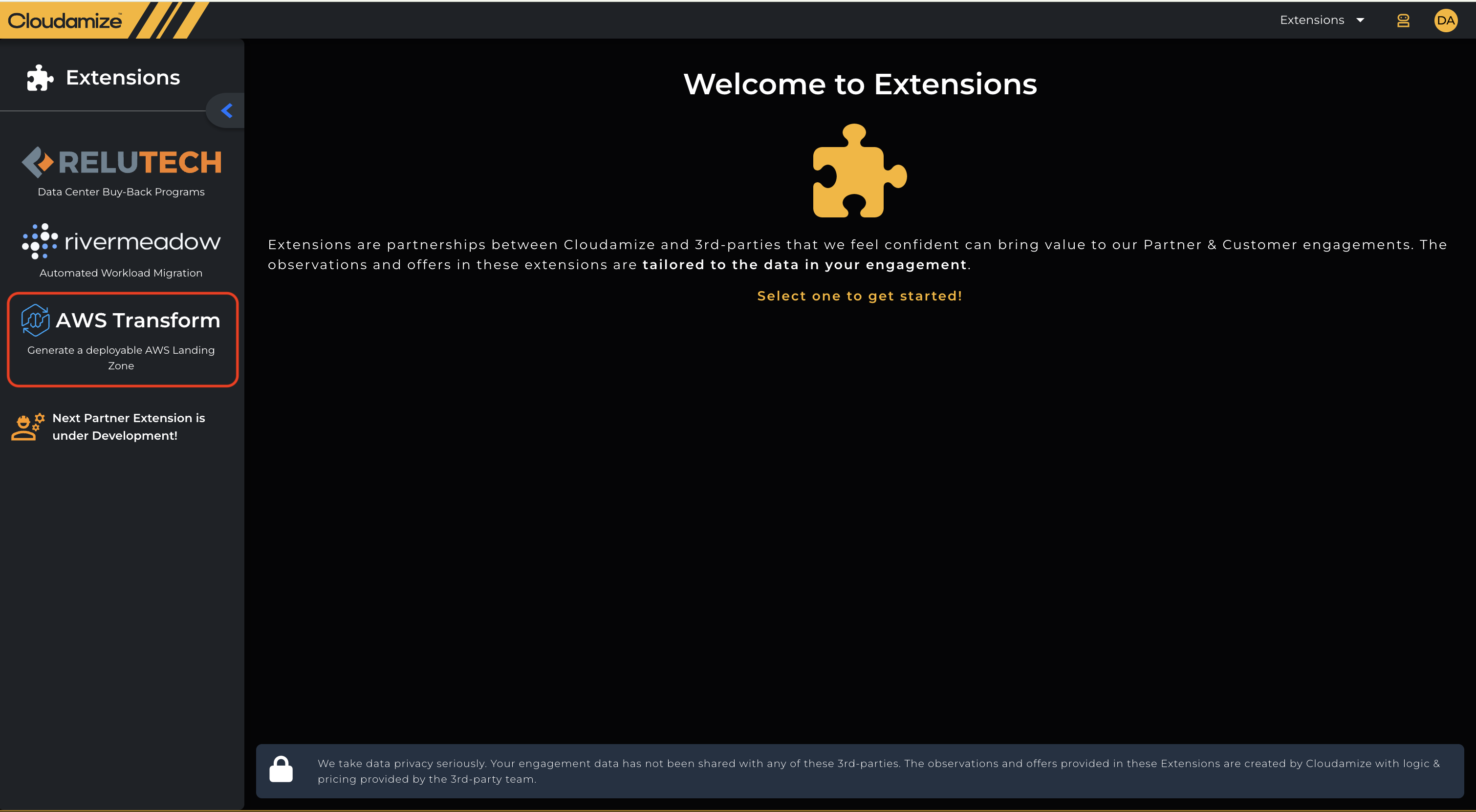
Access the Extension: In the Cloudamize Classic UI, open the Extensions menu and select the AWS Transform tile.
-
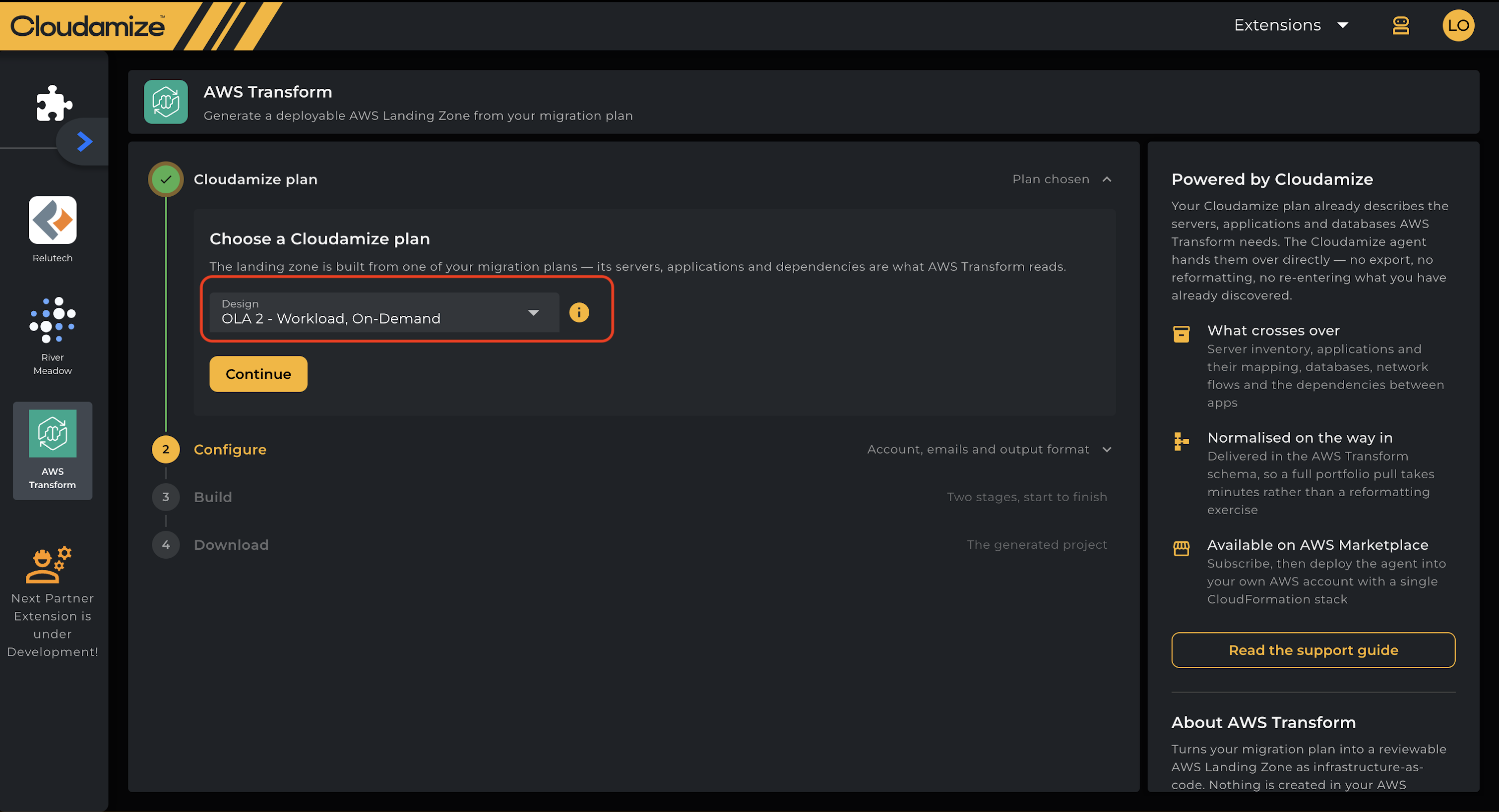
Select Plan: Under Cloudamize Plan, pick the target migration design from the dropdown and click Continue.
-
Configure Settings: Fill in the account IDs, regional preference, core email accounts, and output IaC format. Click Generate landing zone.
-
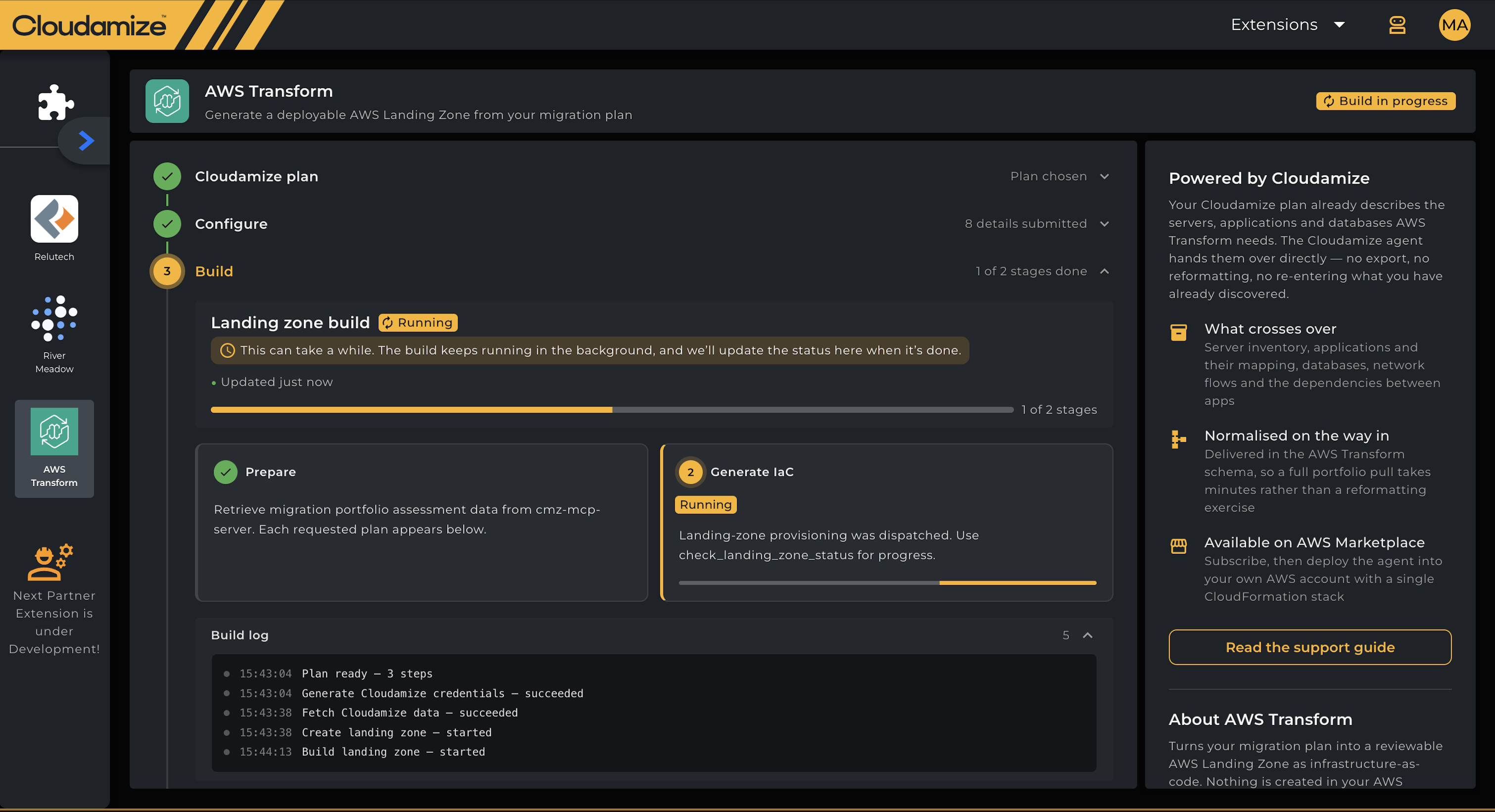
Monitor Build Progress: The build progresses through two internal stages:
-
Prepare: Collects your plan’s data, including portfolio inventory, server mappings, and dependencies from Cloudamize.
-
Generate IaC: The AWS Transform agent designs the OU tree, controls, and baseline IaC modules.
-
-
Download Project: When the status indicates Build complete, navigate to the Download step and click Download
<format>project to retrieve the compressed.ziparchive.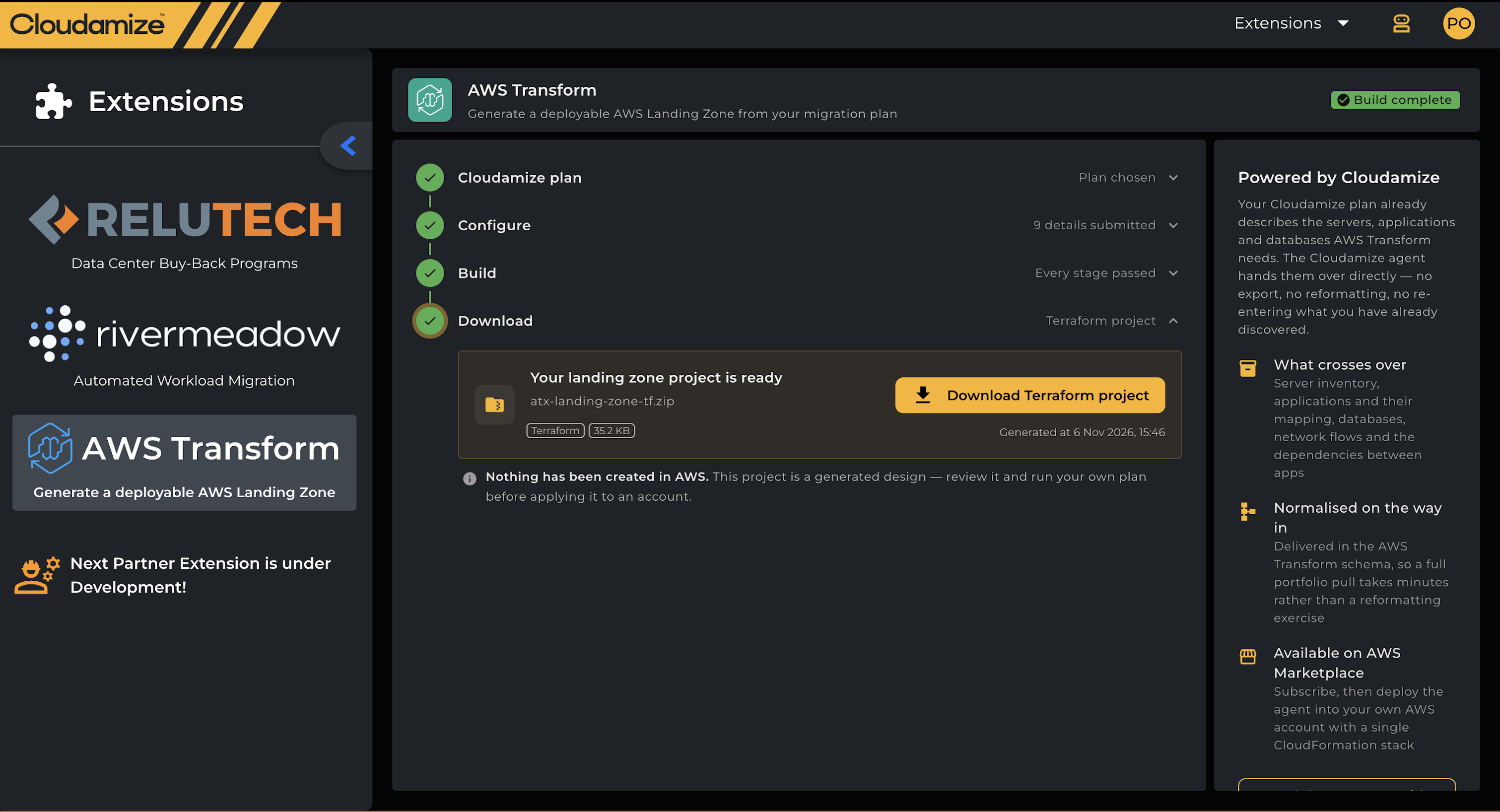
-
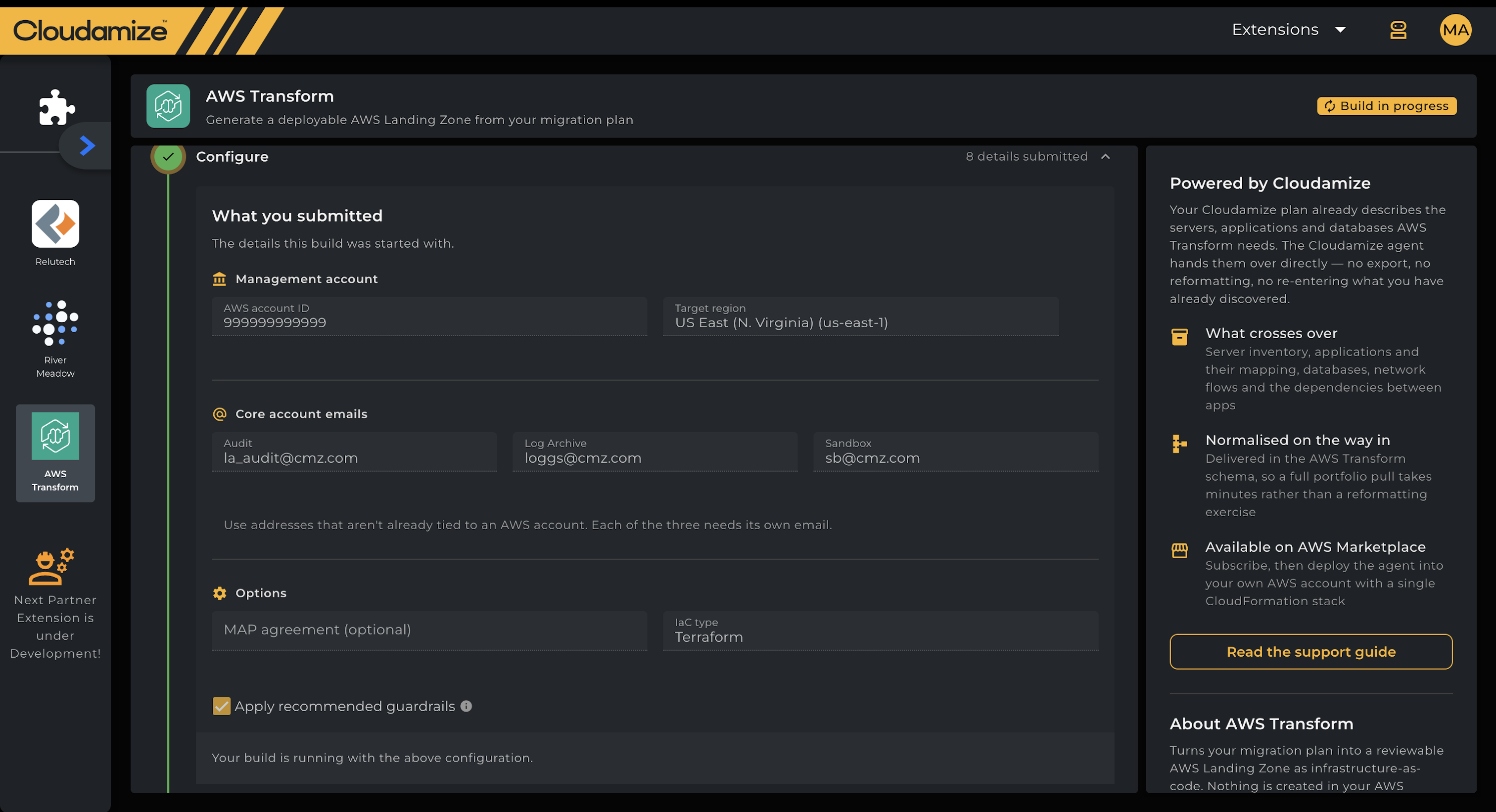
To see the details a build used, reopen Configure. It shows what you submitted, read-only.
-
If the build fails, click Retry next to Build failed to run it again with the same details.
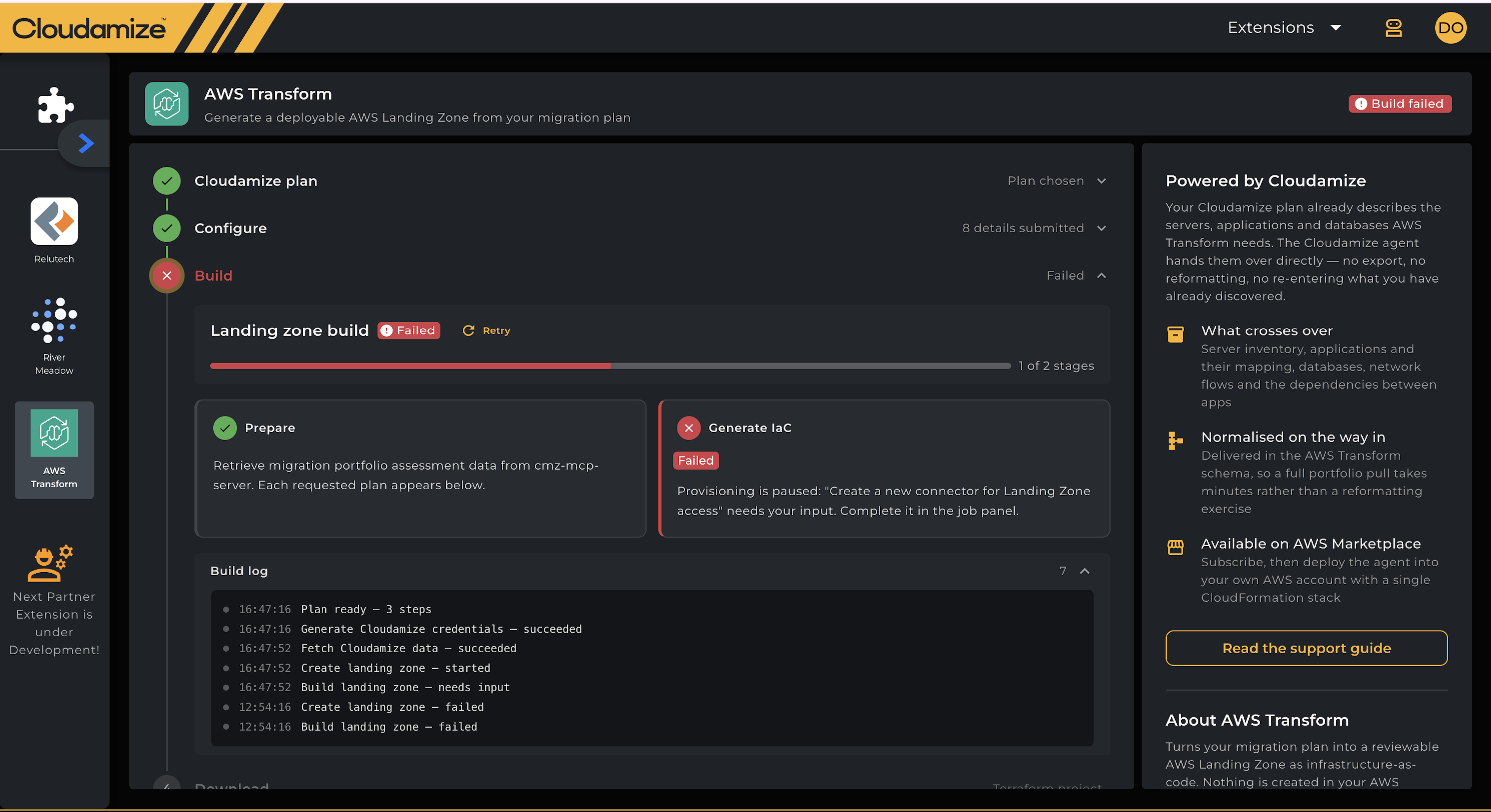
Note: Builds run asynchronously. The page may be navigated away from or closed without halting execution.
Known Limitations
-
Single Build Retention: One active landing zone configuration is maintained per customer tenant. After successful compilation, the configuration enters a read-only state and cannot be replaced with a different plan or format. If a build fails, it can be re-run using Retry.
-
Preset OU Architecture: Follows AWS prescriptive multi-account landing zone topology. Custom organizational unit nesting or single-account rollouts are unsupported through this UI wizard.
-
Plus-Addressing Dependencies: Corporate email systems that reject plus-aliasing (
+) require manual email updates inside the exported code variables before running deployment pipelines. -
Execution Duration: Typical build times take 10 minutes or more, depending on inventory complexity and dependency graph depth.
-
Link Expiration: Download links expire 5 minutes after page render. If the page has been open longer, reload it before you download.
Troubleshooting
|
Issue / Symptom |
Resolution Steps |
|---|---|
|
AWS Transform tile missing on Extensions page |
The extension only shows for assessments that include AWS, on plans that include Assess. Contact your Account Manager. |
|
"No finished migration plans to build from" |
None of your AWS plans have finished processing yet. Come back once one is ready in Analyze. |
|
Status displays "Build failed" |
Click Retry. If it fails again, contact the helpdesk with your customer ID. |
|
Status stuck on "Build in progress" (much longer than usual) |
Reload the page. If it’s still stuck, contact the helpdesk. |
|
Download link fails or does not start |
The link has probably expired. Reload the page and click Download again. |
If you have any queries, please get in touch with the helpdesk via our Helpdesk Portal or by email at helpdesk@cloudamize.com.