

Overview
About RiverMeadow
A unified platform to migrate, optimize, and modernize workloads across hybrid and multi-cloud environments.
Once connected to the RiverMeadow account, the console portal's initial page displays the Summary and Migrations tabs.
Steps to install RiverMeadow Agent and View the status
-
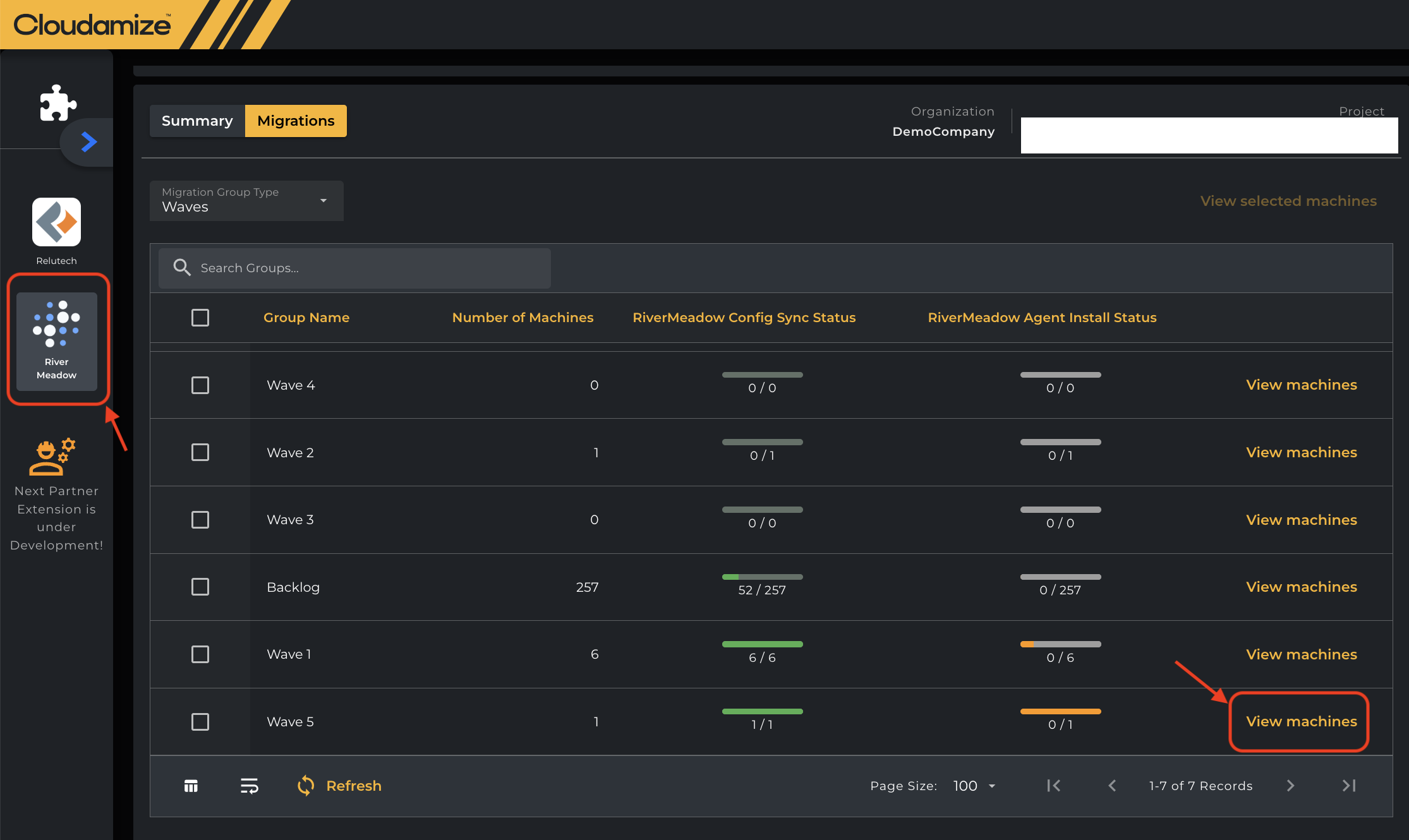
Click View Machines for the respective group, as shown below under Migrations tab.
-
You can check the status of Cloudamize agent status(installed/enabled/sleeping etc.) under “View Machines” once you click it.
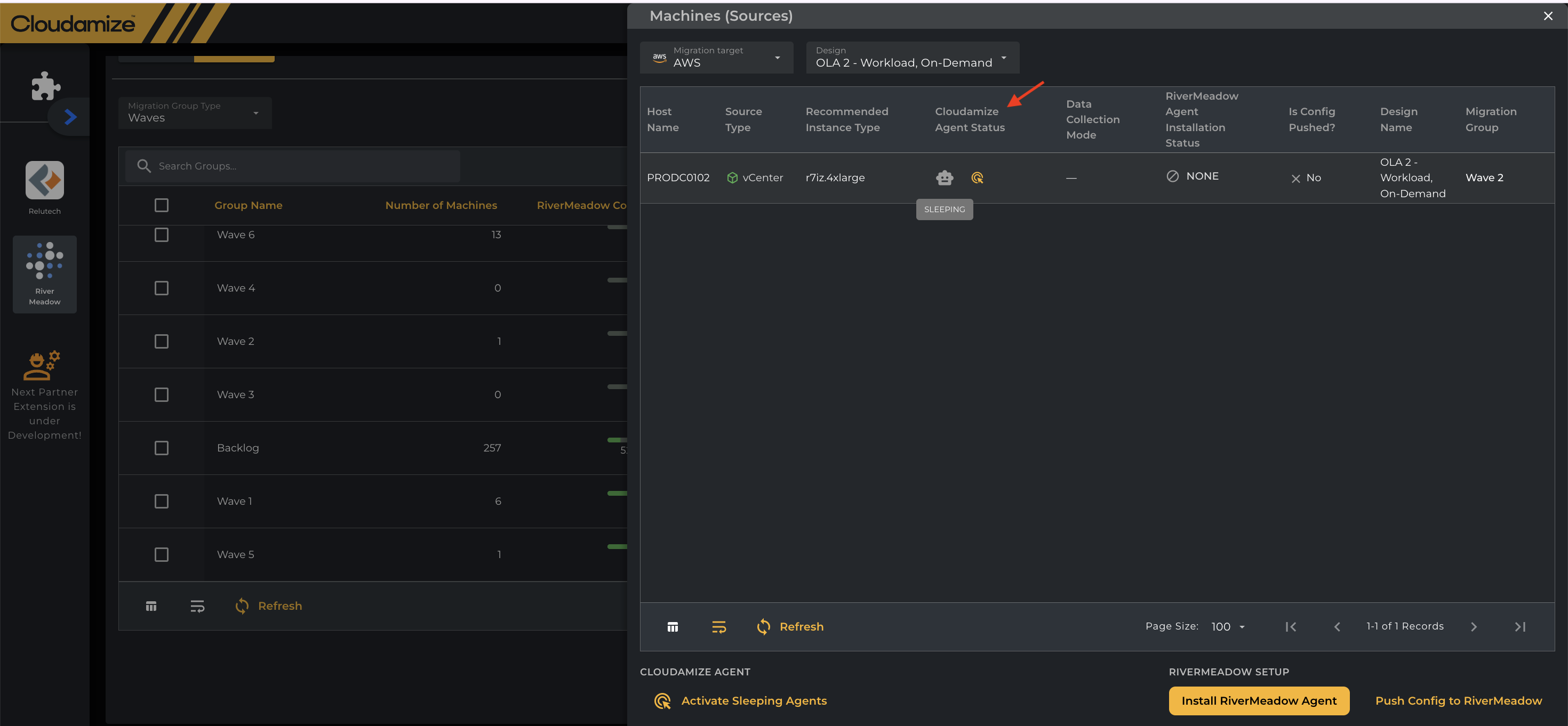
NOTE: Activate the Cloudamize Sleeping agents first, and then Install the RiverMeadow agent
-
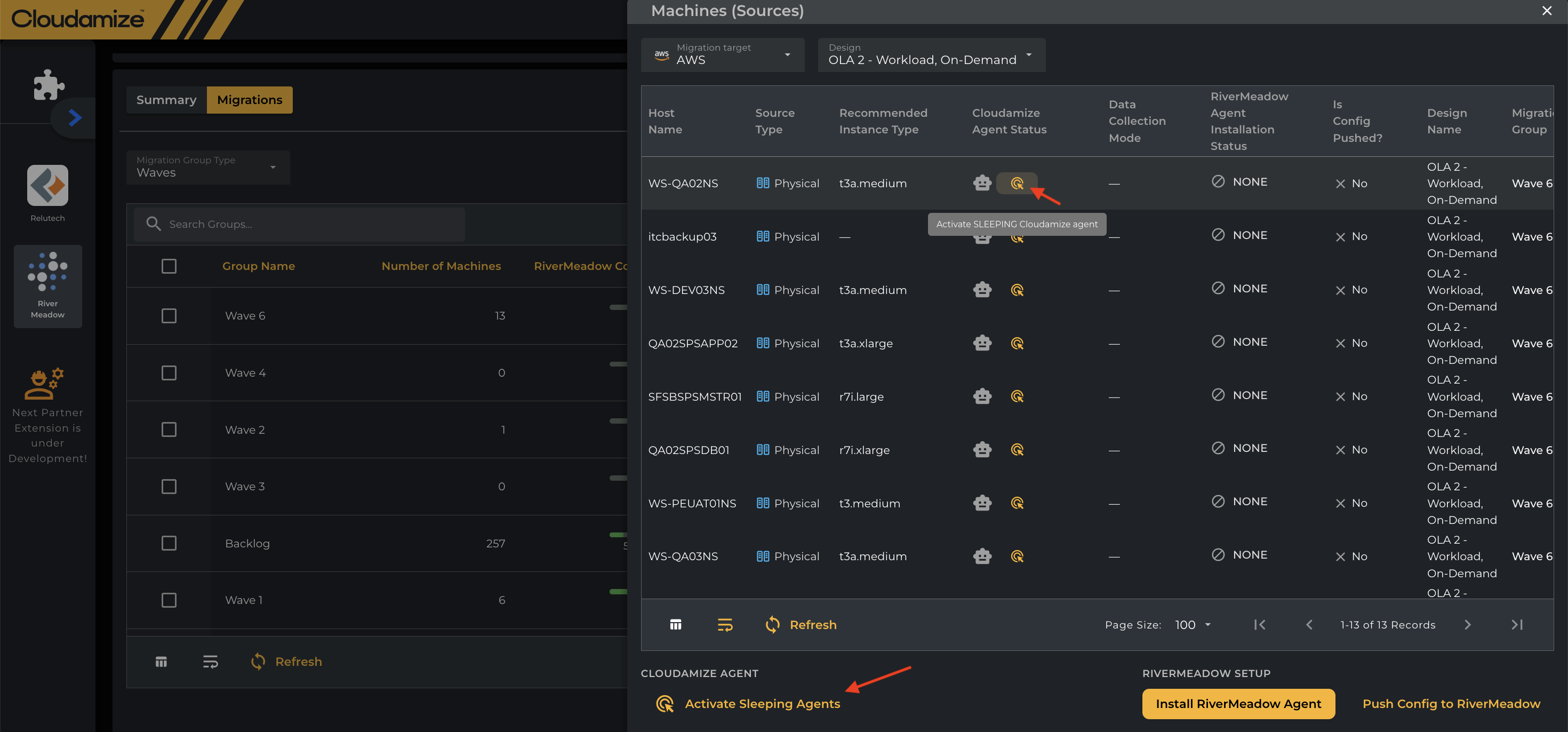
The Cloudamize sleeping agents can be activated in bulk by using the button Activate Sleeping Agents instead of one machine at a time as shown below.
-
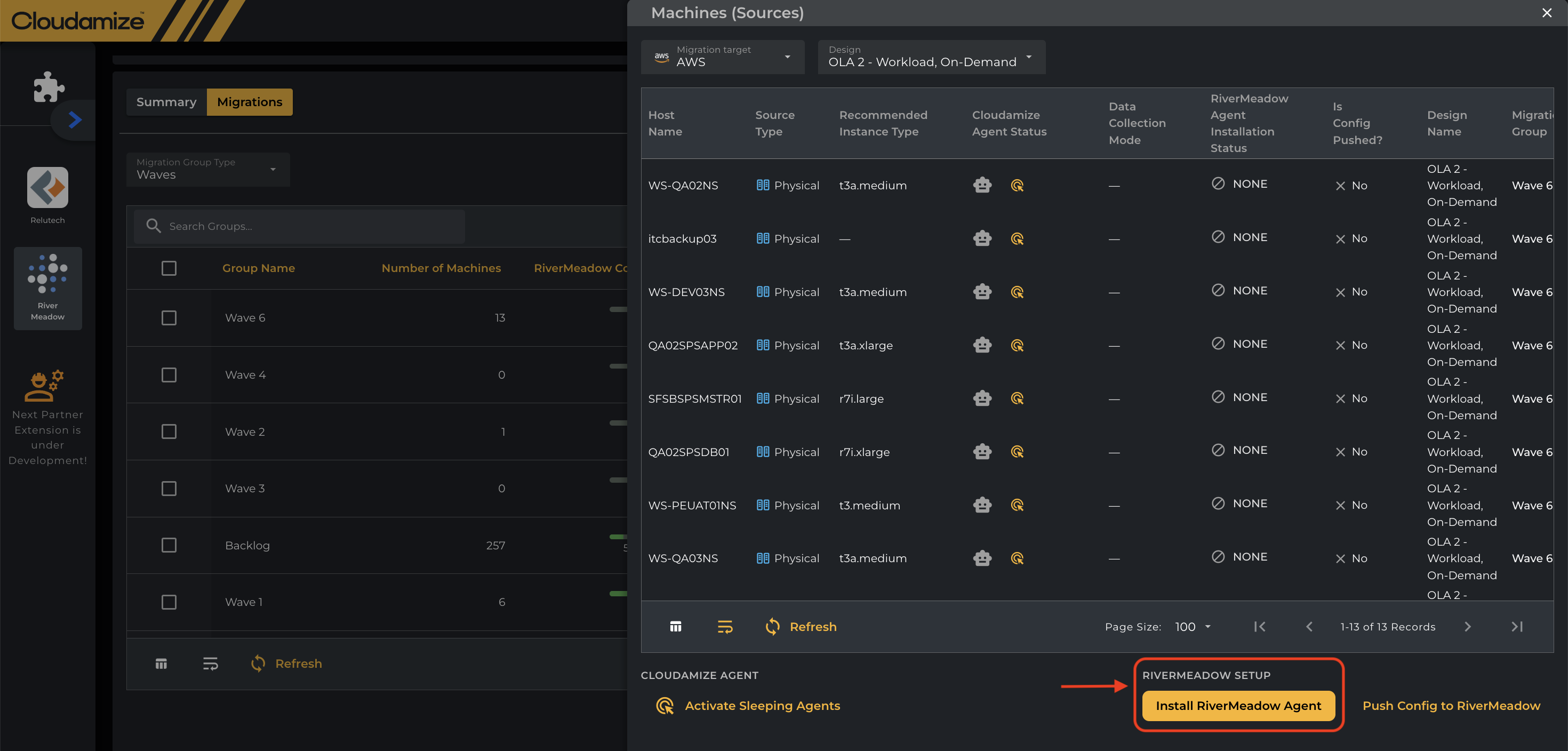
Click the Install RiverMeadow Agent button to start installation as shown below.
-
You can view the RiverMeadow agent installation status, such as “Triggered” , “Success” or “Failure”, as shown in the screenshot below.
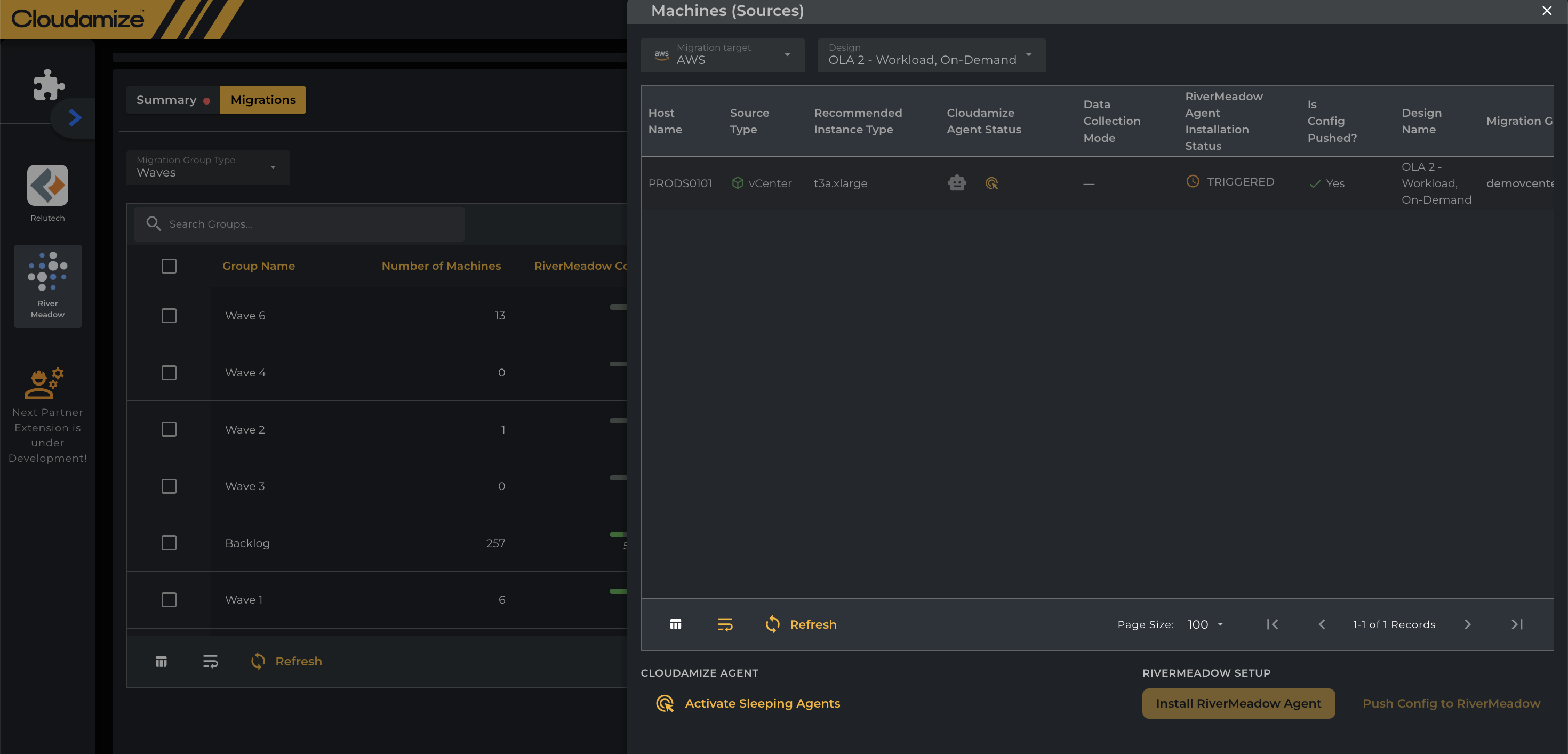
-
You can also view the RiverMeadow Agent Installation status under the Summary tab, as shown in the screenshot below.
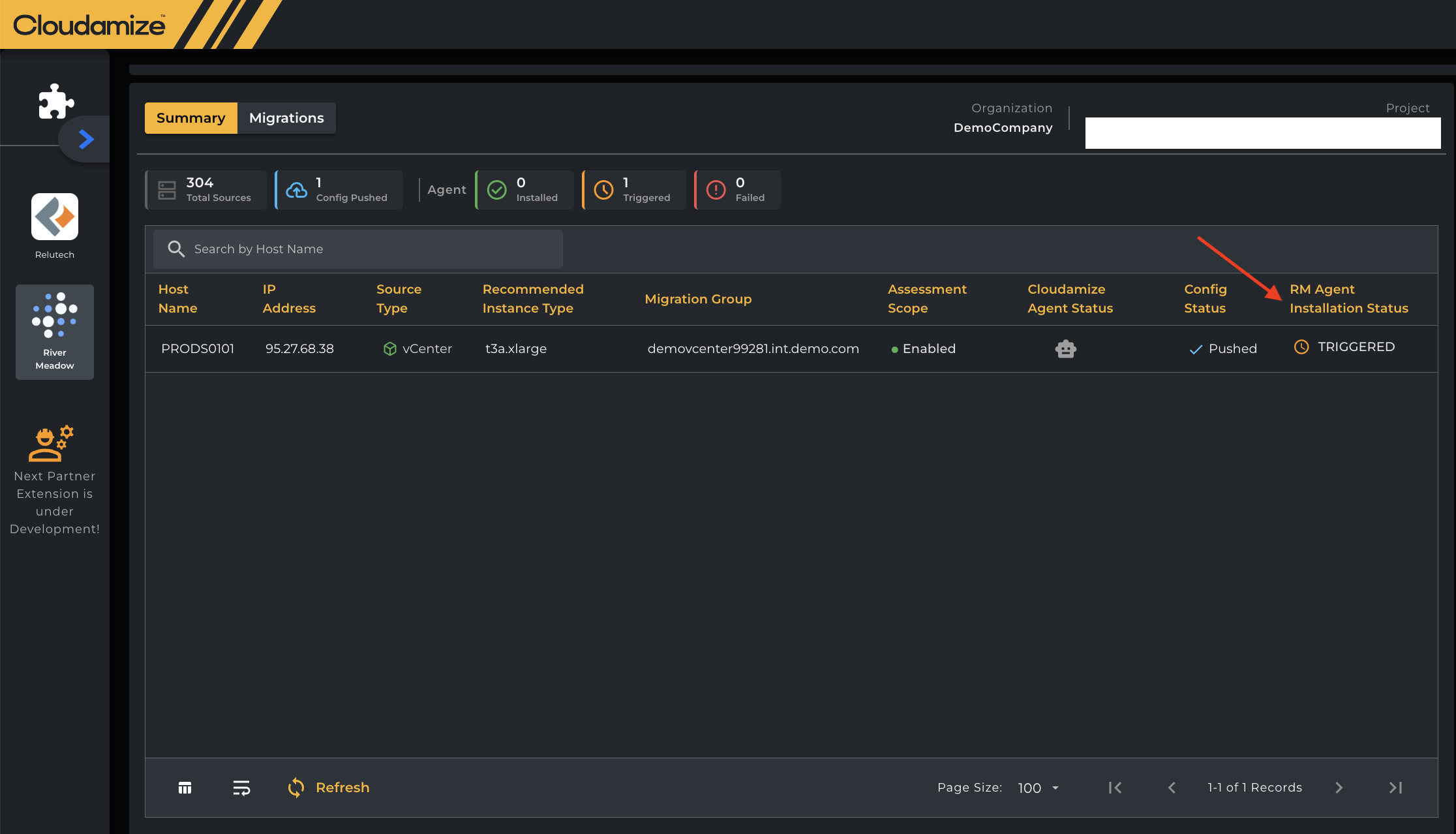
-
You can view the status and total number of agents in each colour according to its respective status below under Migrations tab.
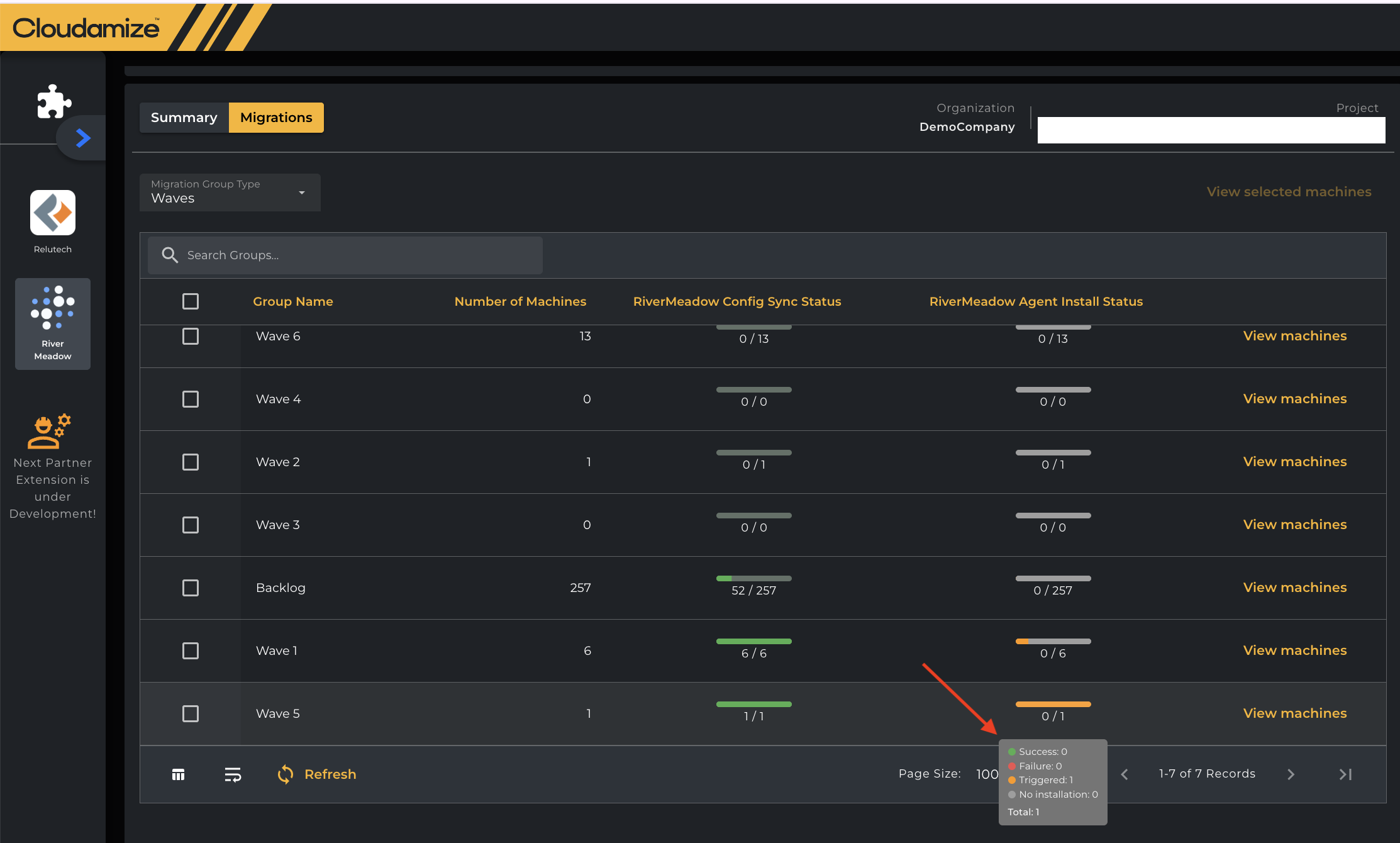
Caveats/Limitations:
-
Agent installation is supported only on machines that are not configured as agentless. Ensure that any agentless machines are disabled in RiverMeadow before proceeding with agent installation.
-
For vCenter virtual machines, agent installation is currently allowed even when an agent is not already present on the VM.
Agent installation logs:
-
For Linux instances, the RiverMeadow agent installation logs can be found under:
/opt/rivermeadow/logs -
For Windows instances, the logs can be found under:
C:\Program Files (x86)\Cloudamize\Info
If you have any queries, please get in touch with the helpdesk via our Helpdesk Portal or by email at helpdesk@cloudamize.com.