

Overview
The AI Move Group mechanism significantly advances large-scale cloud migration planning. It analyzes extensive dependency graphs to automatically cluster machines into logical move groups. By optimizing these groups based on interdependencies and size constraints, the AI generates sequential Migration Waves, transforming complex server lists into structured, manageable units for execution. This process streamlines migration efforts, reduces risk, and speeds up time-to-cloud by eliminating manual, server-by-server planning.
AI Move Groups uses a combination of
-
Graph cleaning and clustering.
-
Deterministic community detection.
-
AI-based reasoning for migration prioritization.
AI Move Group Strategic Clustering
Modern cloud migration requires careful planning to minimize downtime and risk. Moving individual servers is inefficient when dependencies exist between them. The AI Move Group addresses this challenge by converting chaotic server lists into logical, manageable migration units. Its primary function is to balance the size and quality of migration clusters, ensuring efficiency and generating optimized Migration Waves to enhance the success of large-scale environment shifts.
Key Principles of AI Clustering
-
Inefficiency of Single Servers: Migration planning is inefficient for single servers because one machine is often better grouped with related machines to streamline the process.
-
Optimal Clustering Goal: The AI Move Group works to maximize the number of clusters that fall within an optimal size range.
-
Avoiding Large Clusters: The strategy is designed to prevent overly large clusters, which are difficult to manage and schedule, thus increasing migration risk.
-
Core Mechanism: The grouping mechanism dynamically balances the goal of maximizing optimal-sized clusters with maintaining high cluster quality (which is based on the strength of machine interdependency).
-
Balancing Act & Wave Output: The primary objective is to balance the number of clusters and cluster quality to create manageable, logically grouped units. These resulting groups are the Migration Waves that minimize risk and accelerate the migration process.
Auto-Grouping 2.0 Enhancements
Cloudamize has enhanced its AI-augmented auto-grouping capabilities to make server grouping and wave planning more interactive, transparent, scalable, and easier to manage.
Improved Visualizations
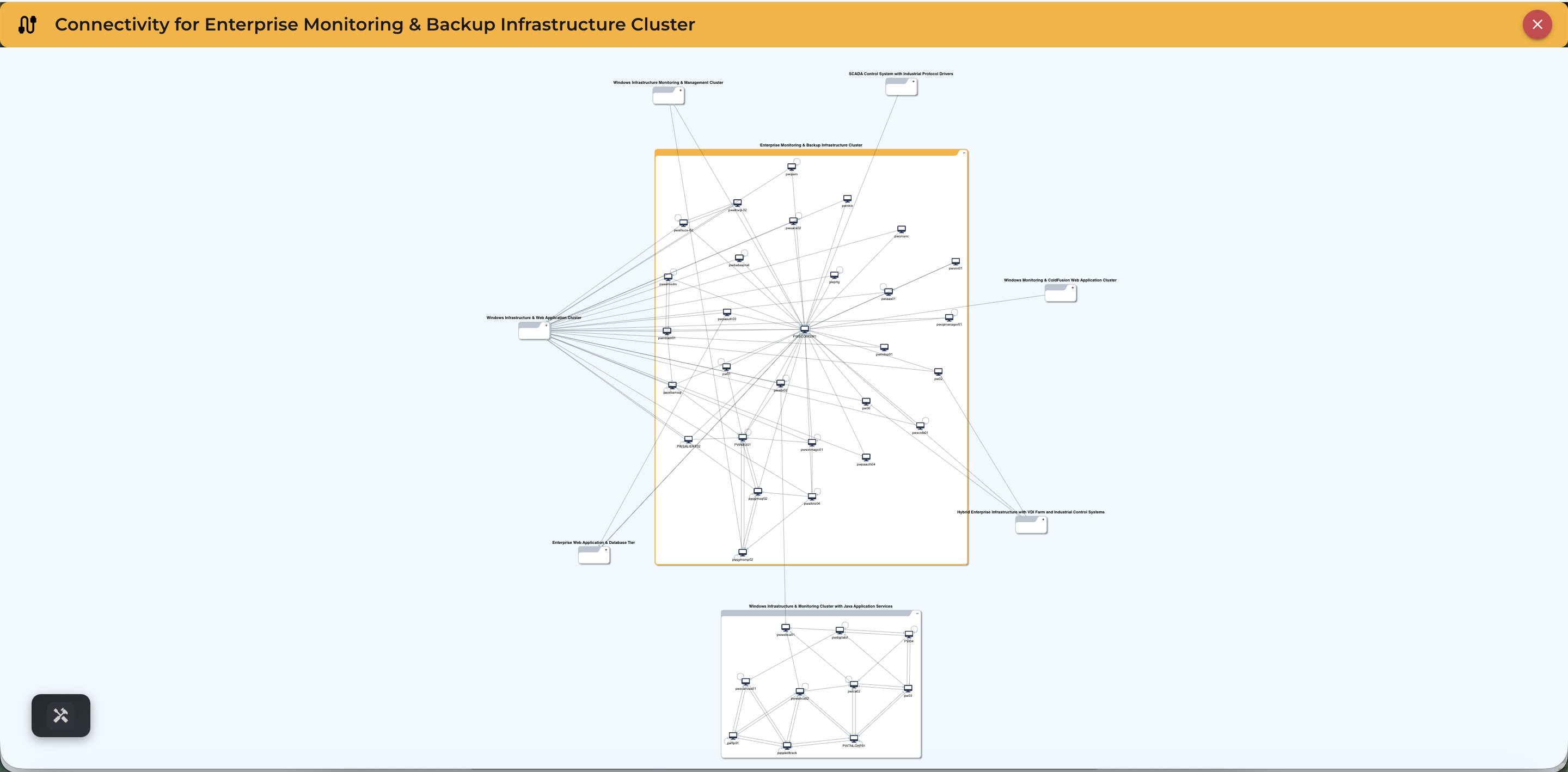
Auto-grouping visualizations are now more interactive and provide deeper visibility into server communication relationships.
Enhancements include:
-
Visibility into intra-group machine connectivity, enabling users to identify all machines connected within a target move group.
-
Interactive grouping views for easier exploration and analysis.
-
Rich contextual details displayed in the side panel when selecting servers or communication links.
-
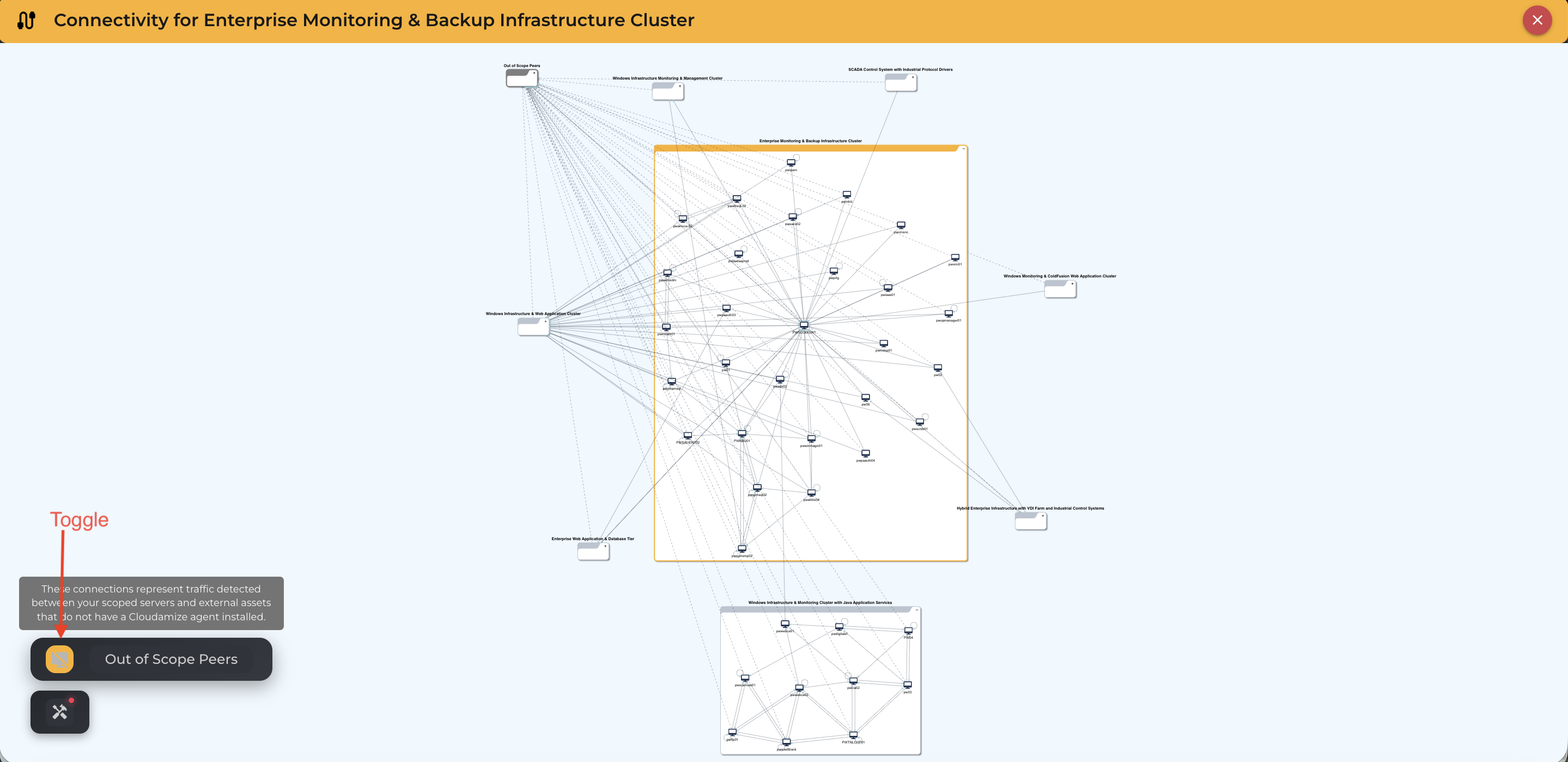
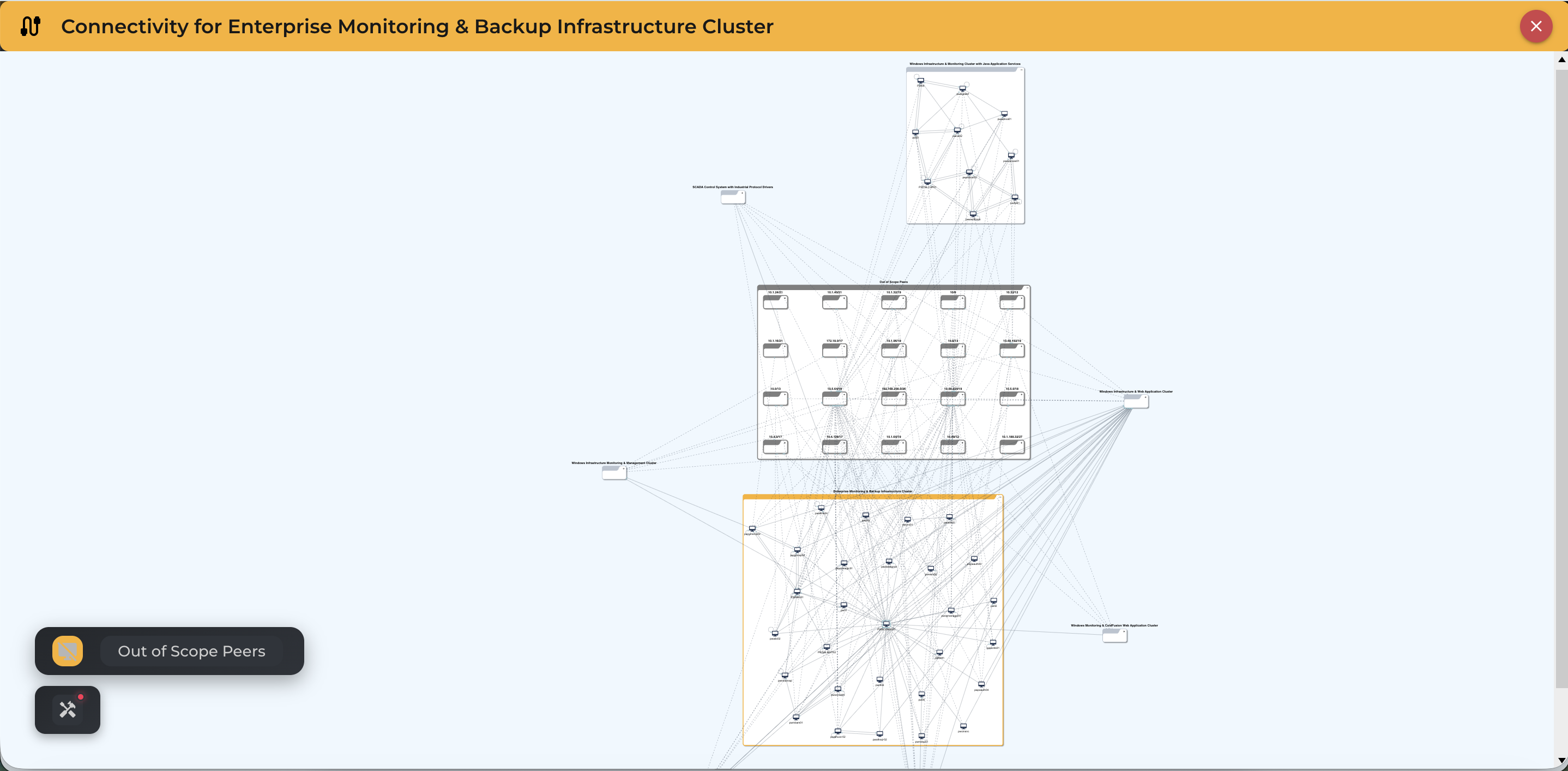
An Out of Scope Peer (No Agent Communications) toggle that allows users to show or hide servers without agent-based communication, reducing visual clutter during analysis.
Connection Density, Details, and Server Insights
Cloudamize now provides deeper visibility into communication relationships and server dependencies.
Enhancements include:
-
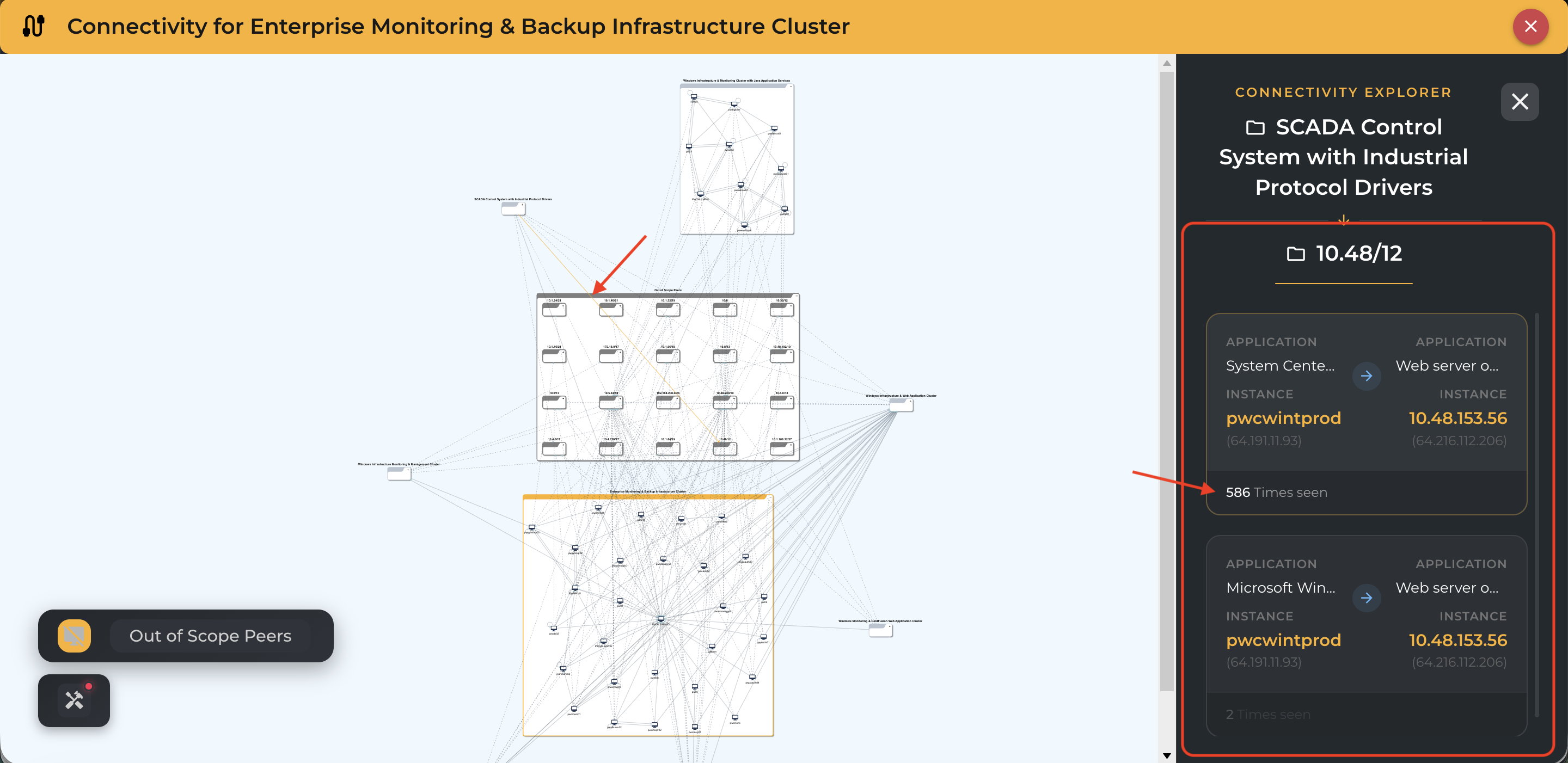
Source-to-target process-level communication details.
-
A Times Seen connection density metric that shows how frequently relationships occur between servers.
-
Availability of connection insights across both graphical visualization and table views.
-
Detailed server and dependency insights displayed in the right-side panel when selecting nodes or communication links.
Export Capabilities
Users can now export reports for:
-
Cloudamize AI-generated recommended groups
-
Custom wave groupings created by users or partners
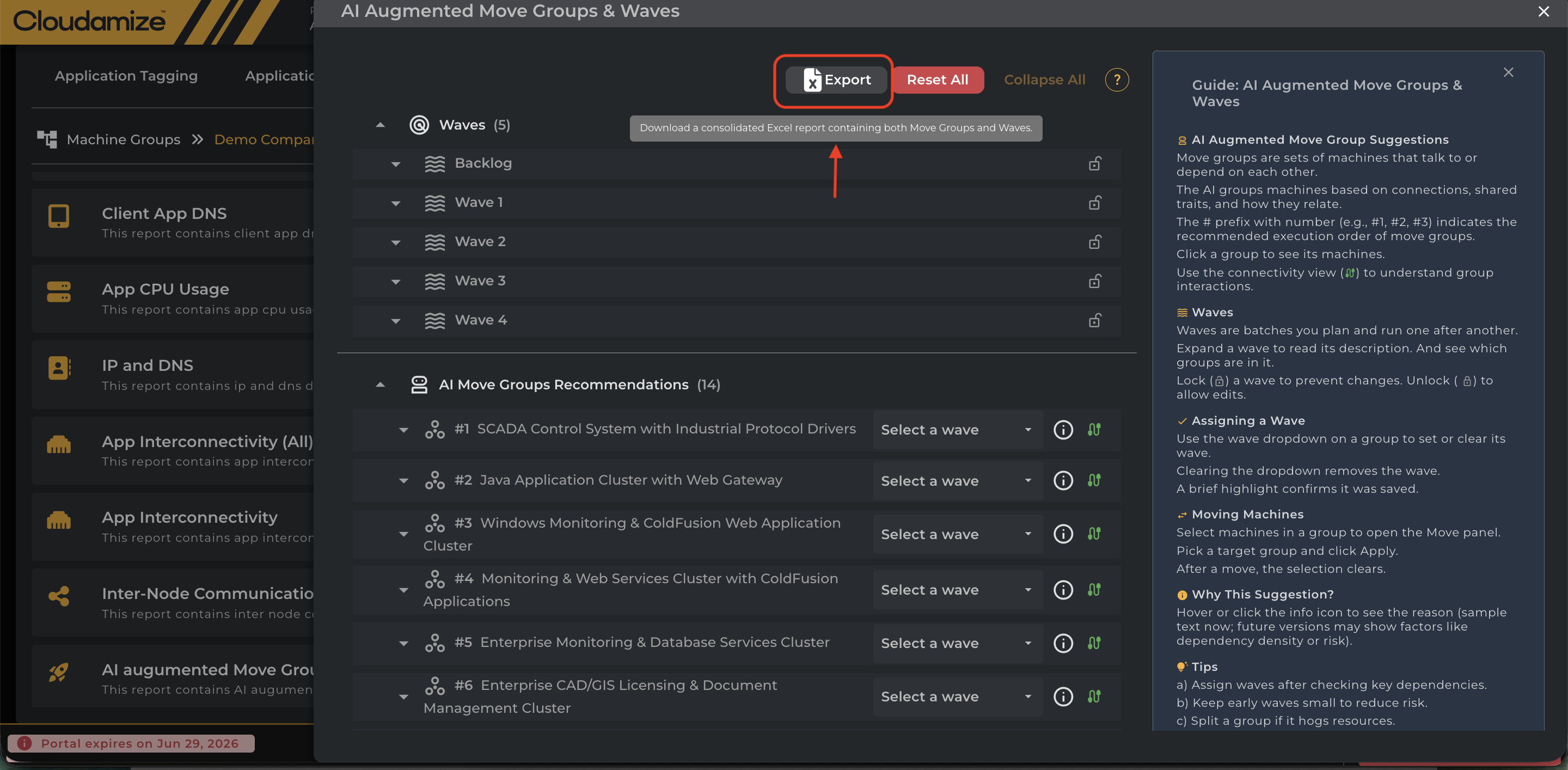
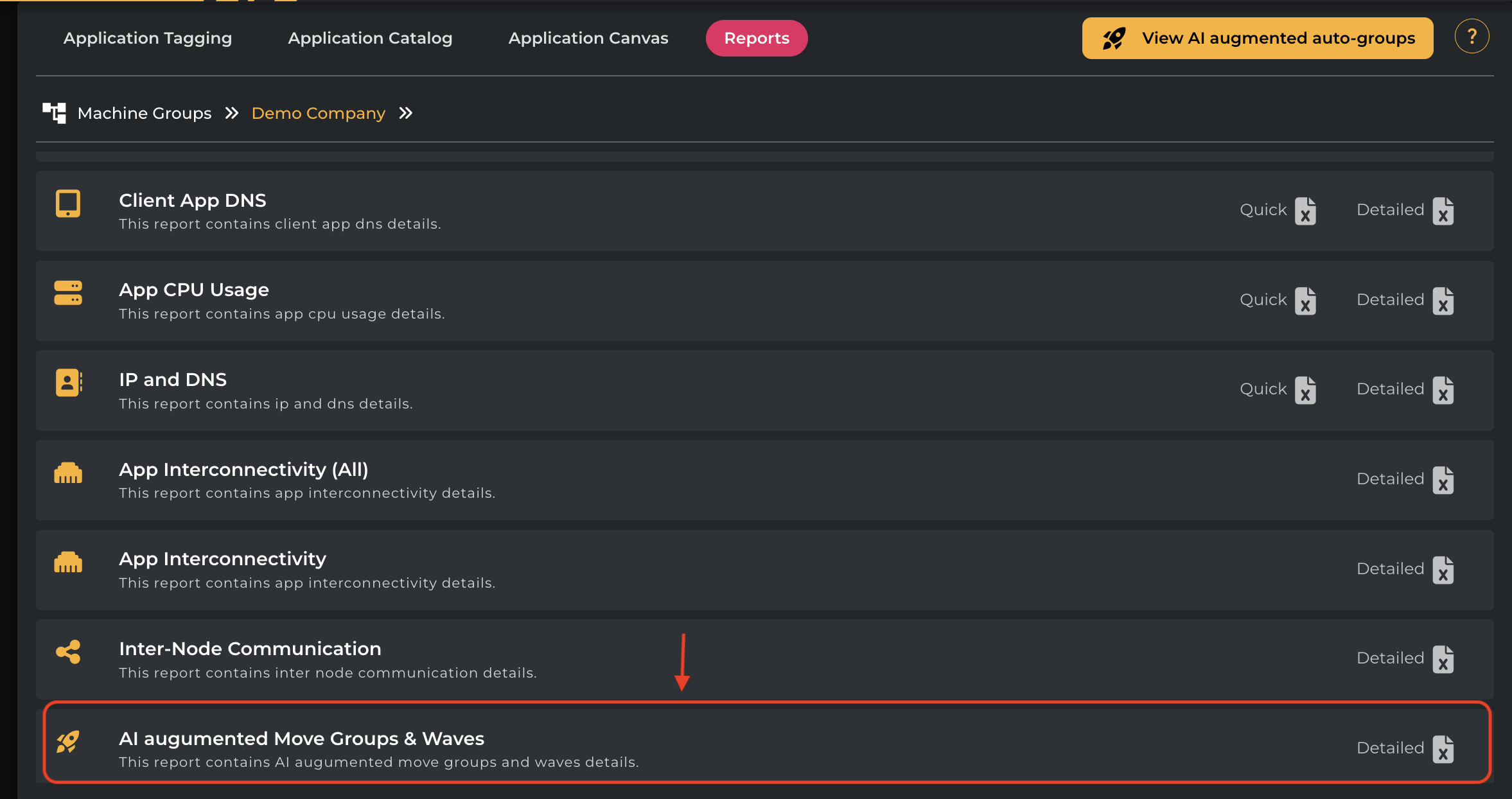
Sample Migration-MoveGroup-Wave-Report
Migration-MoveGroups-Waves-Report.xlsx
Grouping Logic
Auto-grouping logic has been refined to improve readability and operational usability.
Enhancements include:
-
Servers without dependencies are grouped separately and displayed at the bottom for easier identification.
-
Servers with no agent communication are grouped together for simplified inspection and analysis.
-
Group sizing optimizations based on real-world migration feedback to improve manageability.
Performance Improvements
Cloudamize has introduced multiple scalability and performance optimizations to improve large-scale migration planning.
Enhancements include:
-
LLM-side optimizations, including streaming token counting during model execution.
-
Improved responsiveness and scalability for larger assessments.
-
Support for processing approximately 150 groups across 1,200+ servers per assessment.
Wave Tag Synchronization Across the Application
Wave tags are now synchronized across the Cloudamize application to ensure consistency between auto-grouping workflows and application tagging.
Enhancements include:
-
Tags applied during auto-grouping automatically reflected in application-level tagging.
-
Application-tagged servers synchronized back into auto-grouping workflows.
-
Improved consistency between migration grouping decisions and application tagging.
Accessing AI Move groups
The AI Wave Groups feature is part of the overall planning functionality within the Cloudamize platform. The steps to initiate the process are:
-
Log in to the Cloudamize Console (if you are not already logged in)
https://console.cloudamize.com -
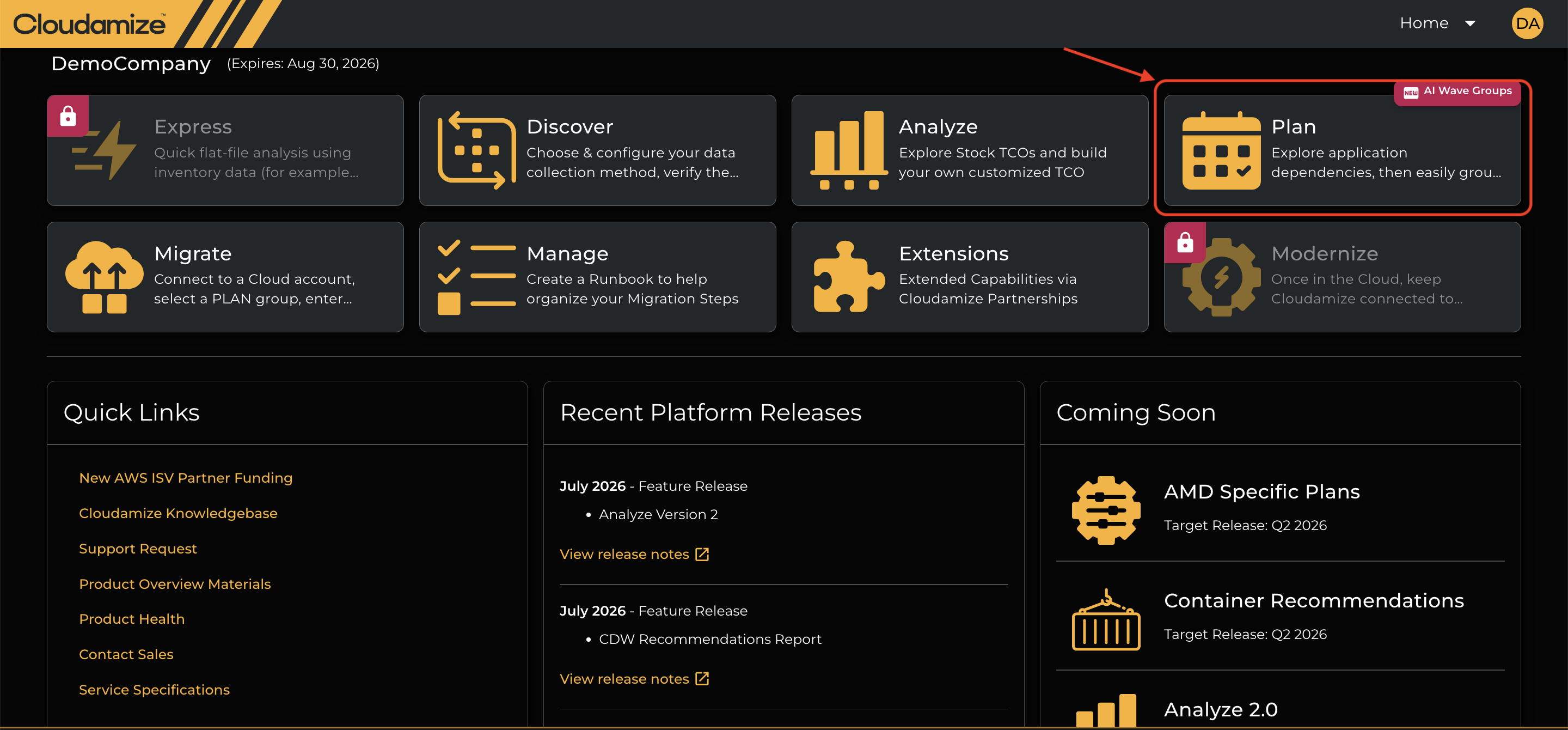
Click the Plan Tile: Click on the Plan tile.
-
Click on the AI Augmented wave-group highlighted in the screenshot below.
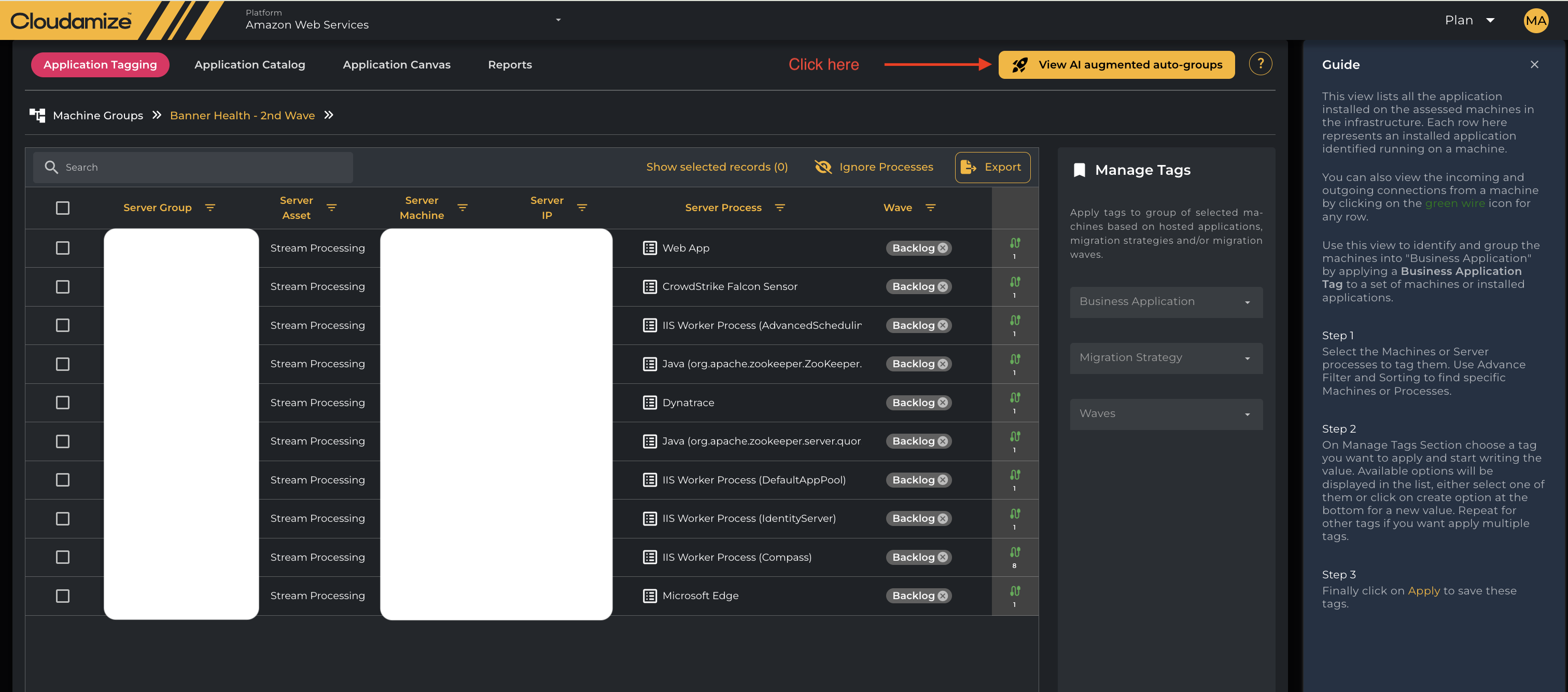
Once you click on the AI Augmented wave-group, you will see a screen displaying all the AI-created Groups and Waves.
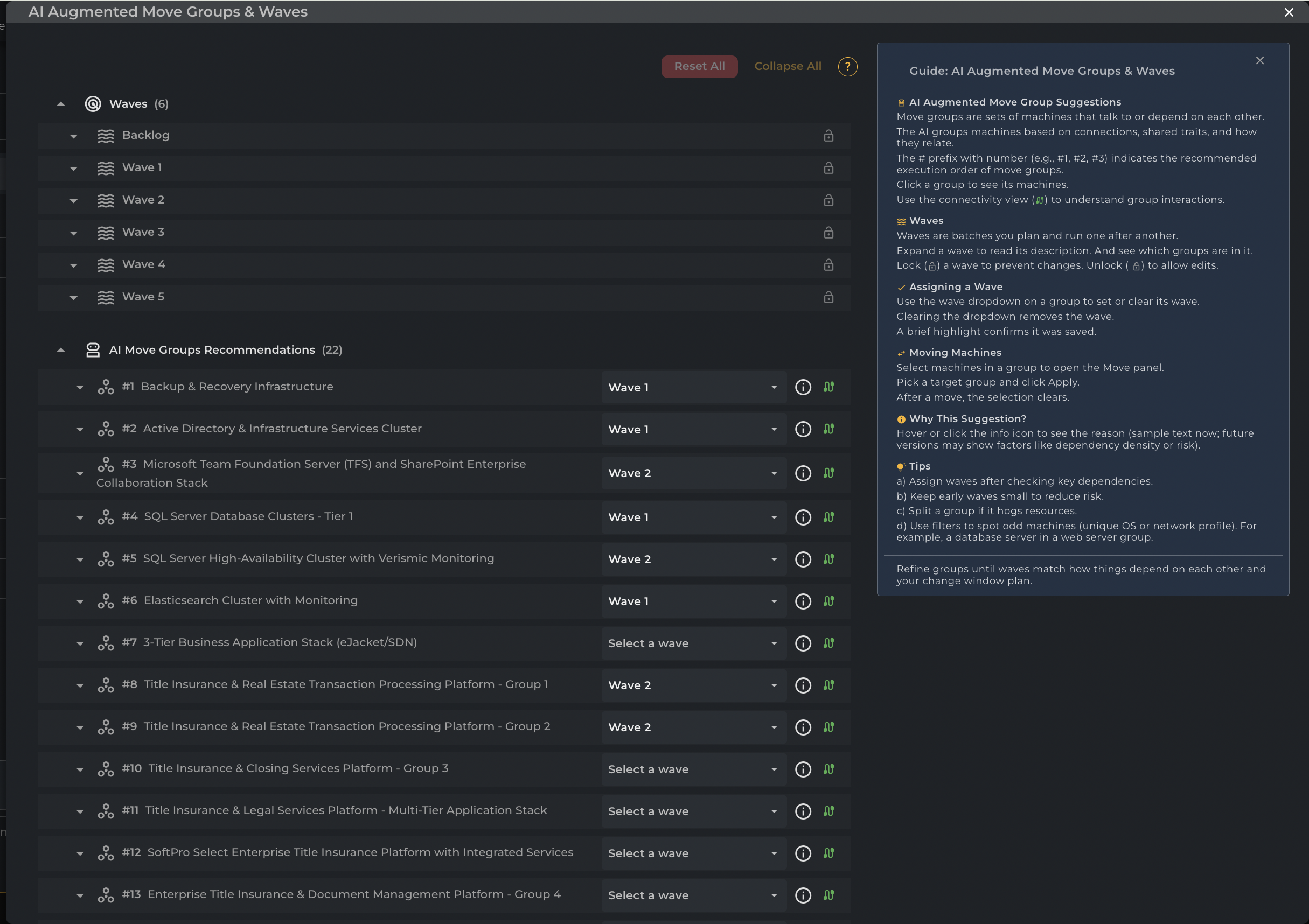
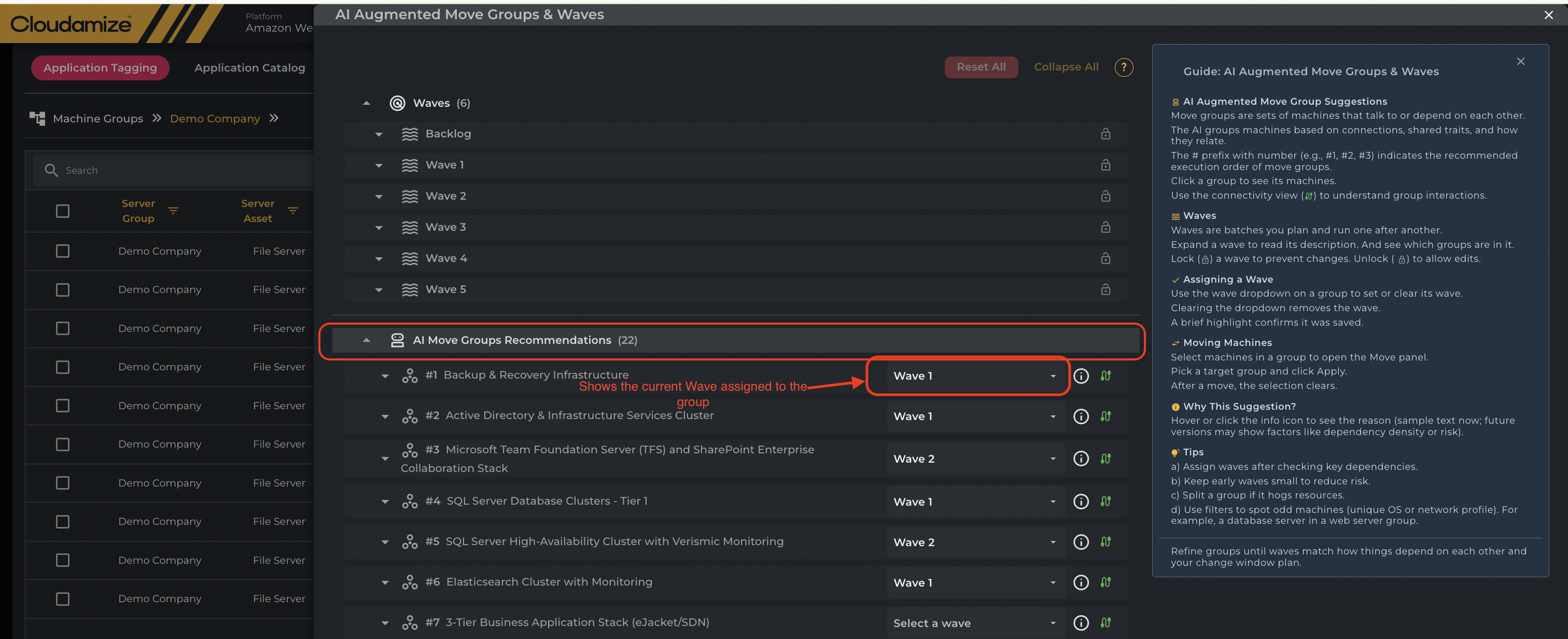
Waves
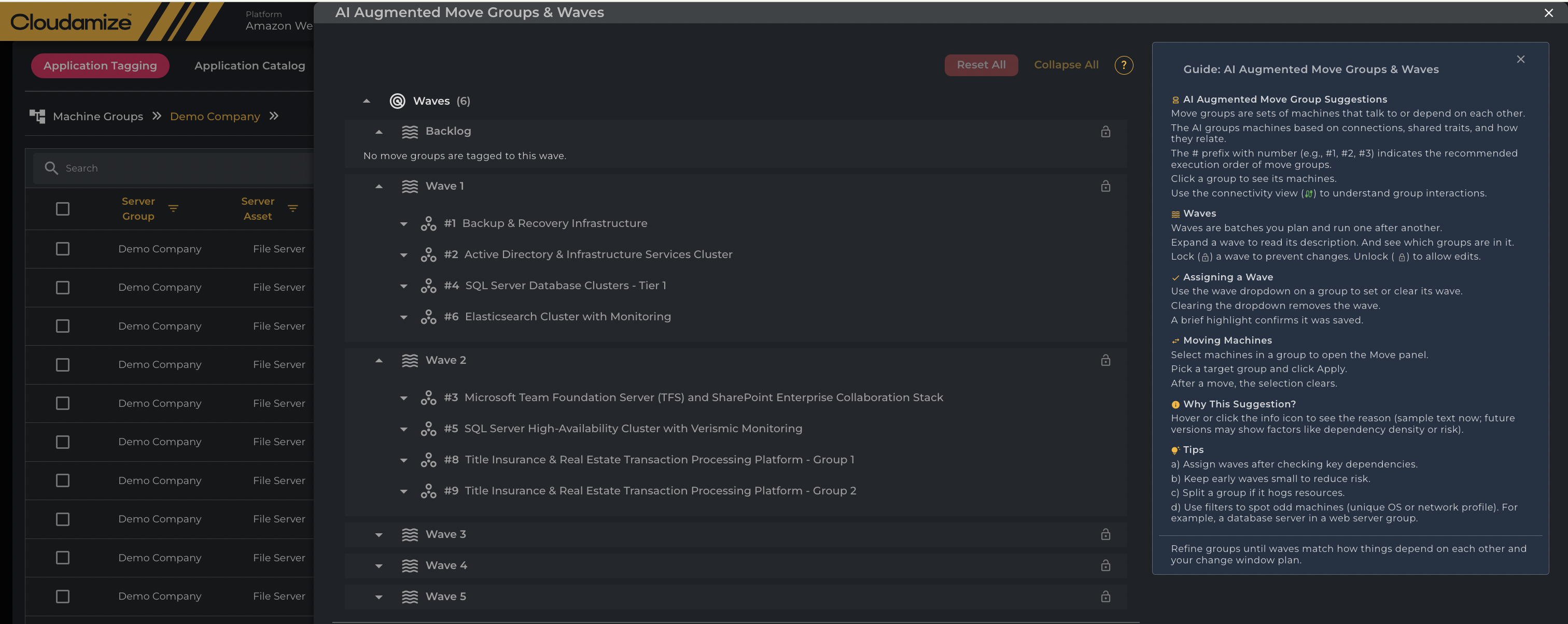
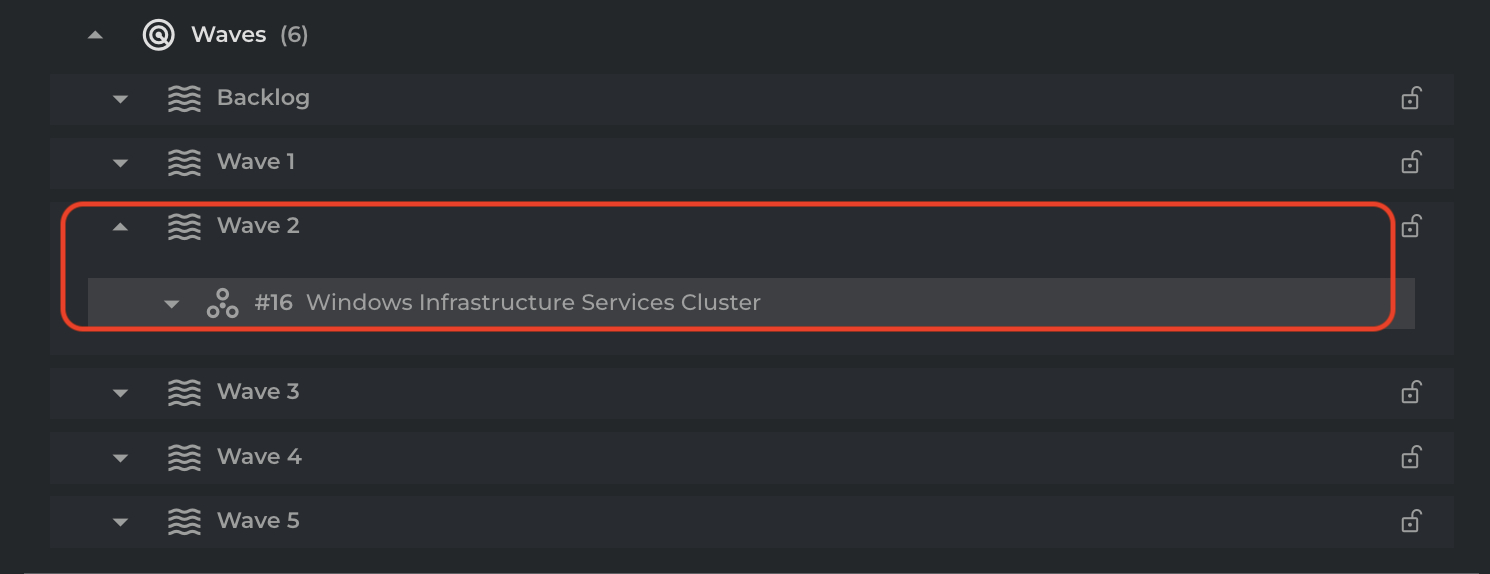
The Waves section at the top of the AI Augmented Move Groups & Waves interface serves as a dynamic filter, displaying only the AI Move Groups assigned to the current migration batch via the "Select a wave" dropdown. Expanding a wave shows the scheduled groups, while expanding an assigned AI Move Group reveals the individual servers within that group. Unscheduled groups remain unlisted or in the Backlog until assigned. Users can lock waves to prevent accidental changes, requiring an unlock to edit assignments.
Creating Custom Waves
In addition to using the pre-populated waves (Backlog, Wave 1, Wave 2, etc.), users can now create custom waves to better align with their specific migration project timelines.
-
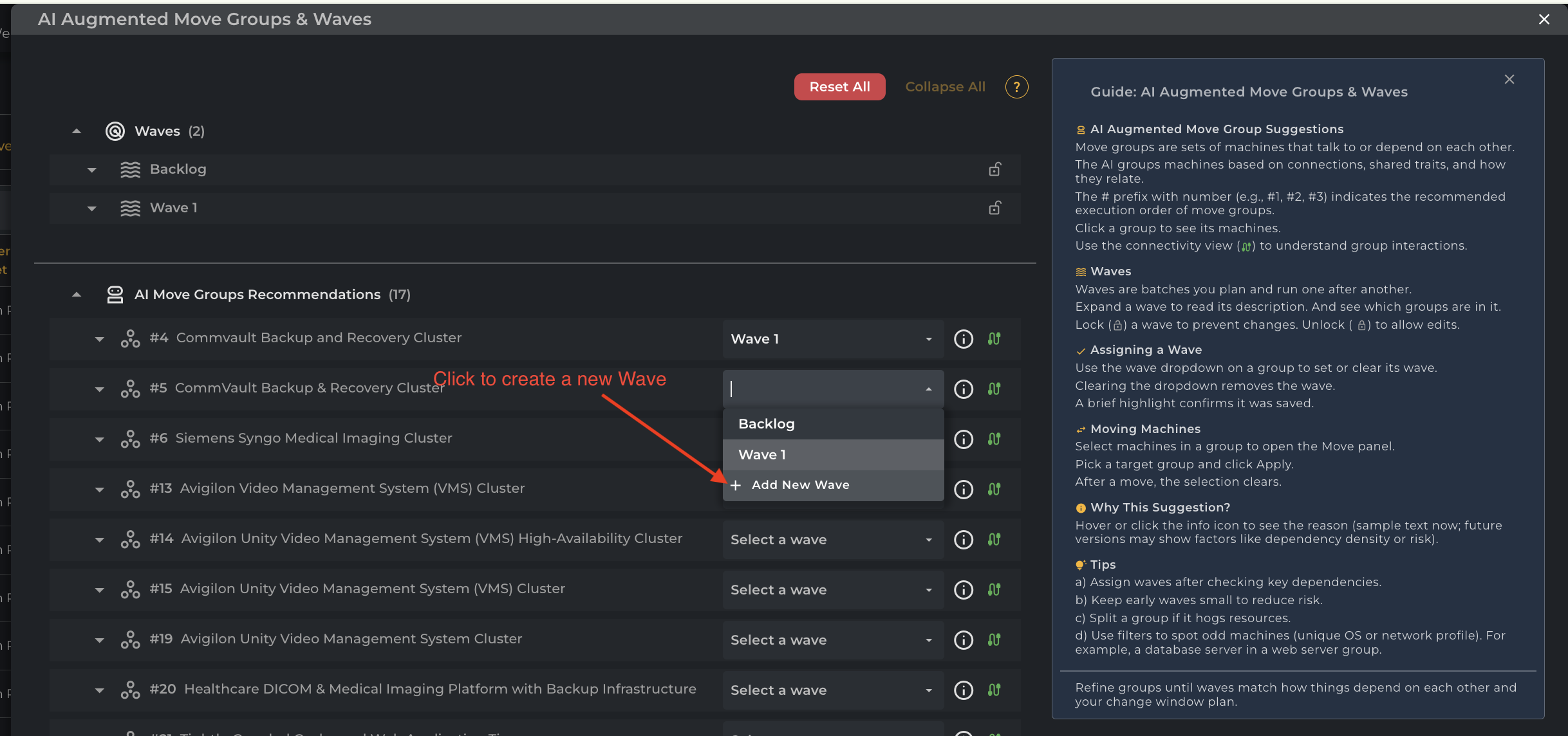
How to Add a New Wave:
-
Locate a move group in the AI Move Groups Recommendations list.
-
Click the Wave Dropdown menu (currently showing "Select a wave" or an assigned wave).
-
Scroll to the bottom of the dropdown list and click + Add New Wave.
-
-
Automatic Naming: To maintain a consistent migration sequence, the system will automatically name the new wave using the next available number in the series (e.g., creating a wave after "Wave 1" will automatically generate "Wave 2").
-
Visibility: The newly created wave will immediately appear in the Waves summary section at the top of the interface, where you can lock/unlock it or track its total machine count.
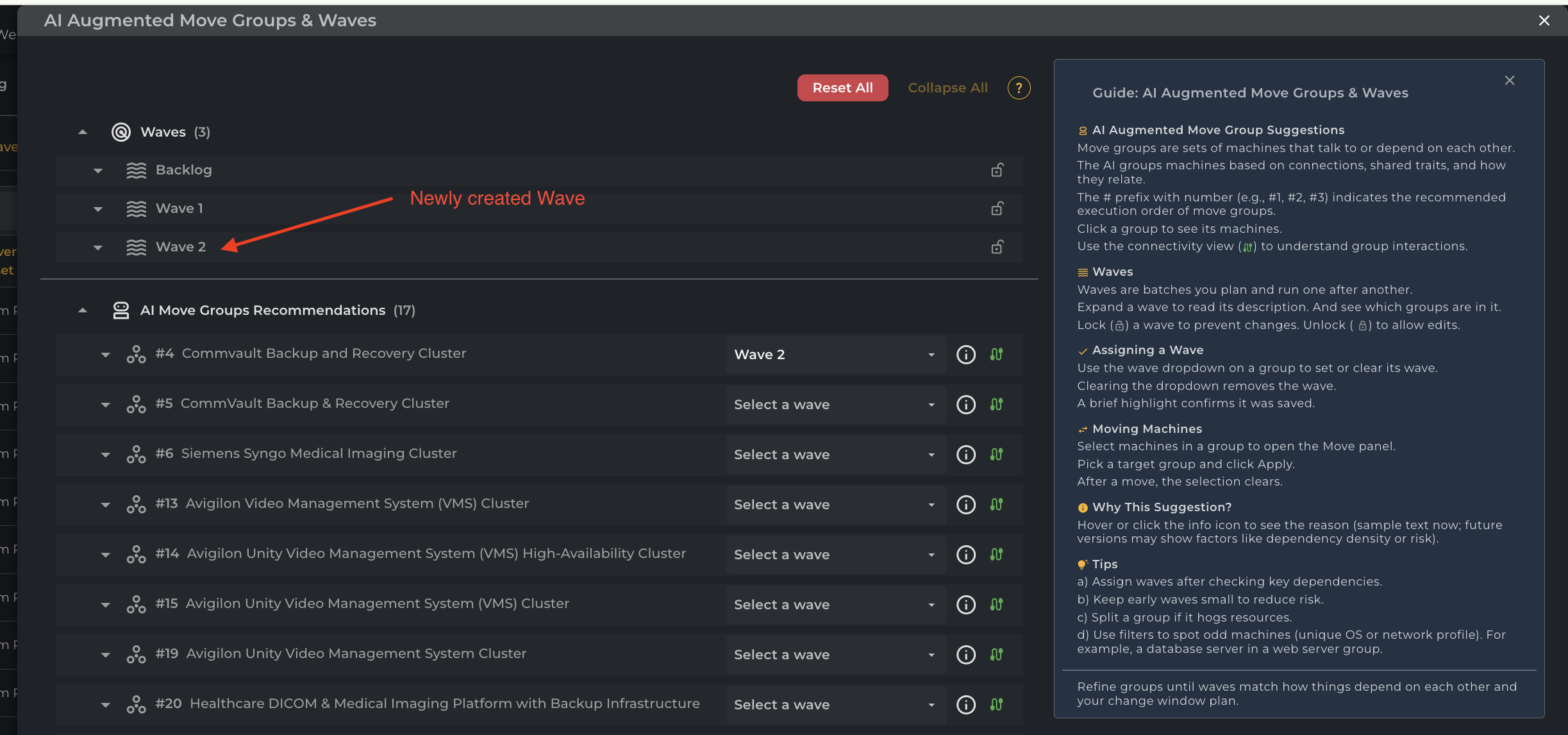
Note: New waves are created in the unlocked state by default, allowing you to immediately assign additional move groups to them.
AI Move Groups Recommendations
The AI Move Groups Recommendations section lists groups automatically created by the AI engine. These groups consist of machines that communicate or depend on each other. Each recommended group is numbered to indicate the suggested execution order.
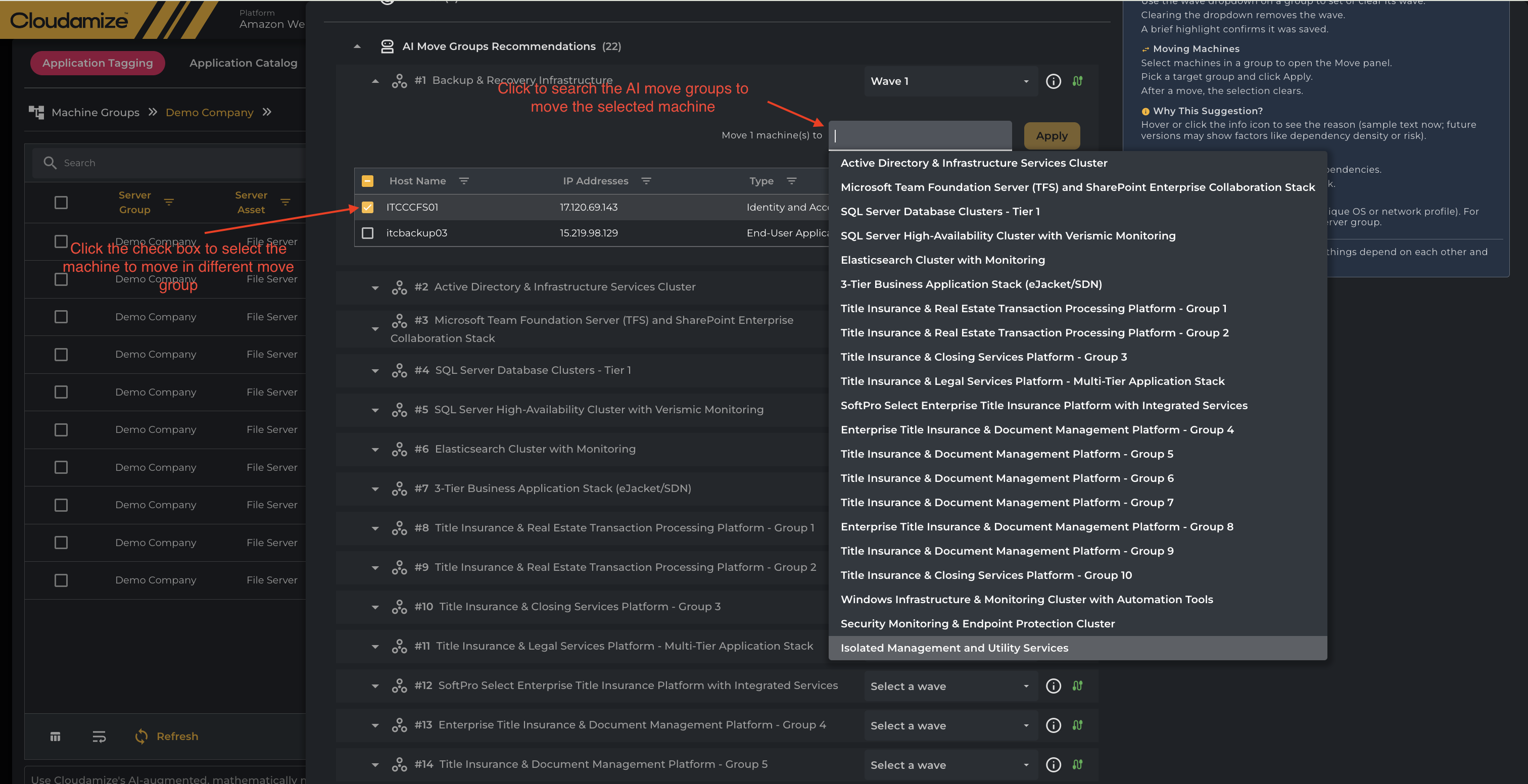
Users must use the adjacent dropdown menu to "Select a wave", assigning the group to a specific migration batch. Clicking the group name reveals individual servers, while the info icon explains the AI's grouping rationale, which may include factors like dependency density or risk. Users can also open the Move panel by selecting machines within a group to manually reassign servers to a different target group or wave.
The screenshot below shows that selecting machines within a group enables the Move panel to open, allowing manual reassignment of servers to a different target group.
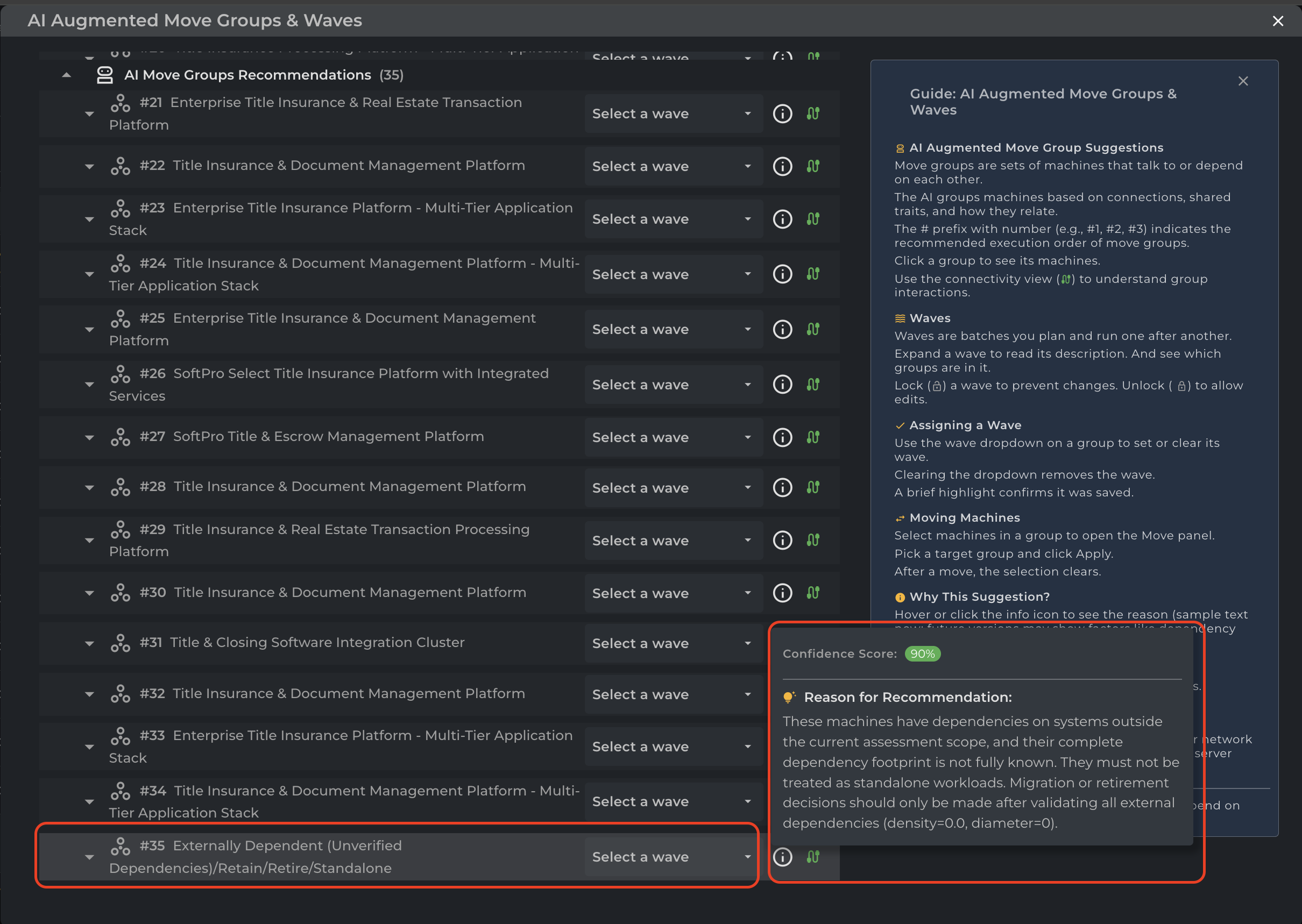
No Dependency & Externally Dependent Servers
In the Auto Grouping section, for handling machines with no active or verified dependencies and to provide better granularity for your infrastructure analysis, the system now categorizes these machines into specific groups based on their communication profiles.
Please note that these groups are currently assigned the lowest priority in the auto-grouping order, and a standard reason is automatically appended whenever they are generated to ensure clarity.
Group Classification Logic
Depending on the total volume of servers, the system will either split them into two distinct categories or merge them into a single group.
-
Split Groups (Combined Total >= 15 Machines)
If the combined count of machines meeting the criteria below is 15 or greater, the system will generate two separate groups:
-
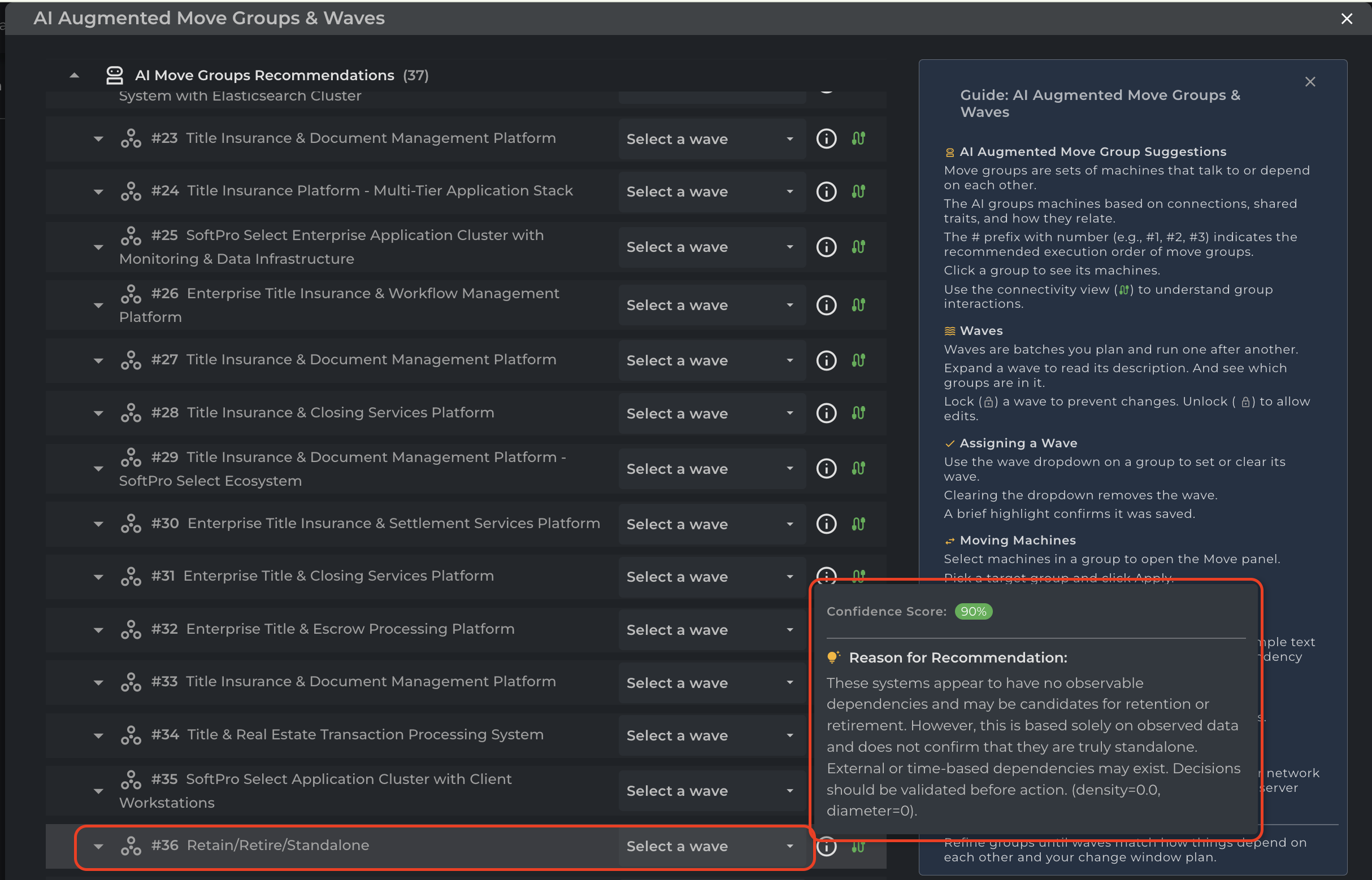
Retain/Retire/Standalone
Criteria: Contains machines that have no identified dependencies, instances where all active processes are set to be ignored, or machines that are only talking to other machines marked for ignore. -
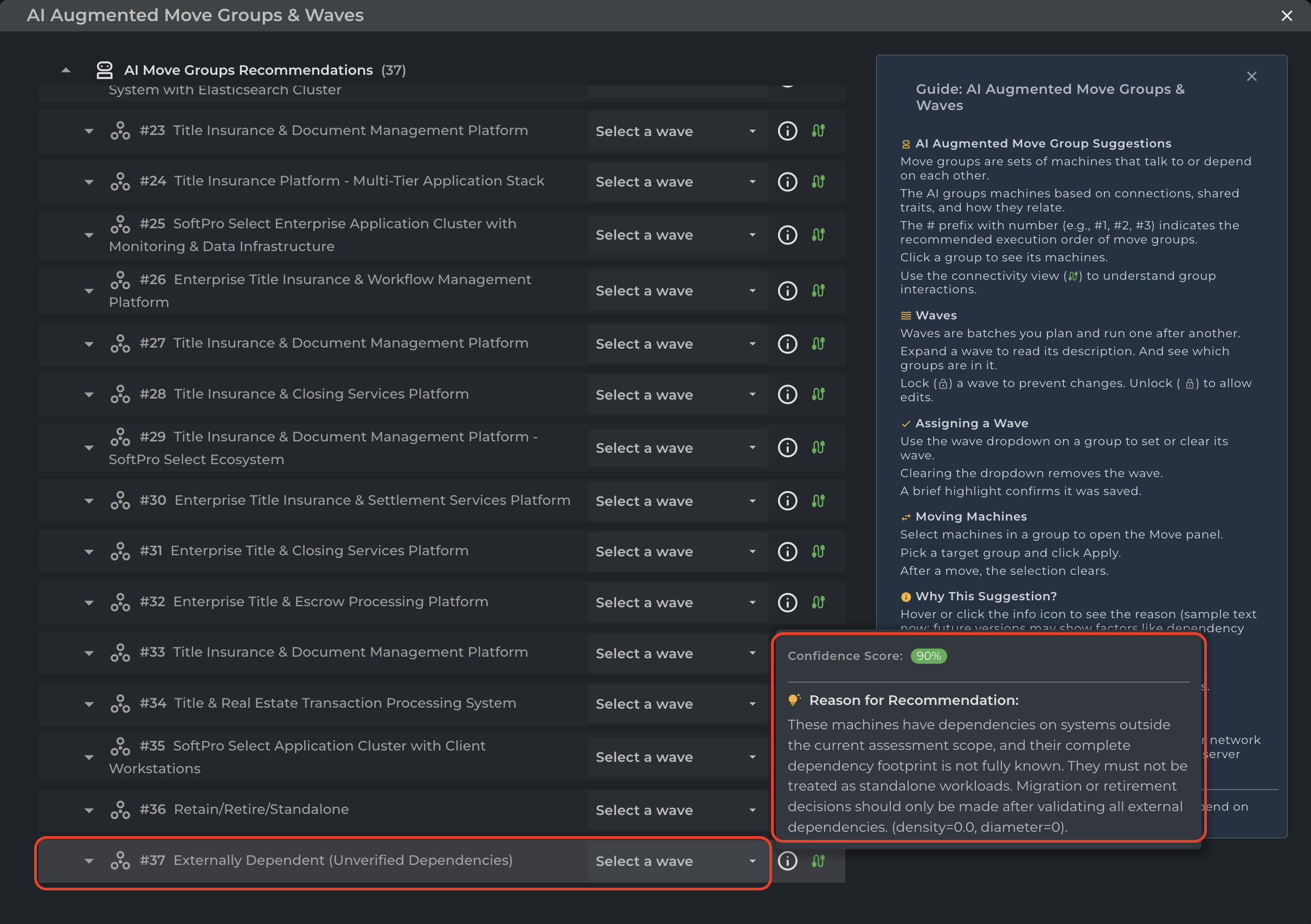
Externally Dependent (Unverified Dependencies)
Criteria: Contains machines that communicate exclusively with No Agent Machines (Machines with no Cloudamize agent installed).
-
Merged Group (Combined Total < 15 Machines)
To prevent cluttering the interface with small, fragmented groups, an automatic merger occurs if the total machine count is low.
-
Externally Dependent (Unverified Dependencies)/Retain/Retire/Standalone
Criteria: This combined group is created only when the total sum of machines from both of the above categories is less than 15 (Count < 15).
Wave Tag Synchronization (Auto-Grouping to App Tagging)
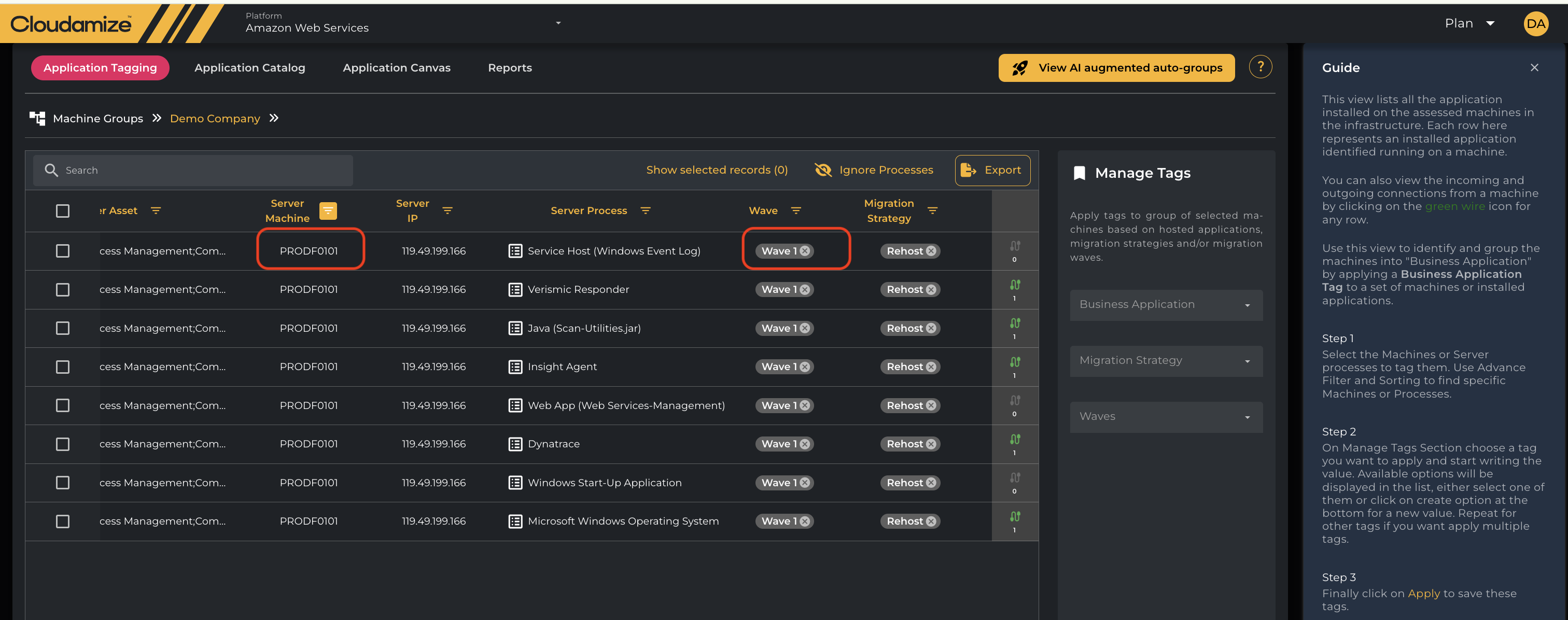
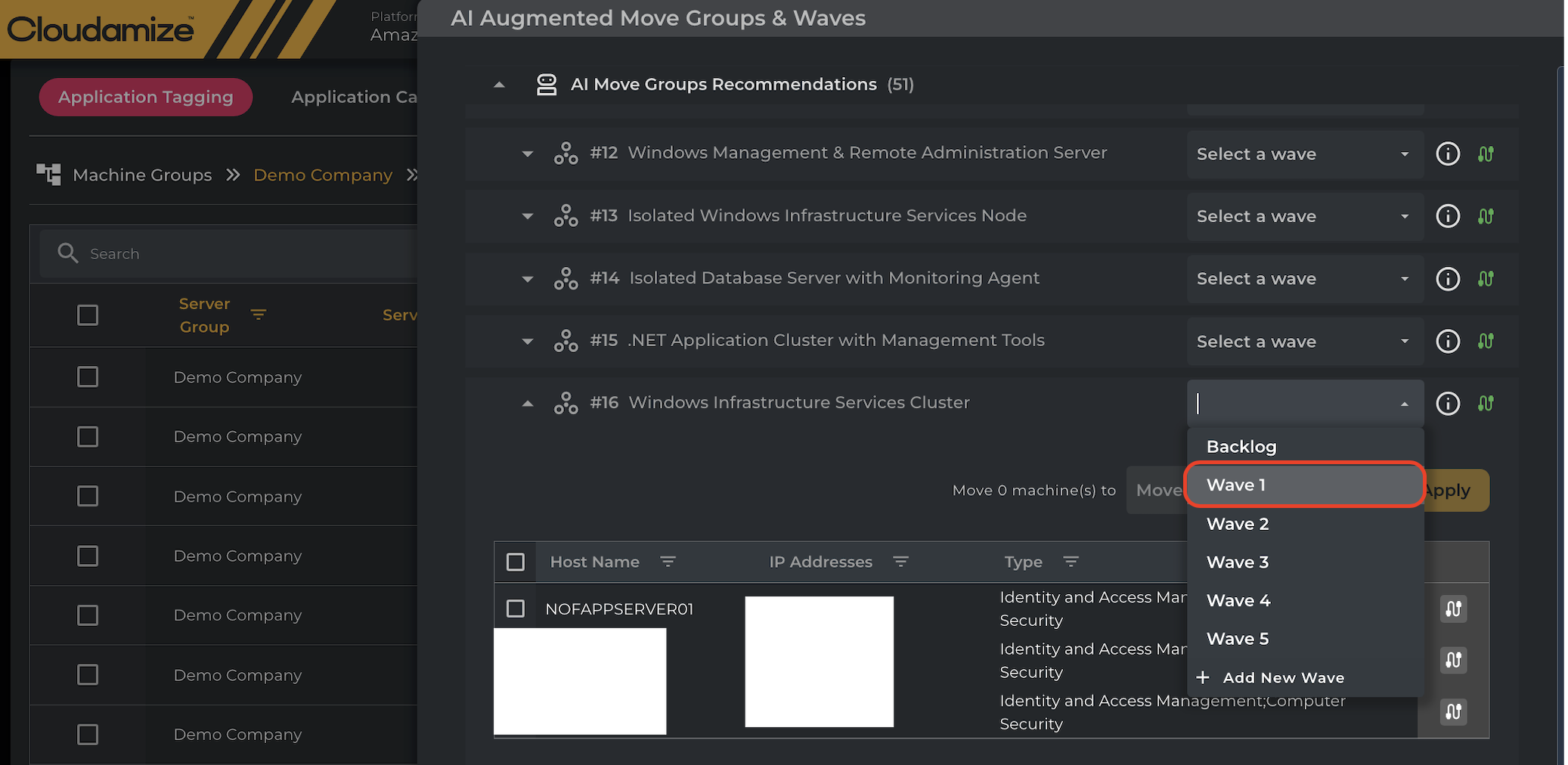
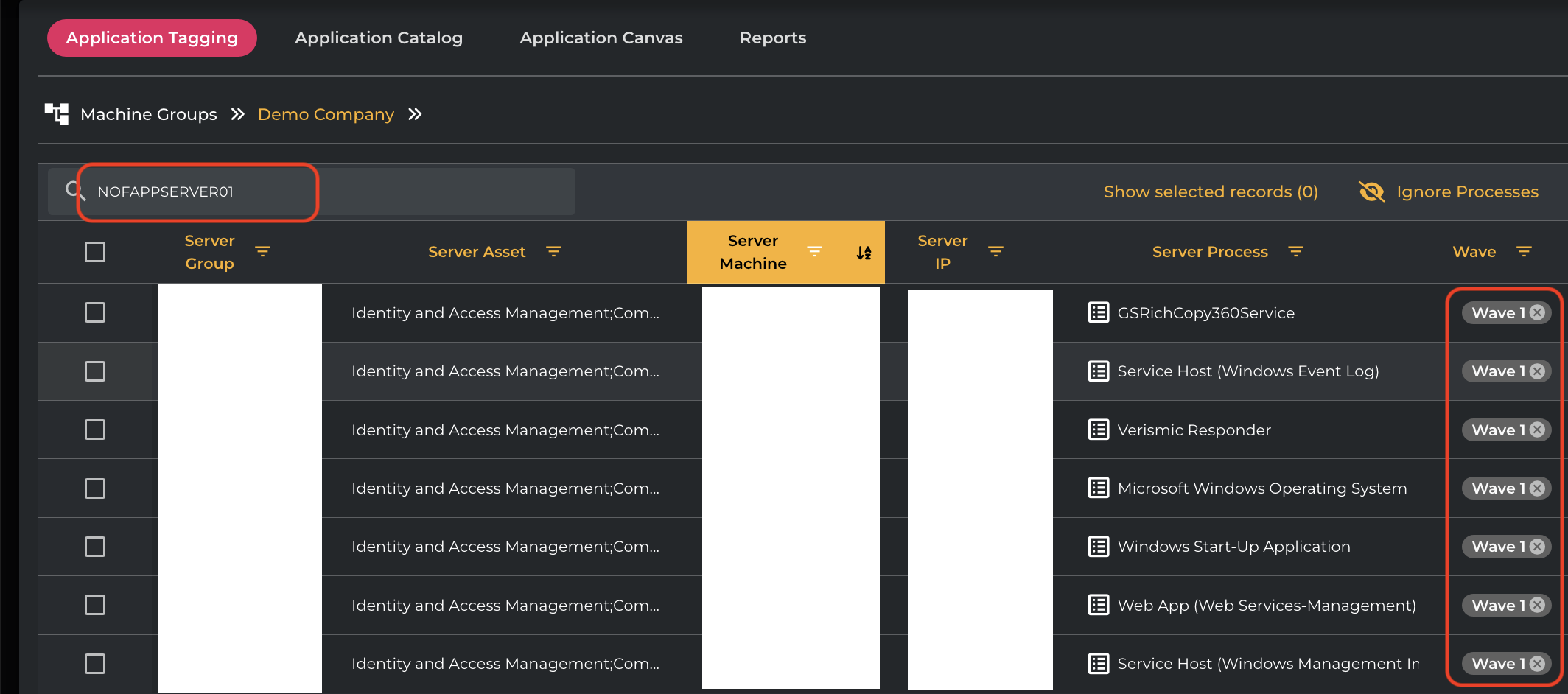
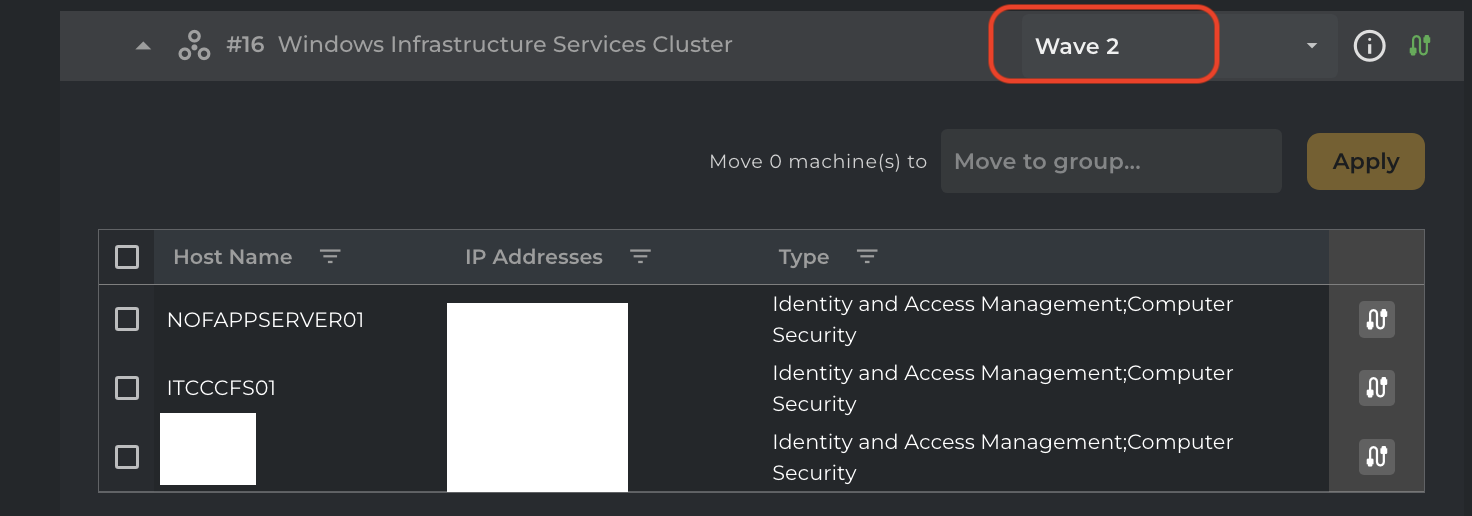
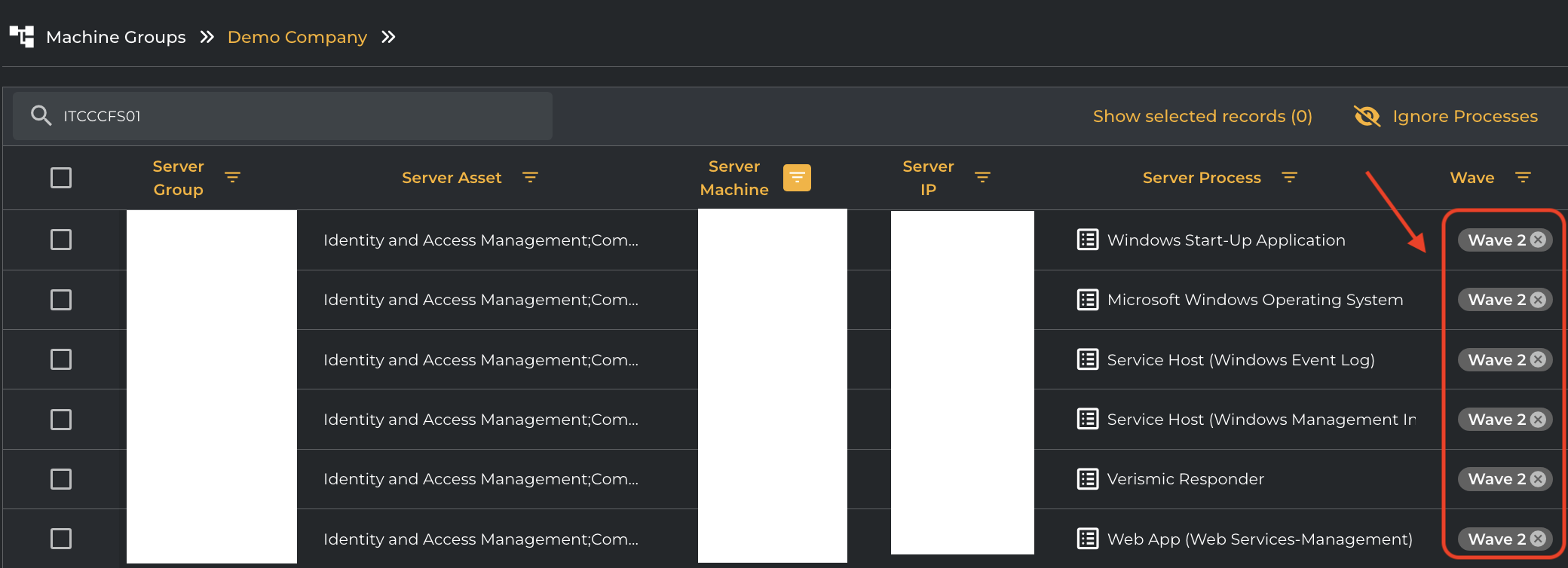
To streamline migration planning, Cloudamize now features Wave Tag Sync, ensuring that tags applied within the AI-Augmented Auto-Grouping section are automatically propagated to App Tagging.
-
Move Group Tagging: When a Wave Tag is applied to an entire Move Group within the Auto-Grouping section, the system automatically cascades this tag to:
-
Every Machine within that Move Group.
-
All associated processes are linked to those machines.
-
Note: This action will override any existing Wave Tags on these entities to ensure consistency. These updates are reflected instantly in the App Tagging Grid.
-
-
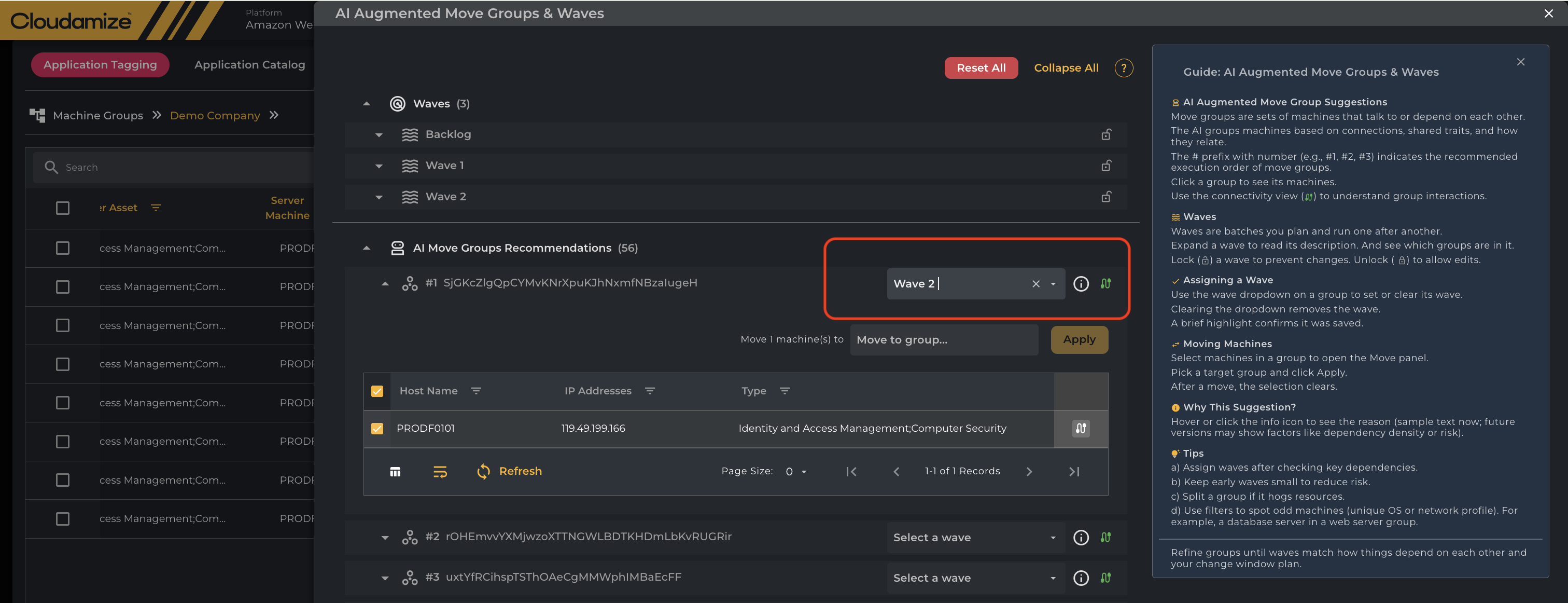
Machine Movement & Reassignment: If a Machine is moved from one Move Group to another that already has an assigned Wave Tag:
-
The target Move Group’s Wave Tag is automatically applied to the moved Machine and its processes.
-
Any previously assigned Wave Tag is overridden.
-
The updated status is synchronized and visible within the App Tagging Grid.
-
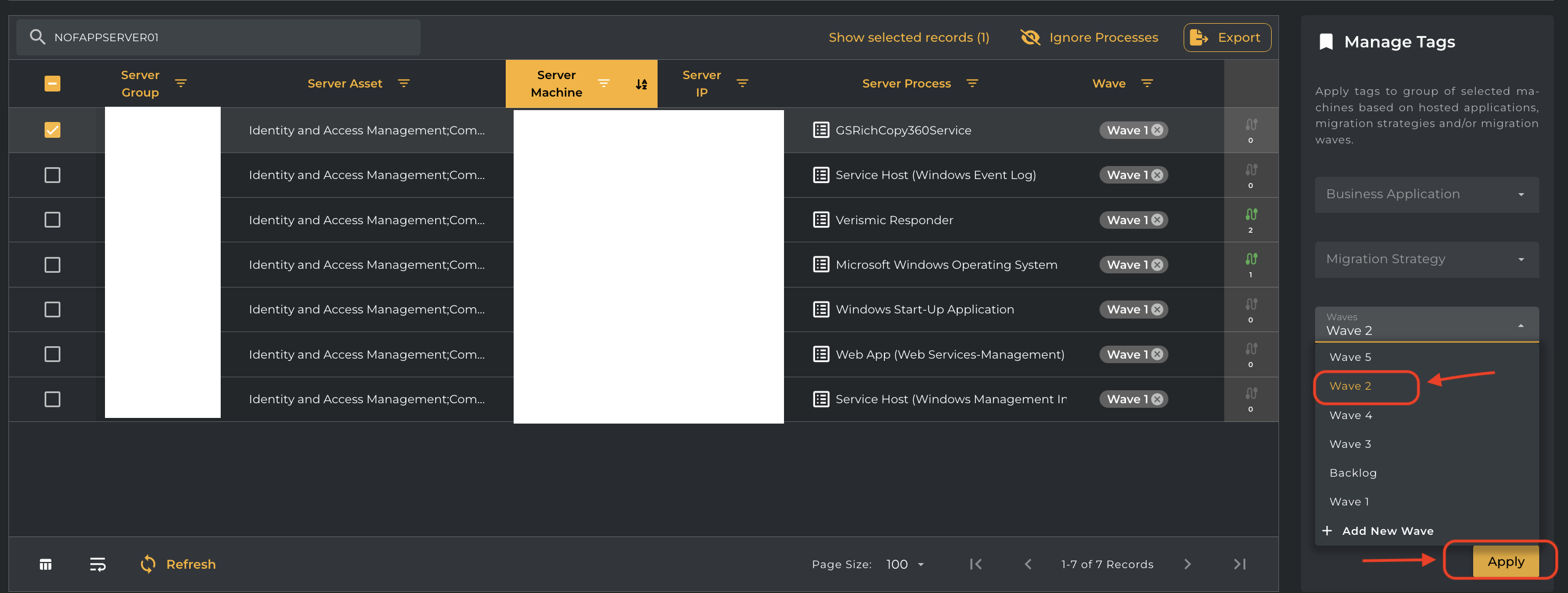
Wave Tag Synchronization (App Tagging to Auto Grouping)
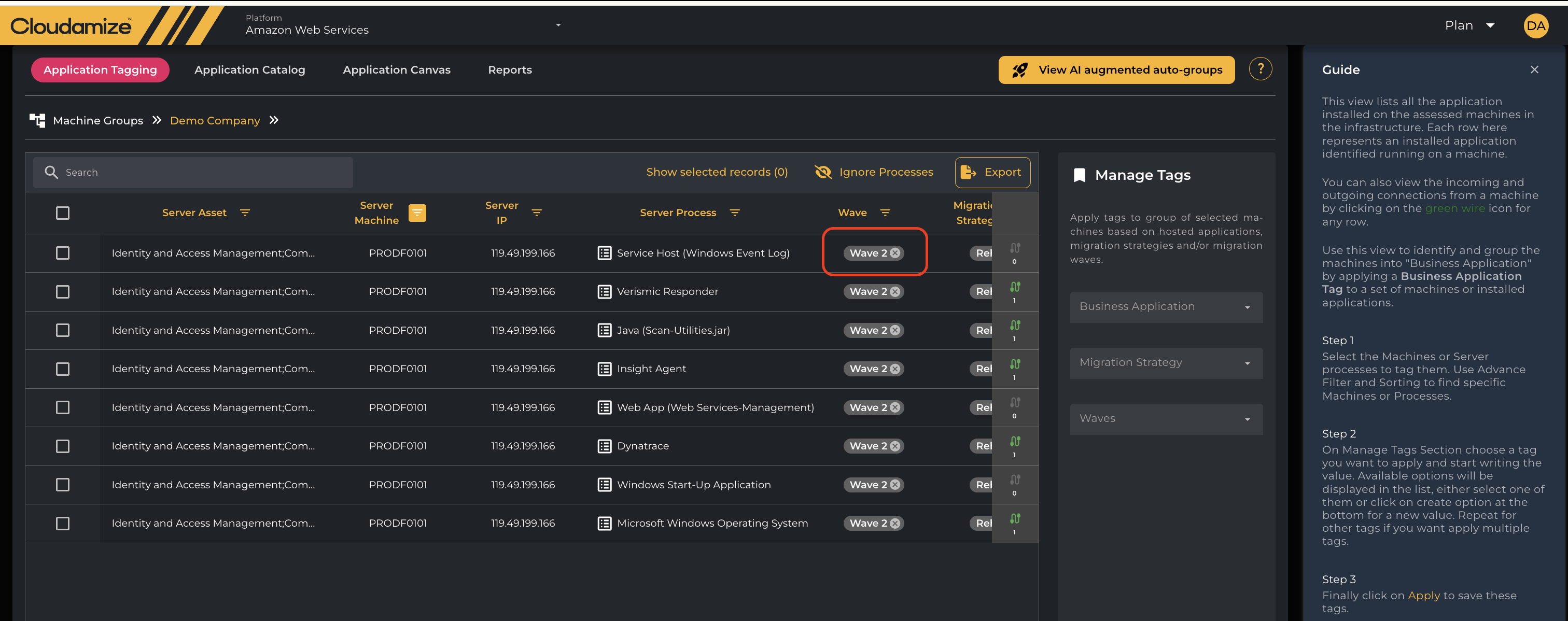
When a Wave tag is applied to a Move Group, and then
-
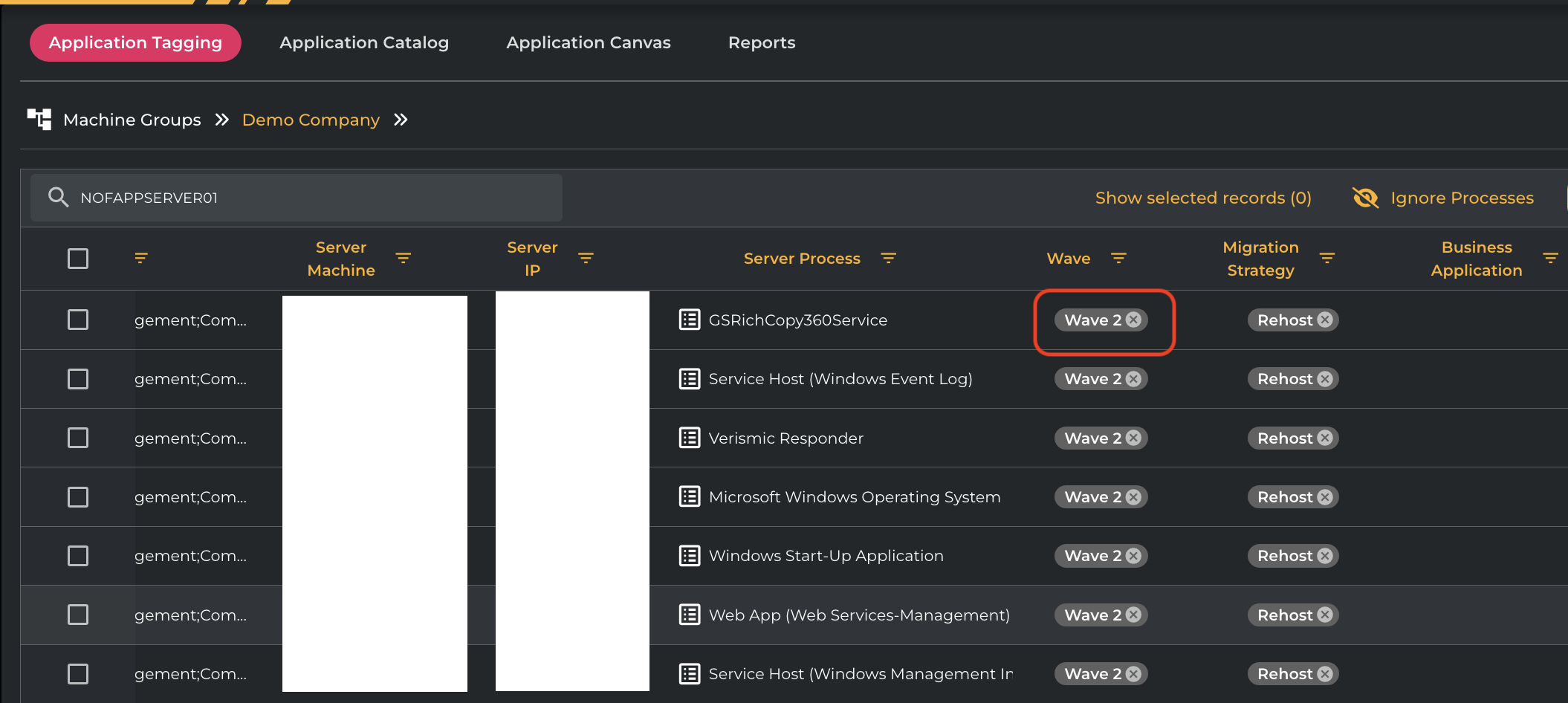
Navigate to App Tagging any time and apply a different Wave tag to any Process on a machine that belongs to Move Group, the updated Wave tag will automatically be applied to:
-
The corresponding Move Group
-
All machines within that Move Group and its respective processes .(This ensures consistency of Wave tags between App Tagging and Auto Grouping.)
-
Machines or processes that were not tagged via a Move Group will continue to behave as before, with no change in their existing tagging behavior.
Network Connectivity Icon
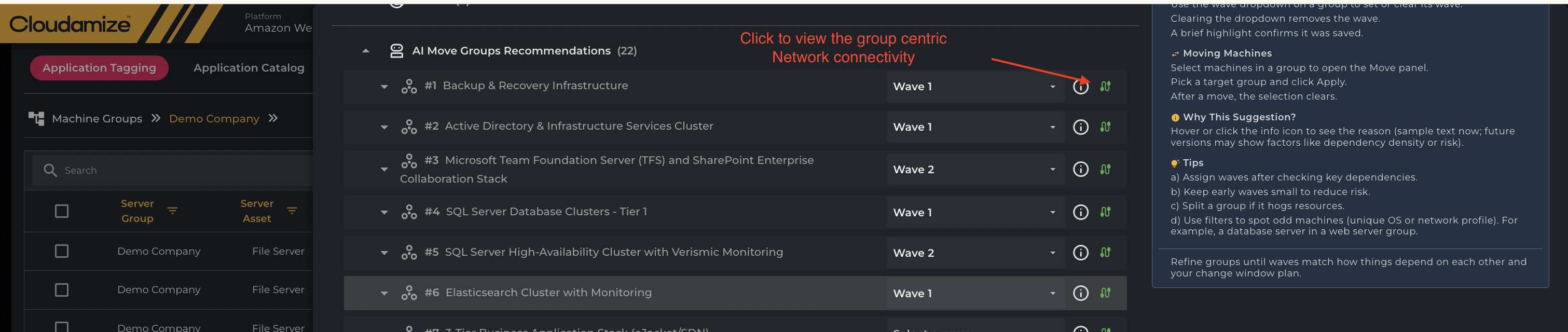
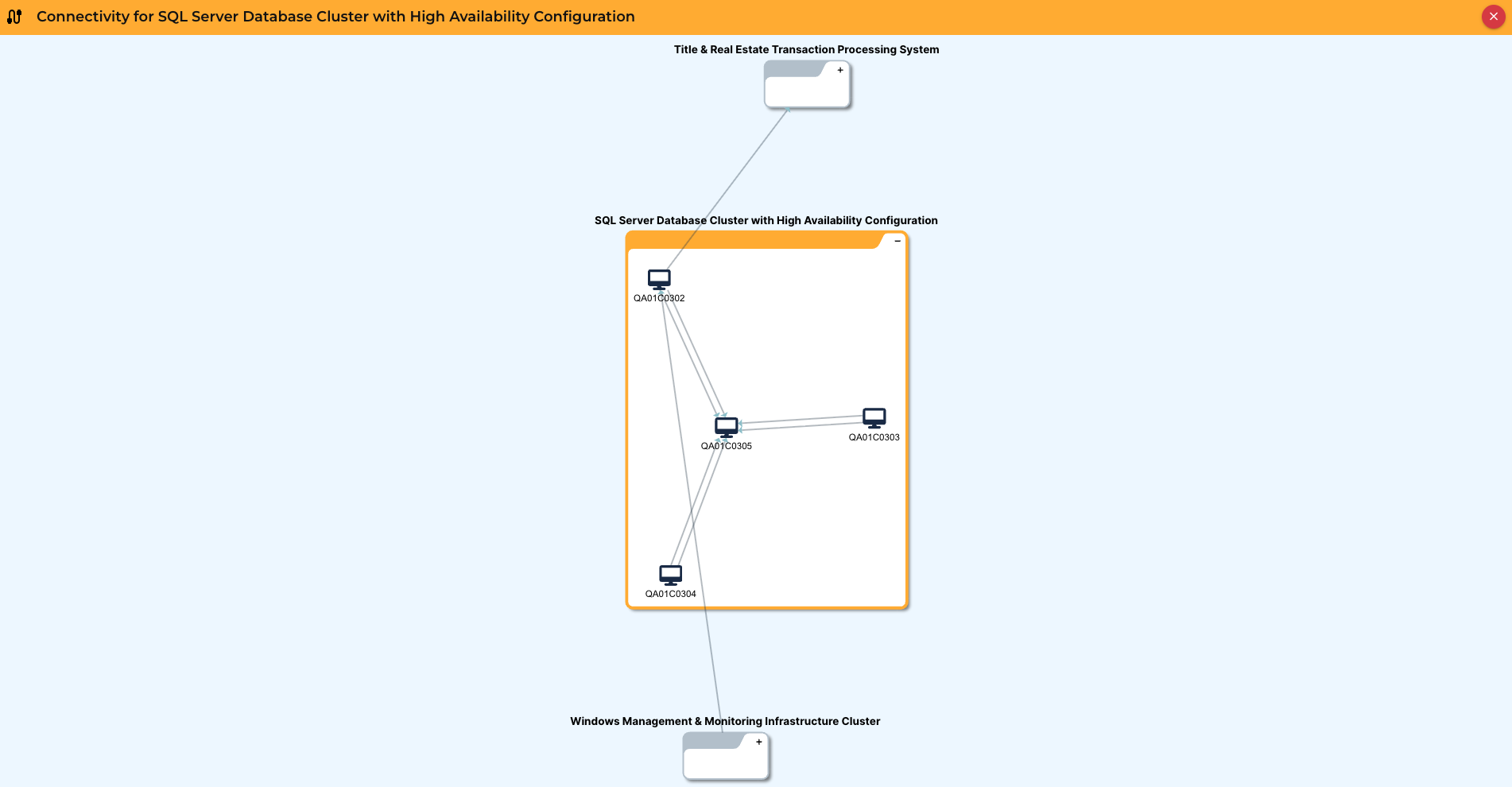
The Network Connectivity icon next to each AI Move Group recommendation lets users view the group's dependencies instantly. Clicking this icon opens a new screen, such as the "Connectivity for Group" view, which visually illustrates how the applications and servers within that group communicate with each other and with external entities. This visualization helps users validate the AI's grouping logic and understand the communication flow both within and between groups.
Connectivity for AI Group
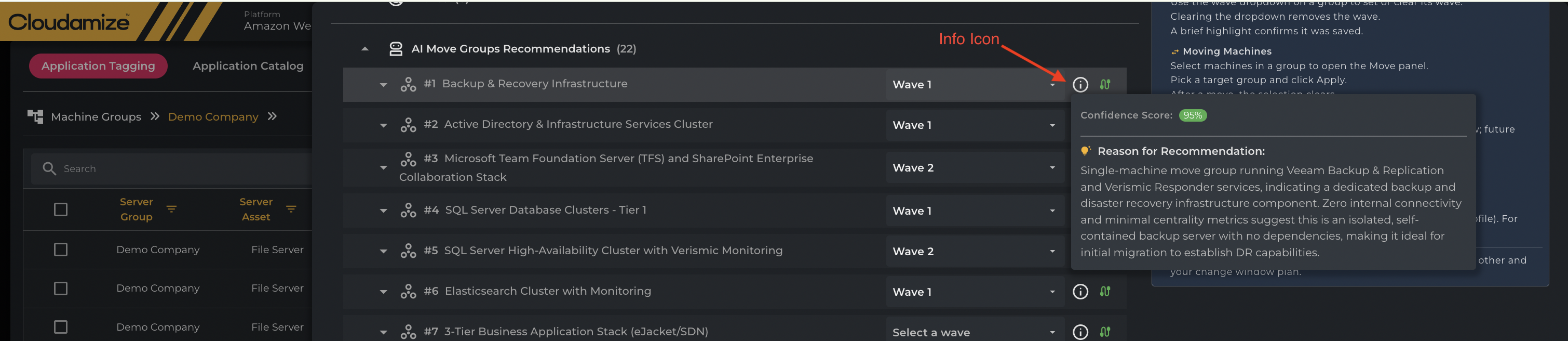
Info Icon
The Info Icon reveals the "Reason for Recommendation" and "Confidence Score" for the AI Move Group, explaining why the machines were clustered together. This pop-up often details specific running services and connectivity metrics (e.g., zero internal connectivity). This crucial feature helps users validate the AI's grouping logic against their migration strategy.
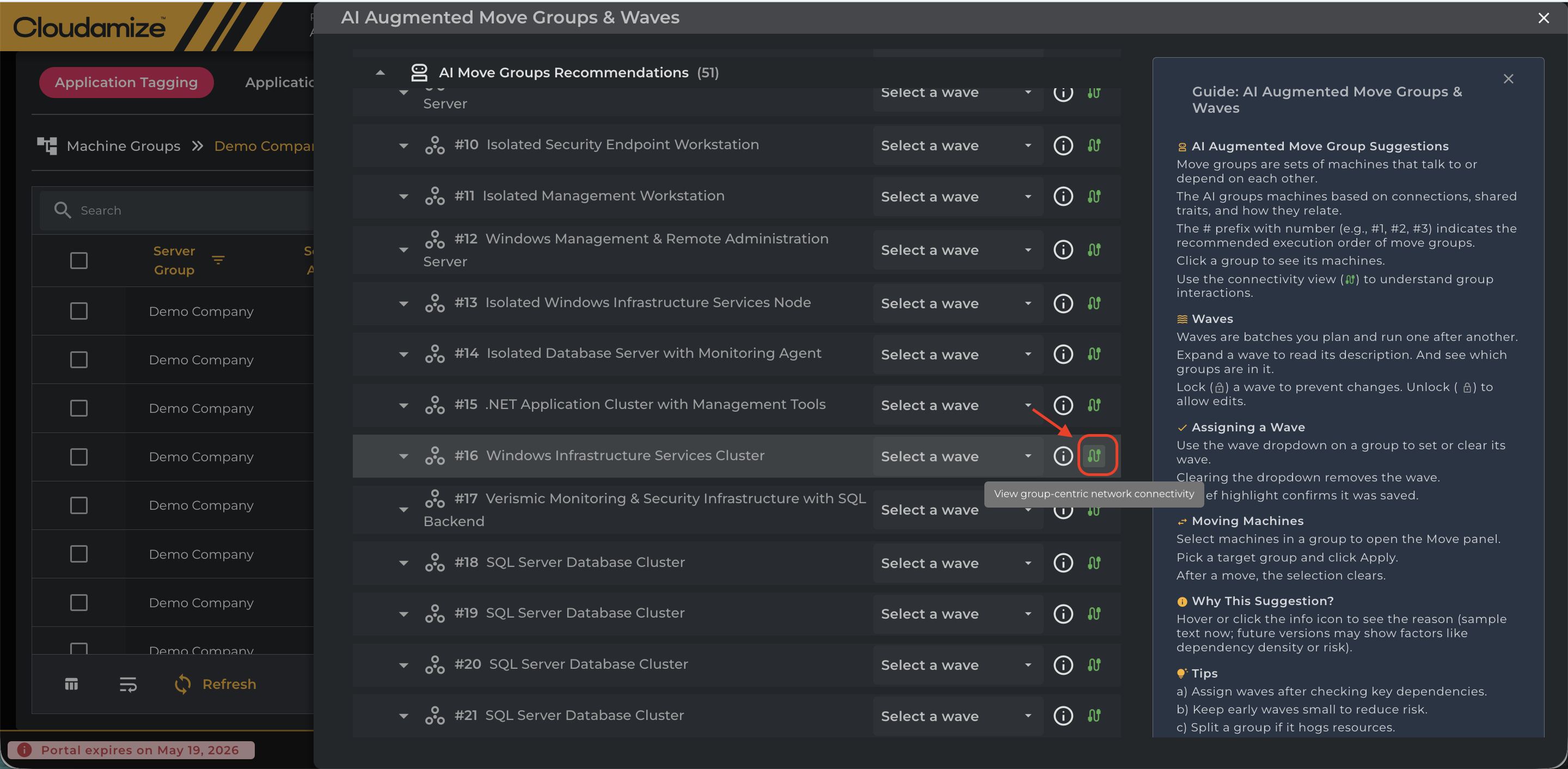
Machine and Connectivity Details Overlay(Green Icon)
This enables seamless interaction with both machine nodes and connection edges, allowing users to explore and access detailed information directly within the graph interface.
For every Group in a cluster, a Green interconnectivity button is available on the right of the row. Clicking this button opens the Group-Centric Network Connectivity panel
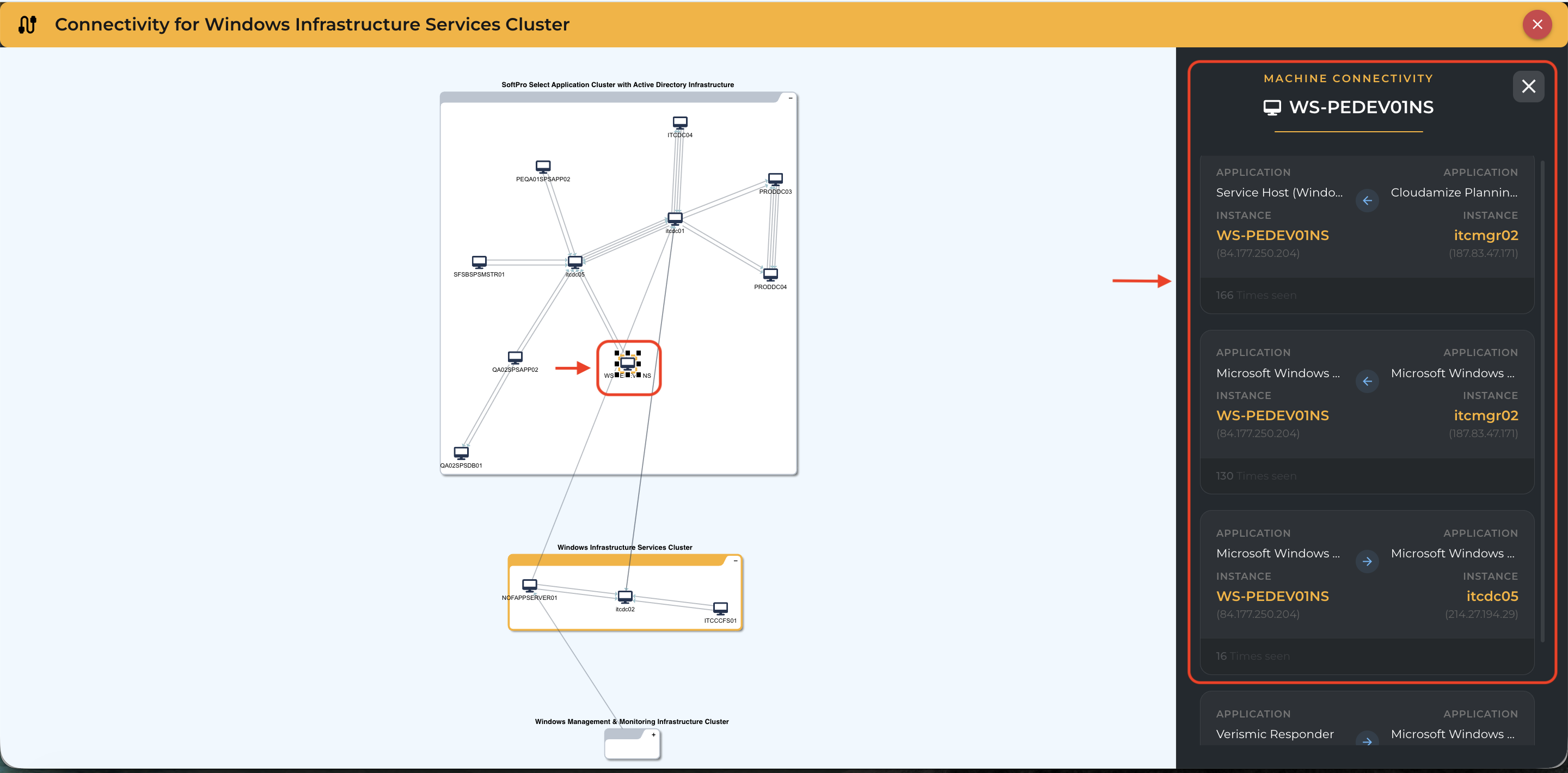
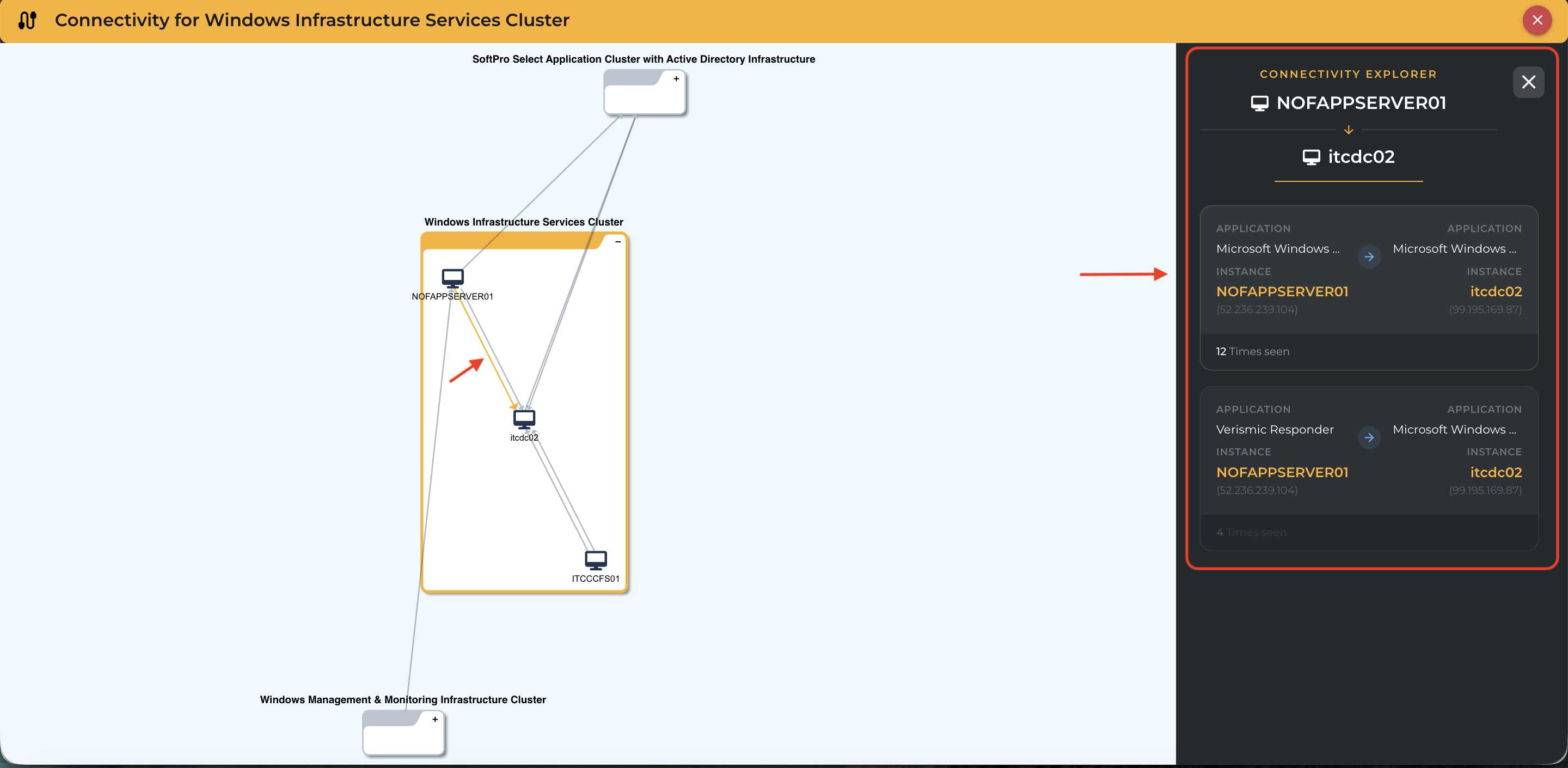
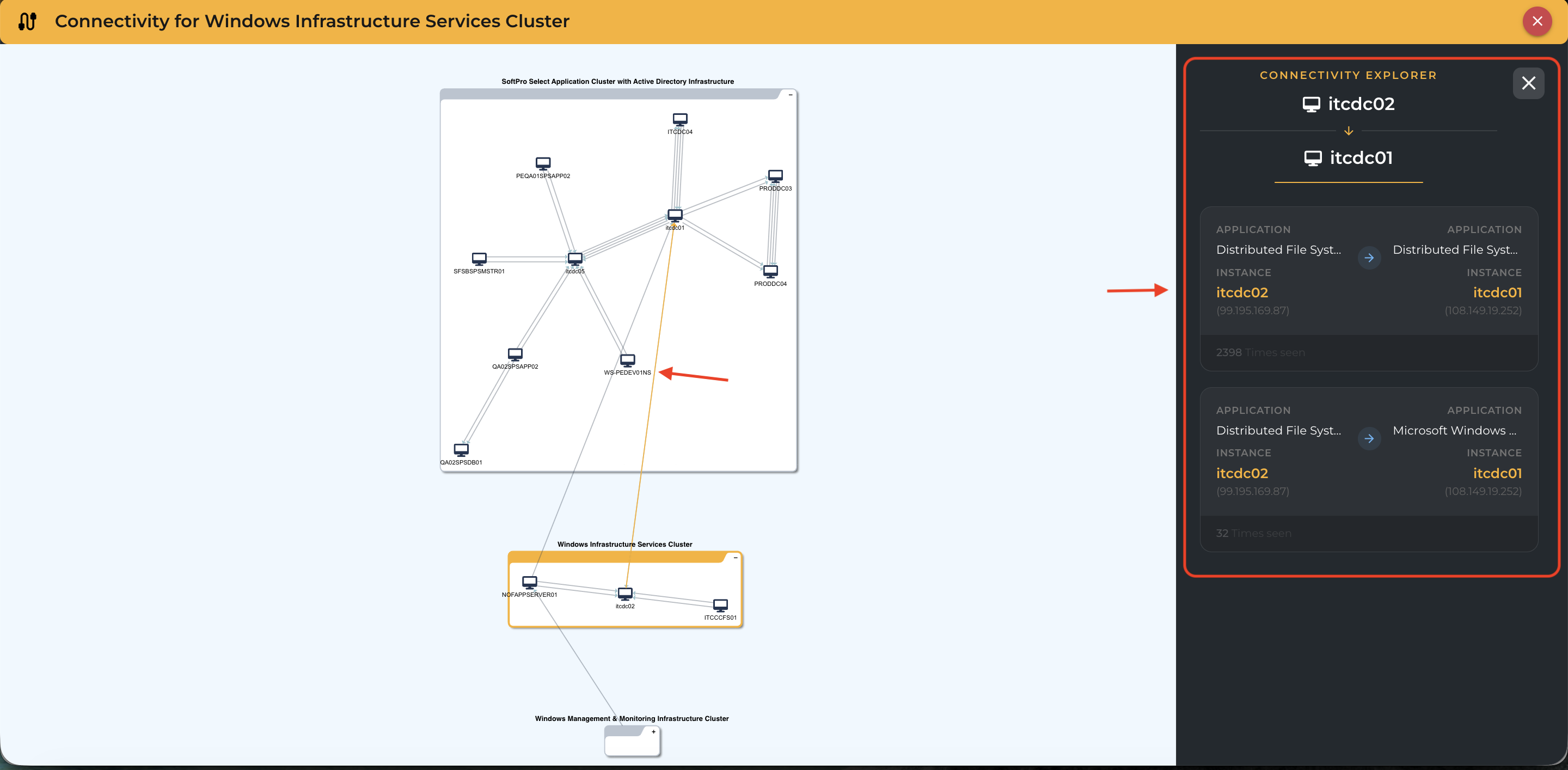
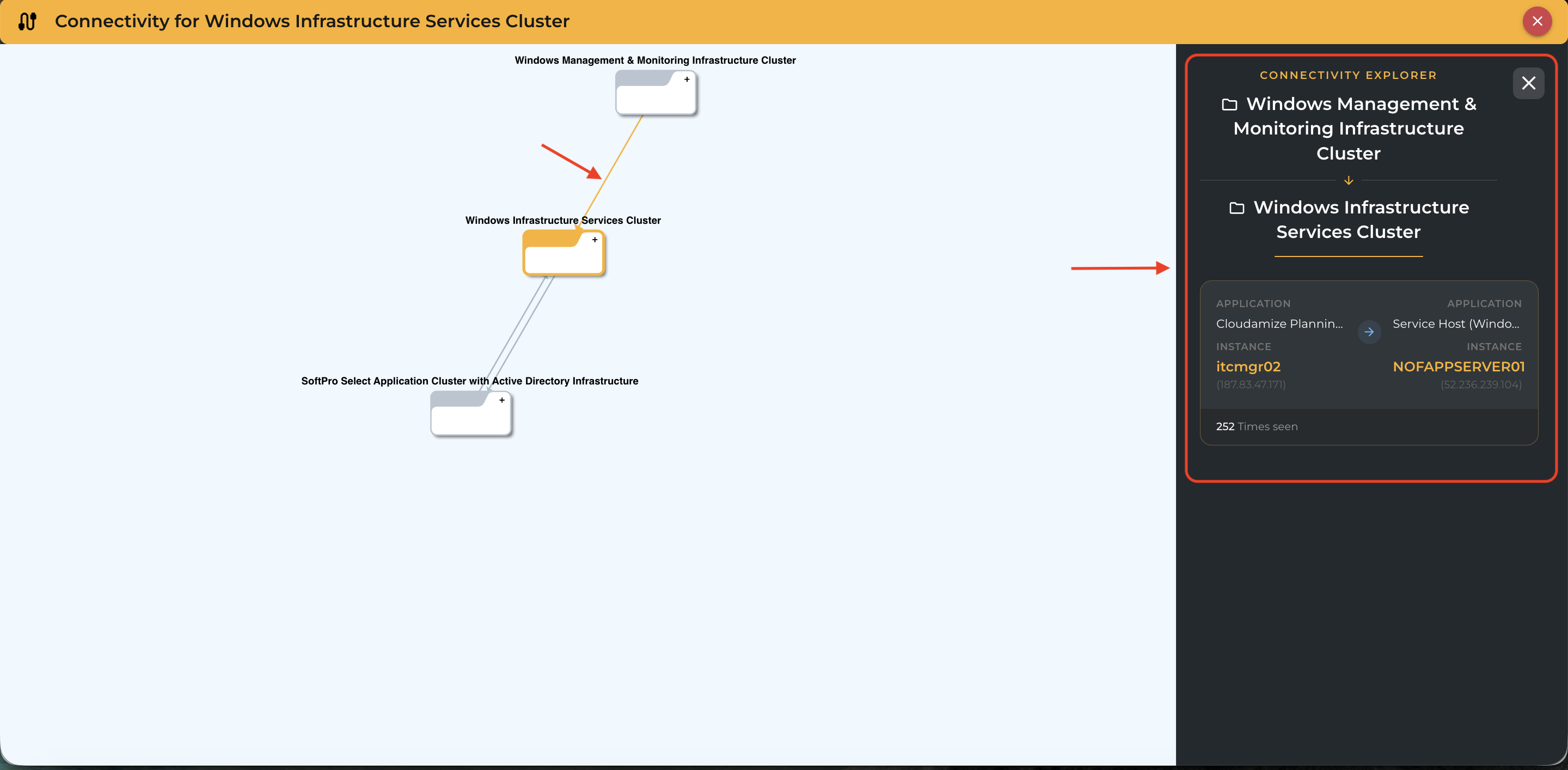
Clicking on any machine node or connection edge opens a right-side overlay panel with relevant details.
-
For machine nodes: It shows connectivity with other machines along with the direction of those connections, and displays host name, IP addresses, application name, and number of times seen.
-
For connection edges: It displays connection direction, number of times seen, and source/target details across all supported types (Machine<->Machine, Group<->Group, Machine<->Group).
Machine Interconnectivity Tool (White Icon)
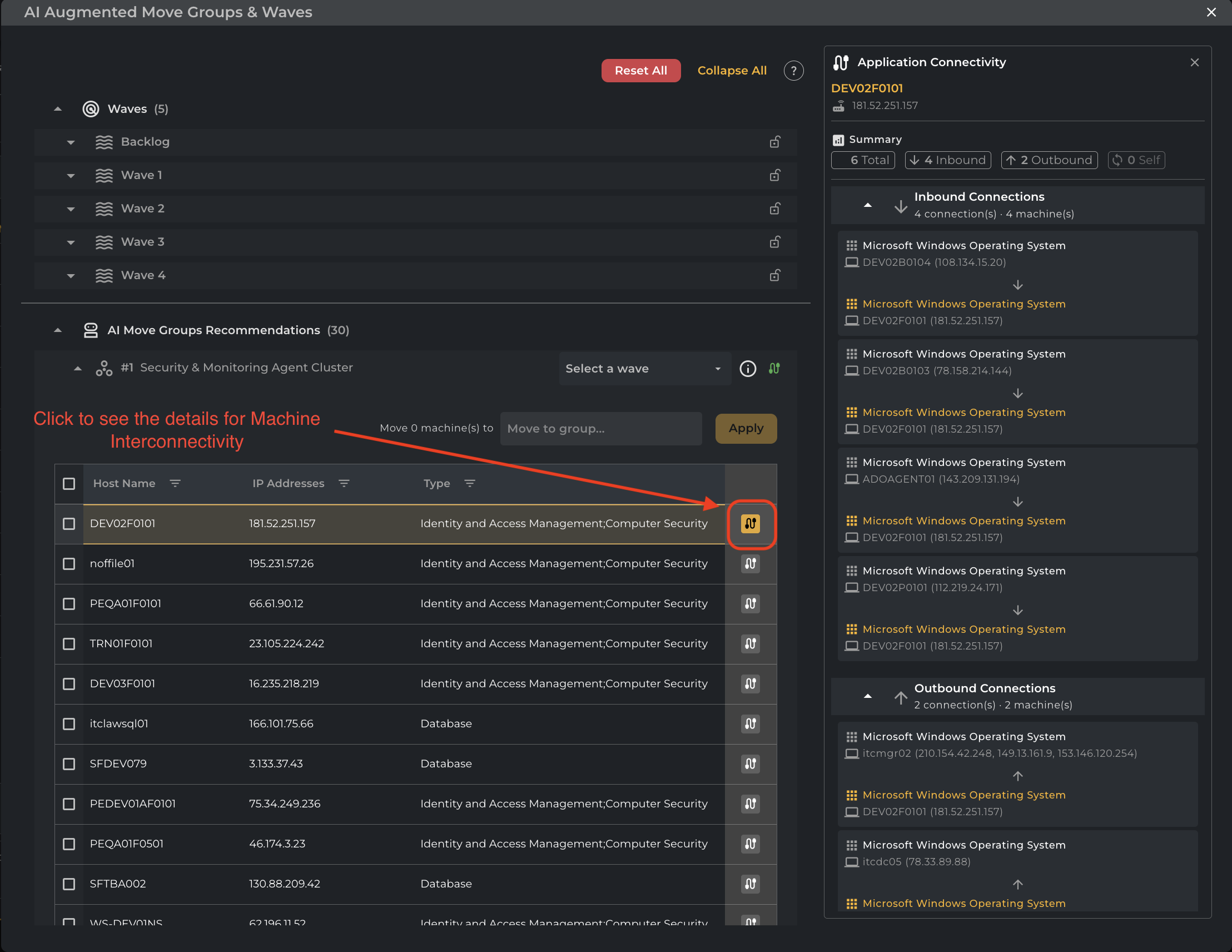
For every machine in a cluster, a white interconnectivity button is available on the far right of the row. Clicking this button opens the Application Connectivity panel, providing critical technical data for migration validation:
-
Connectivity Summary: View the total number of unique connections associated with the machine.
-
Directional Categories: Traffic is categorized into Inbound (clients connecting to this host), Outbound (servers this host depends on), and Self (internal loopback traffic).
-
Observation Frequency: The panel displays the exact number of times each unique connection was observed by the Cloudamize agent during the collection period. This helps distinguish between high-frequency application dependencies and infrequent administrative tasks.
-
Operating System Visibility: Identifies the OS of connected peers to assist in security group planning and compatibility checks.
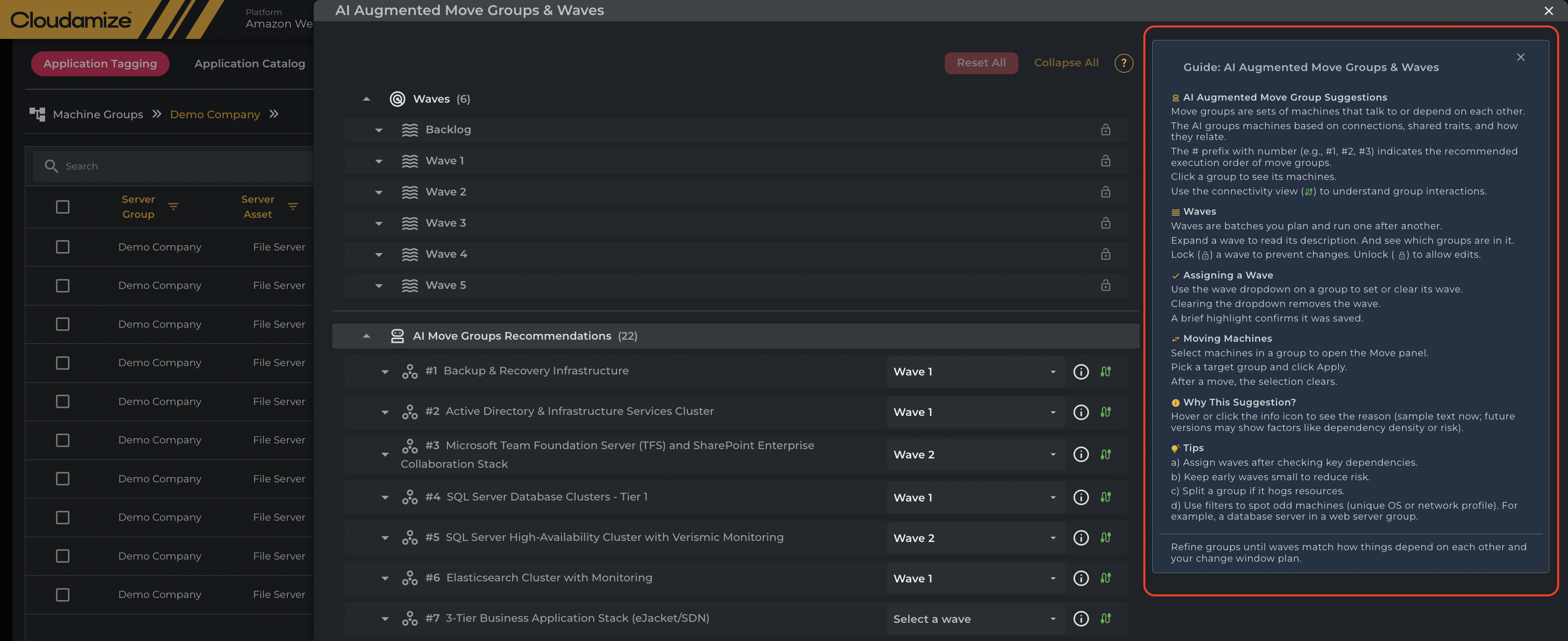
The Guide Section
The Guide panel on the right side of the interface serves as a contextual help resource. It explains key concepts, including AI Augmented Move Group Suggestions, Waves, and Assigning a Wave. Additionally, it provides instructions for advanced actions like Moving Machines between groups. The guide features a section on Tips for optimizing the migration plan, such as checking wave assignments for key dependencies, keeping early waves small to reduce risk, and using filters to identify unusual machines.
Reset All and Collapse All buttons
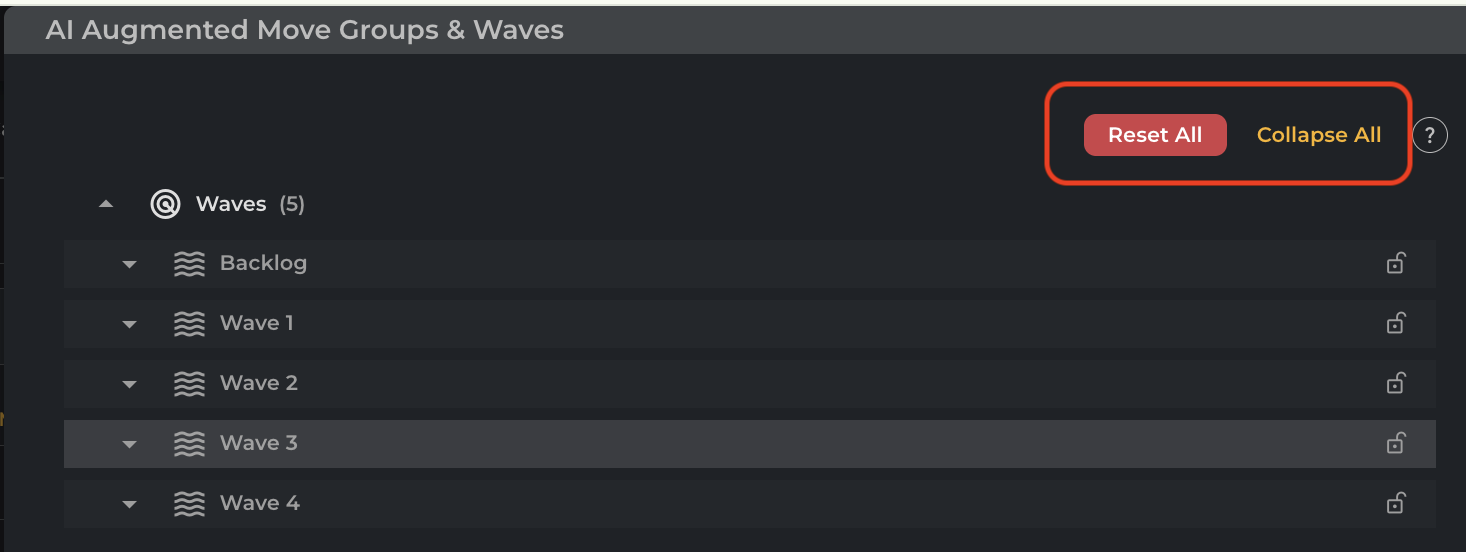
Located at the top-right of the AI Augmented Move Groups & Waves workspace, the Reset All and Collapse All buttons provide essential global controls for managing large-scale migration environments.
The Reset All function serves as a project-wide refresh, instantly reverting any unsaved wave assignments or temporary drag-and-drop changes to their last state, which is ideal for correcting complex planning errors.
The Collapse All control optimizes the visual workspace by minimizing all expanded clusters and waves. This hides granular machine-level details—such as host names, IP addresses, and connectivity icons—allowing planners to quickly scan high-level group headers and navigate extensive environments without excessive scrolling.
If you have any queries, please get in touch with the helpdesk via our Helpdesk Portal or by email at helpdesk@cloudamize.com.