

Overview
AWS RDS BYOM (Bring Your Own Media) enables users with eligible SQL Server licenses to evaluate AWS RDS workloads using License Mobility through BYOM in Cloudamize.
With this capability, users can enable BYOM while analyzing the supported AWS RDS plan — OLA 8 (RDS Workload, 1 Year No Upfront). When enabled, Cloudamize adjusts the license cost calculation for applicable RDS instances (db.*) from the standard blended OS + SQL license cost to the OS-only annual license cost.
The BYOM toggle is view-only and is reflected in the License grid, Summary grid, Annual Cost panel, Analyze, and Analyze V2. The selection is not saved and resets when switching to a non-RDS plan.
Steps to view BYOM
-
Log in to the Cloudamize portal at the URL: console.cloudamize.com.
-
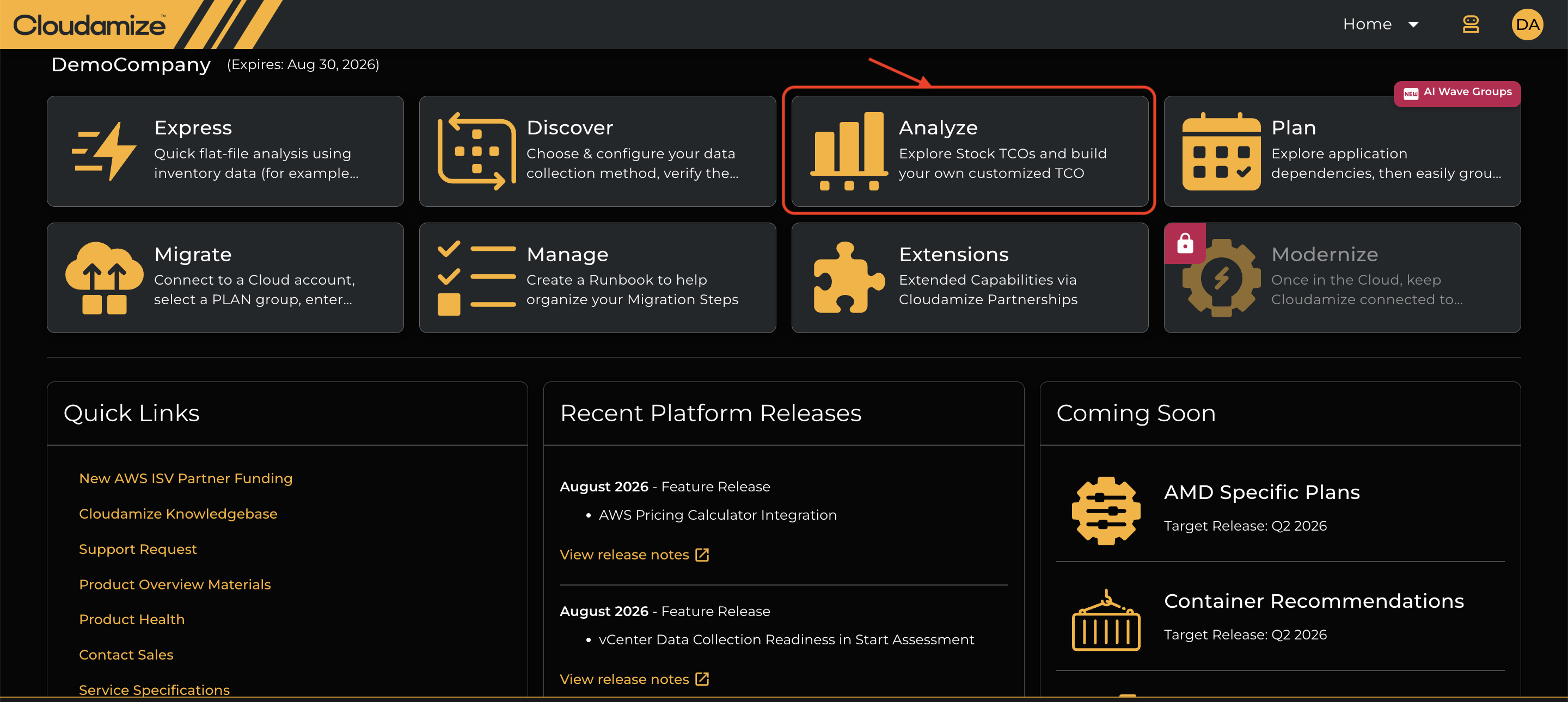
Select Analyze on the landing page.
-
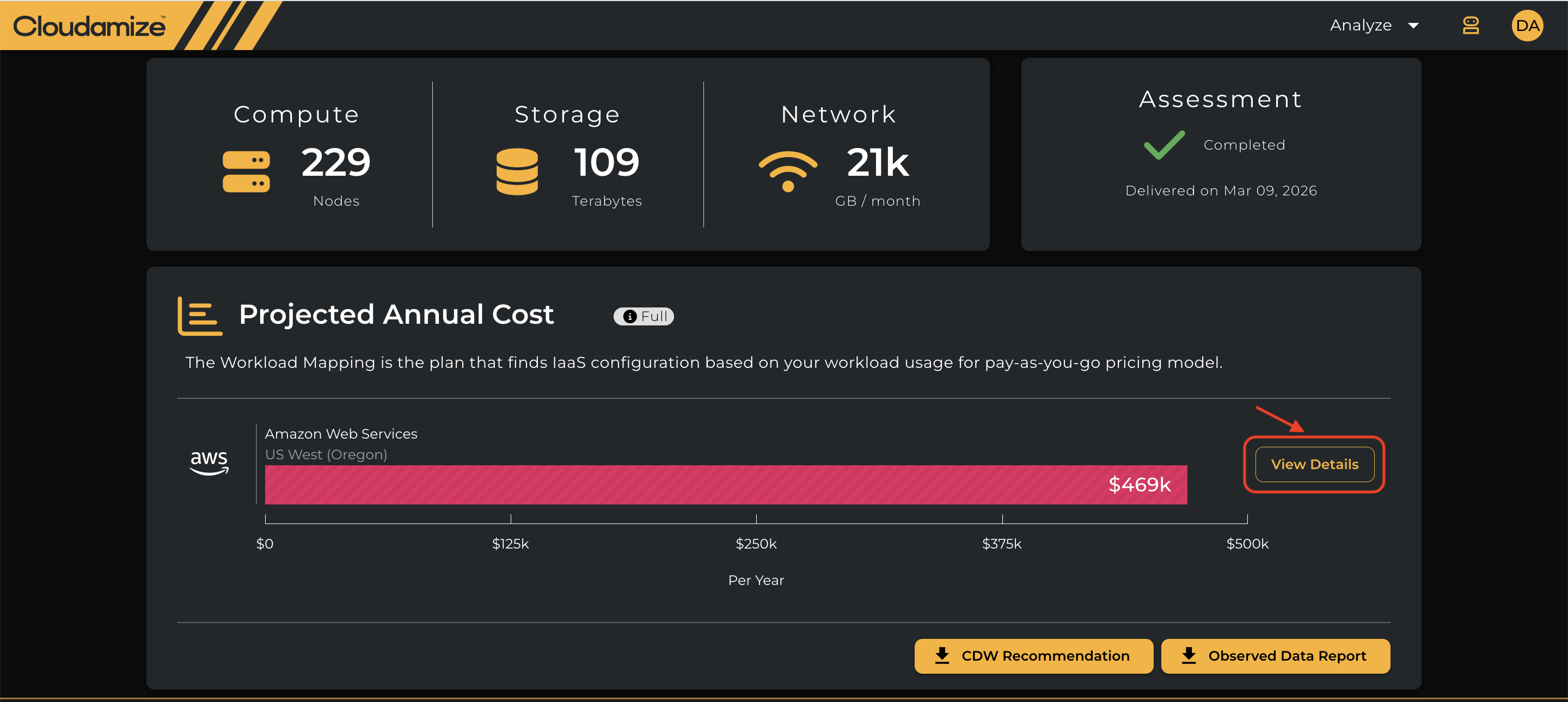
Click View Details to see detailed infrastructure results.
-
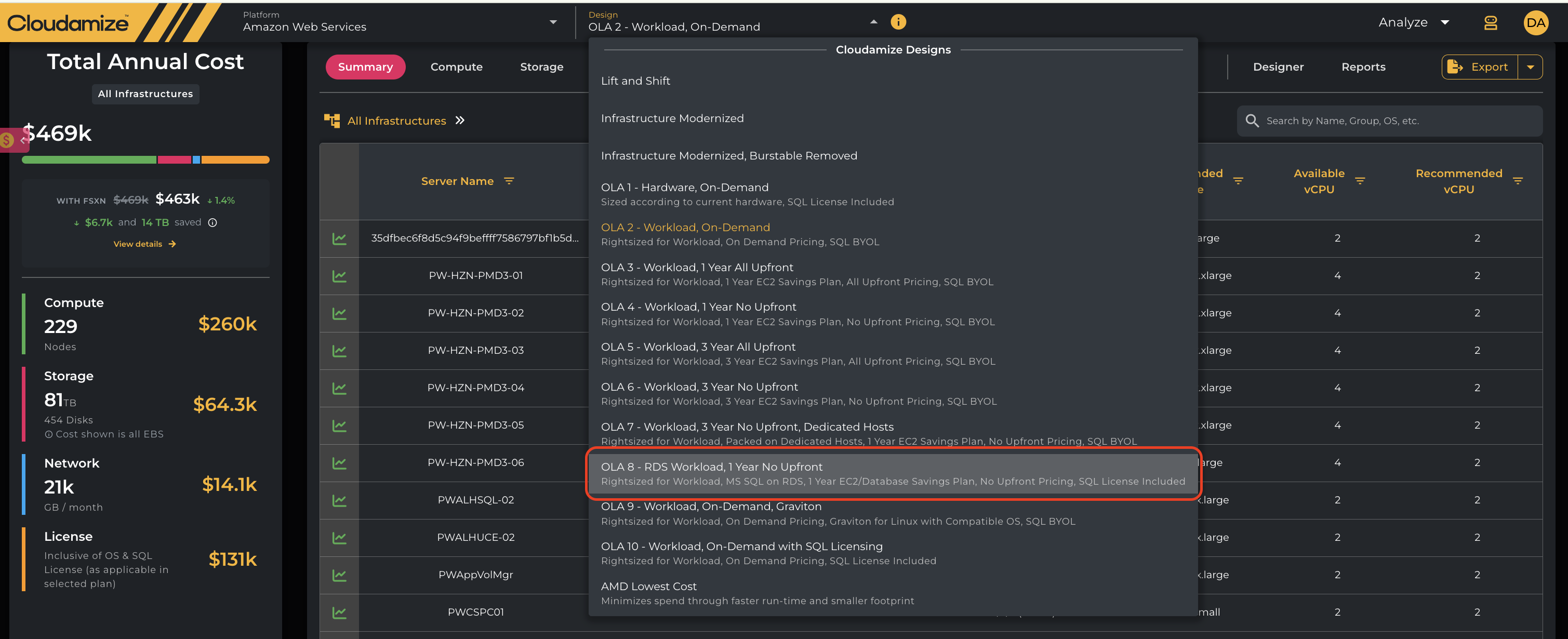
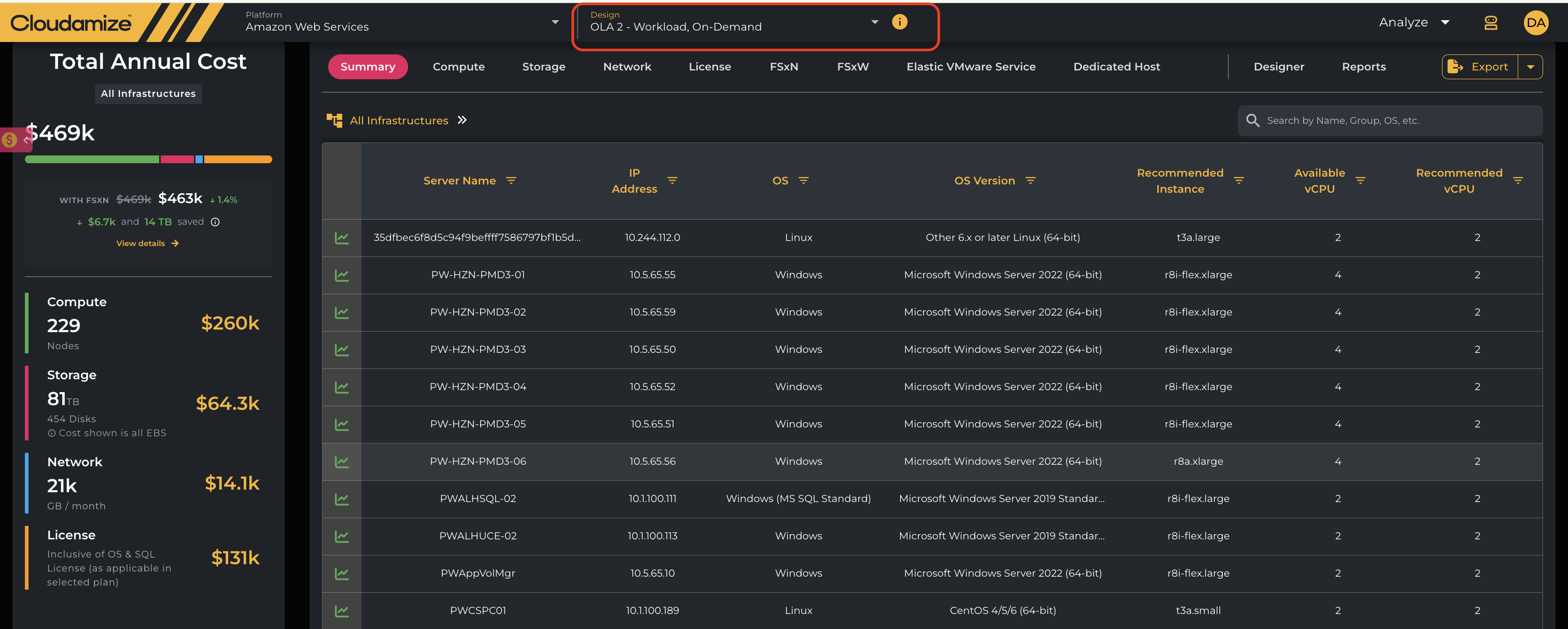
Select the OLA 8 - (RDS Workload, 1 Year No Upfront) plan from the design section drop-down menu, as shown below.
-
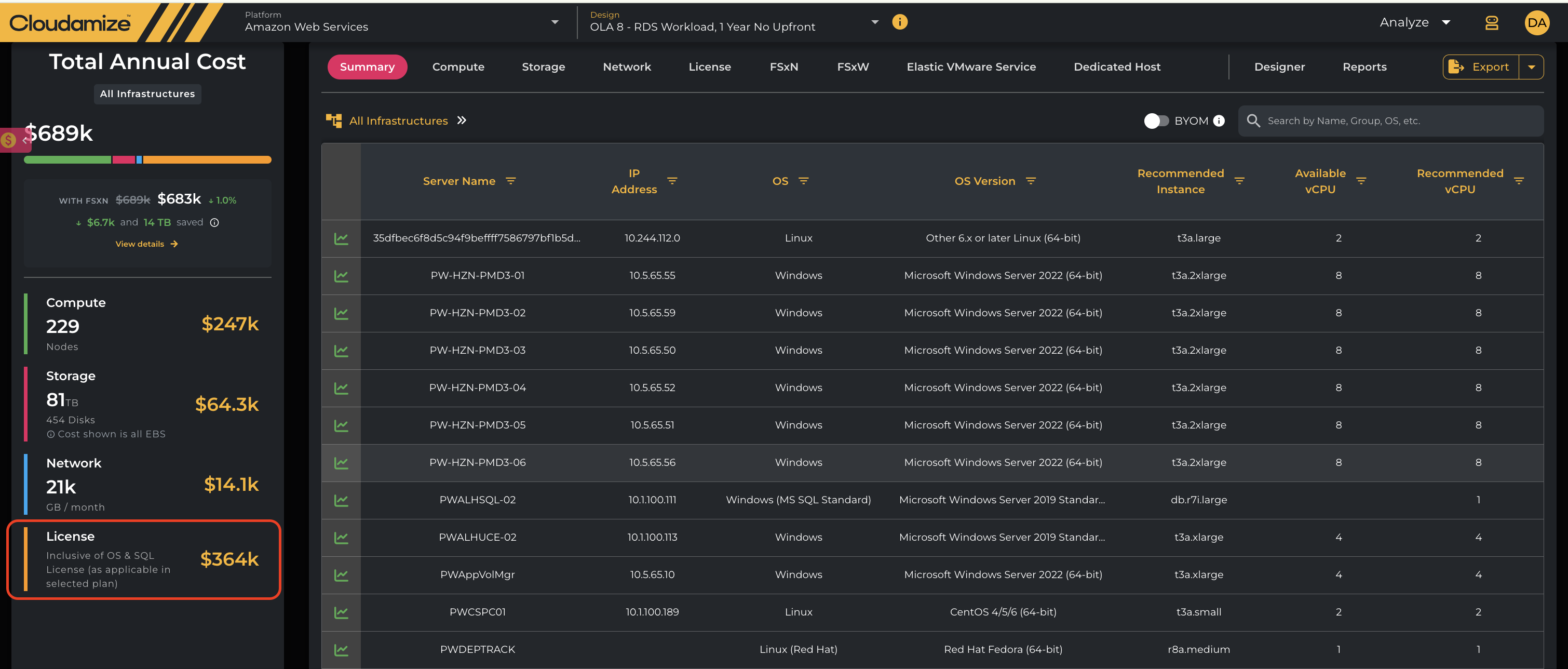
As soon as the plan is selected, the BYOM option will appear next to the search box, as shown below.

Enable BYOM
-
BYOM OFF: Uses the existing blended OS + SQL Server licensing model, with both licensing components included in the applicable pricing.
-
BYOM ON: RDS
db.*instances use OS-only annual license pricing; SQL Server licensing is covered by the customer's existing BYOM licenses.
-
License Cost & License Cost Reason: License Mobility through BYOM is applied when an eligible existing license is brought to AWS RDS under the BYOM option. In this case, the applicable license cost is excluded from the RDS pricing, and the workload is priced using the OS-only annual license cost.

View BYOM License Costs
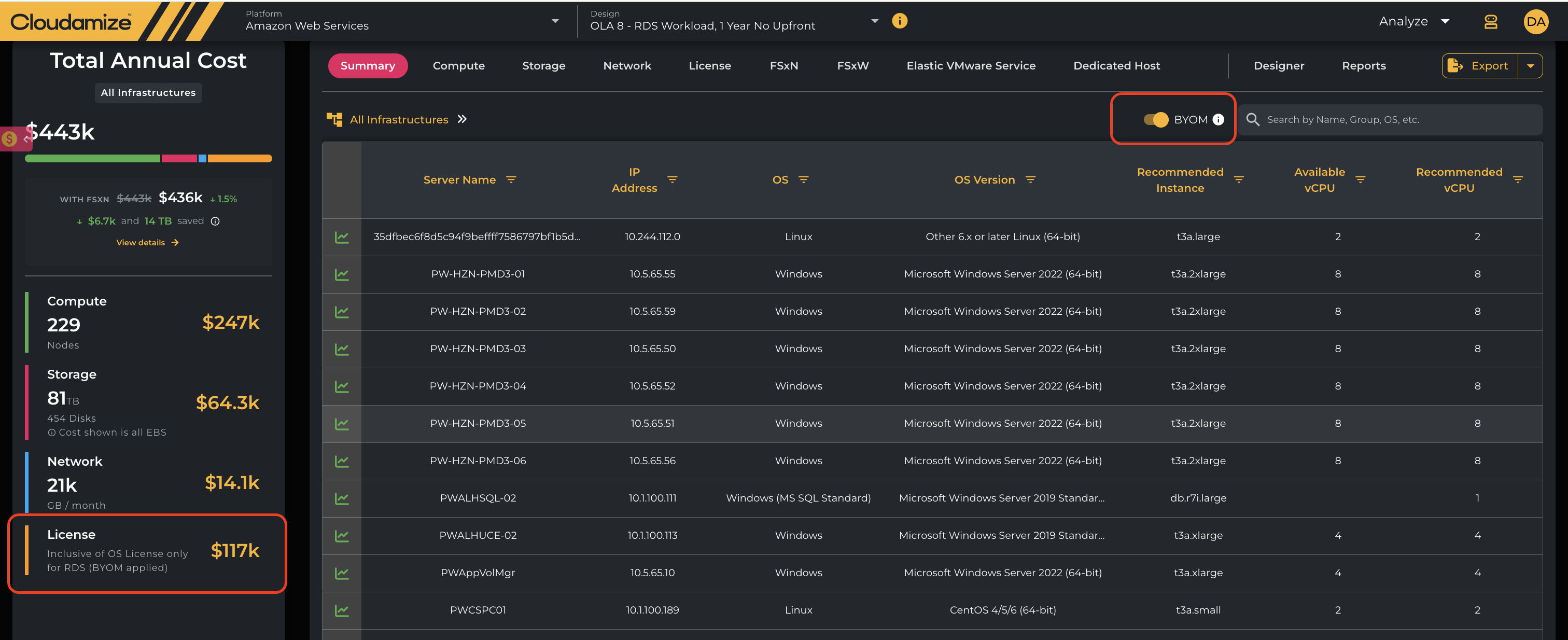
Summary grid with BYOM enabled
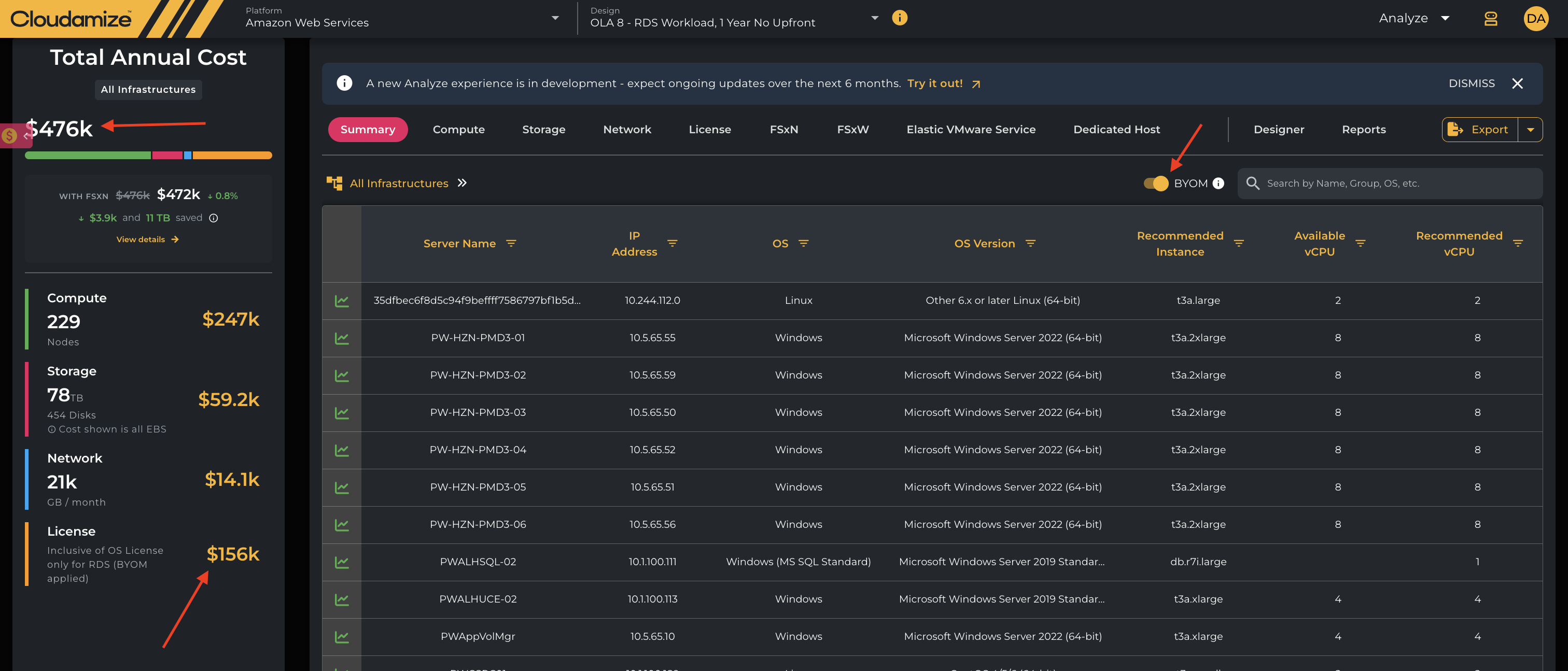
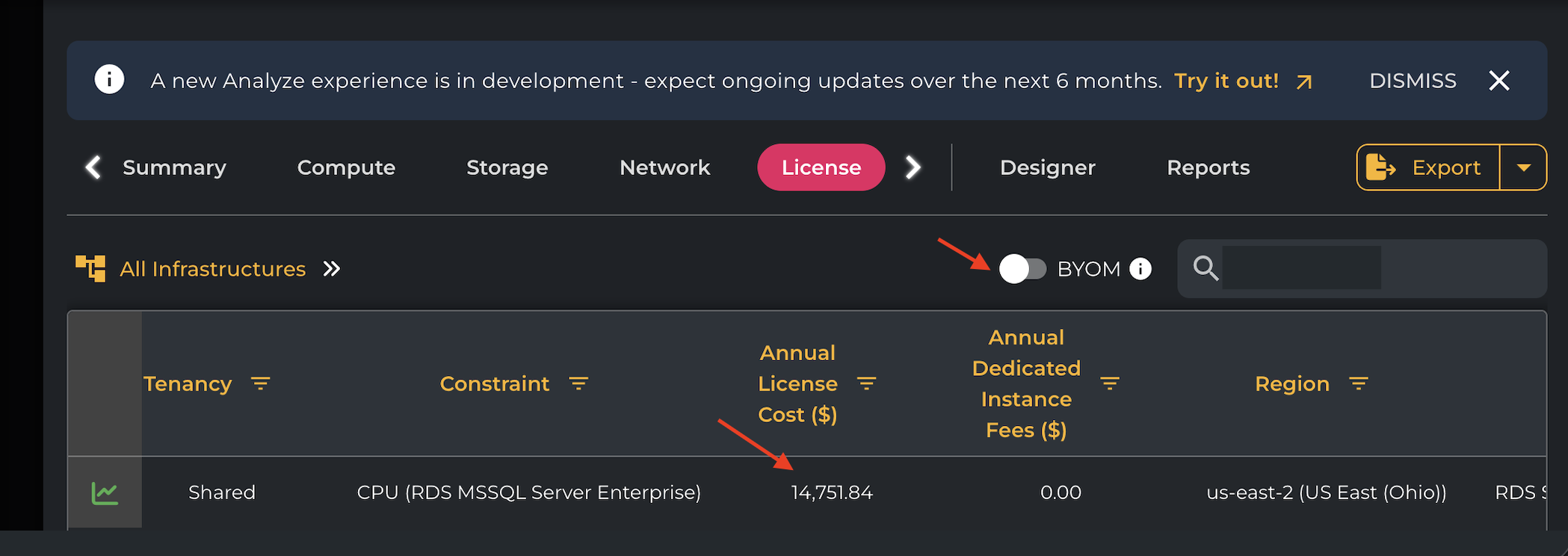
License grid without BYOM
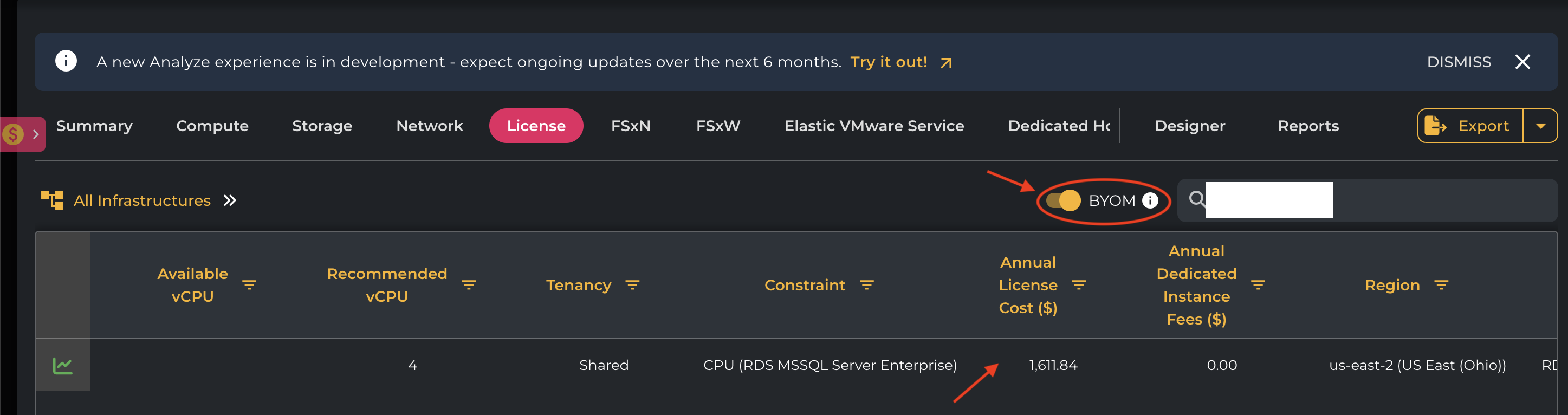
License grid with BYOM
Annual Cost panel
When BYOM is enabled, the Total Annual Cost is updated to reflect the applicable BYOM-based licensing for AWS RDS workloads.
The License section displays the updated license cost and indicates that OS License only for RDS (BYOM applied) is included in the calculation. The overall annual cost is recalculated accordingly.
This allows you to view the impact of BYOM on the total annual infrastructure cost directly from the Annual Cost panel.
Analyze V2
BYOM OFF: The applicable AWS RDS instances continue to use the standard blended OS + SQL licensing model, with the corresponding licensing costs reflected in the plan.
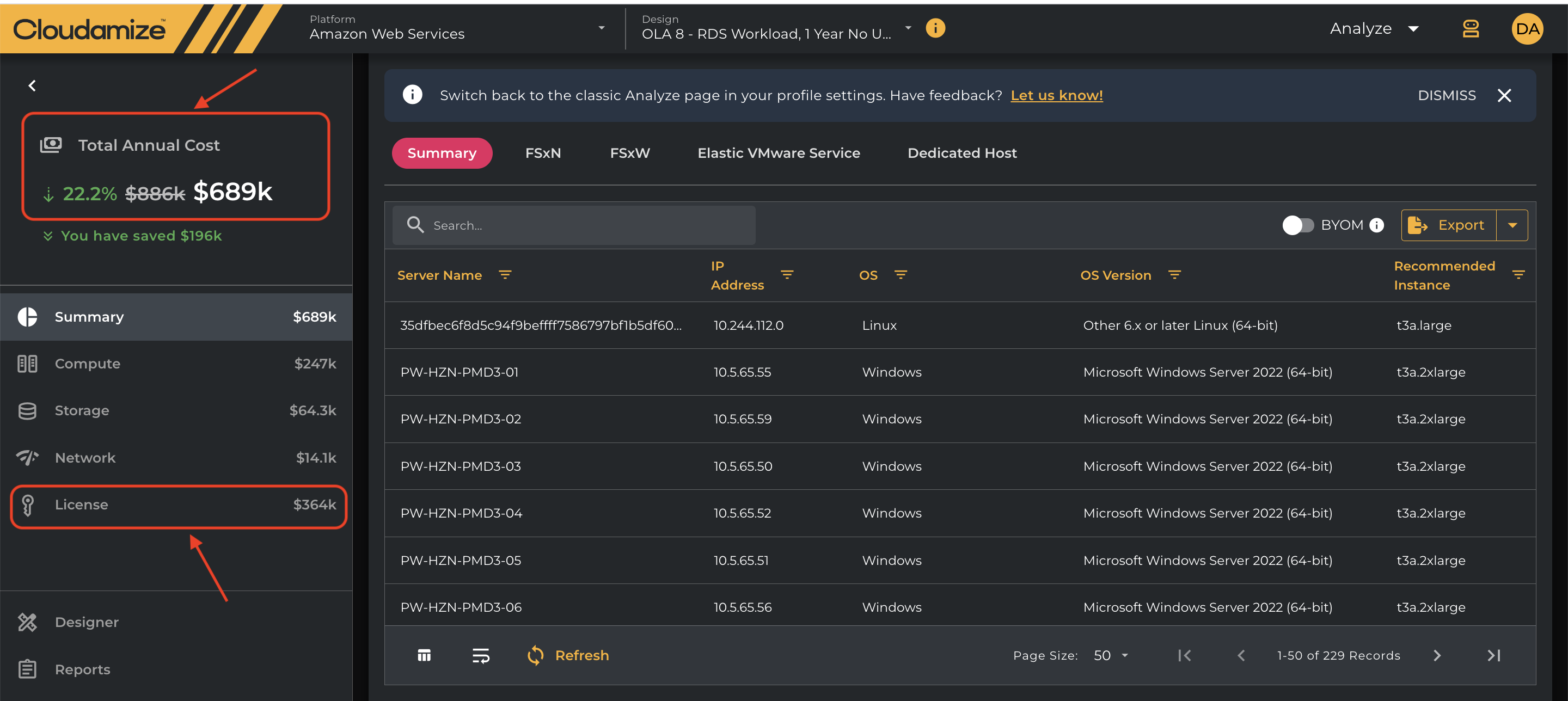
After Enabling BYOM
Once BYOM (Bring Your Own Media) is enabled, the applicable software license costs are excluded from the AWS migration cost calculation. This results in reduced Total Annual Cost and reflects the potential savings from using existing licenses.
The License section also shows the updated licensing cost, allowing users to easily identify the cost impact of BYOM.
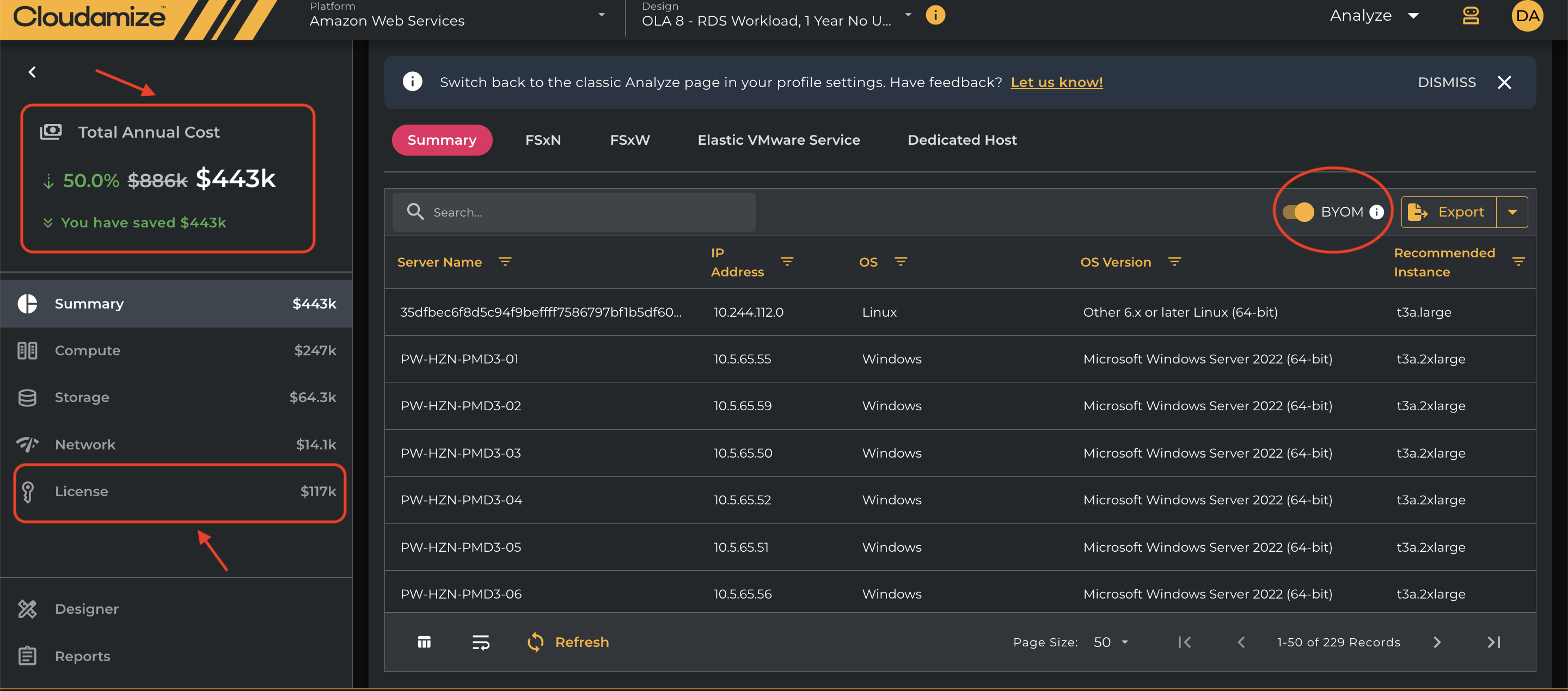
Understanding BYOM Behaviour
-
View-only functionality
The BYOM toggle is intended for viewing and comparing the applicable licensing impact. Changing the toggle does not modify the underlying plan configuration. -
Selection is not saved
The BYOM selection is not persisted as part of the plan. Any change made using the toggle applies only to the current view and does not permanently update the plan's licensing configuration. -
Reset when switching plans
BYOM applies only to supported AWS RDS plans. If you switch from an RDS plan to a non-RDS plan, the BYOM selection is automatically reset and no longer applies.
Export limitation
Currently, exports continue to display the blended license cost even when BYOM is enabled in the analysis UI. Export support for BYOM-consistent licensing will be addressed separately.
If you have any queries, please get in touch with the helpdesk via our Helpdesk Portal or by email at helpdesk@cloudamize.com.