

Daily Design Updates let you view refreshed design results each day while Cloudamize continues collecting assessment data, so you can track changes, review updated recommendations, and start planning before final results are released. Daily Design Updates apply to the Analyze phase only, Plan and Migrate outputs are available only once the full assessment results are complete.
Daily Design Updates are not enabled by default. To turn them on for your assessment, contact the Cloudamize Helpdesk.
How It Relates to Preliminary Hardware Results
-
Preliminary Hardware Results provide an early, 1-to-1 hardware-based view of your environment before performance data has been fully incorporated.
-
Daily Design Updates show ongoing design changes, including cost and infrastructure recommendations as data collection continues.
Together, these give you earlier visibility at different stages of the assessment lifecycle.
Steps to view Daily Design Results
-
Log in to the Cloudamize portal at console.cloudamize.com.
-
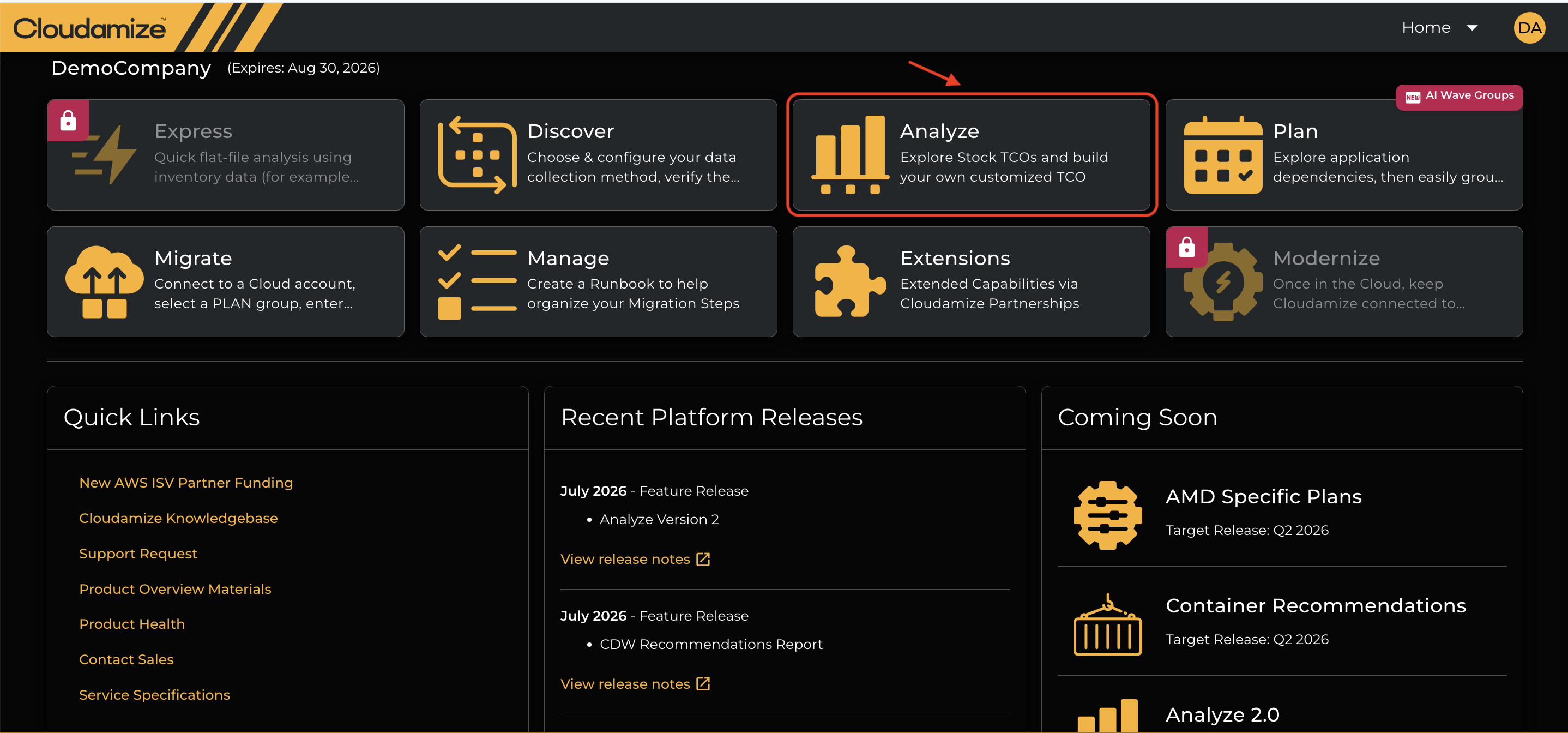
Select Analyze on the landing page.
-
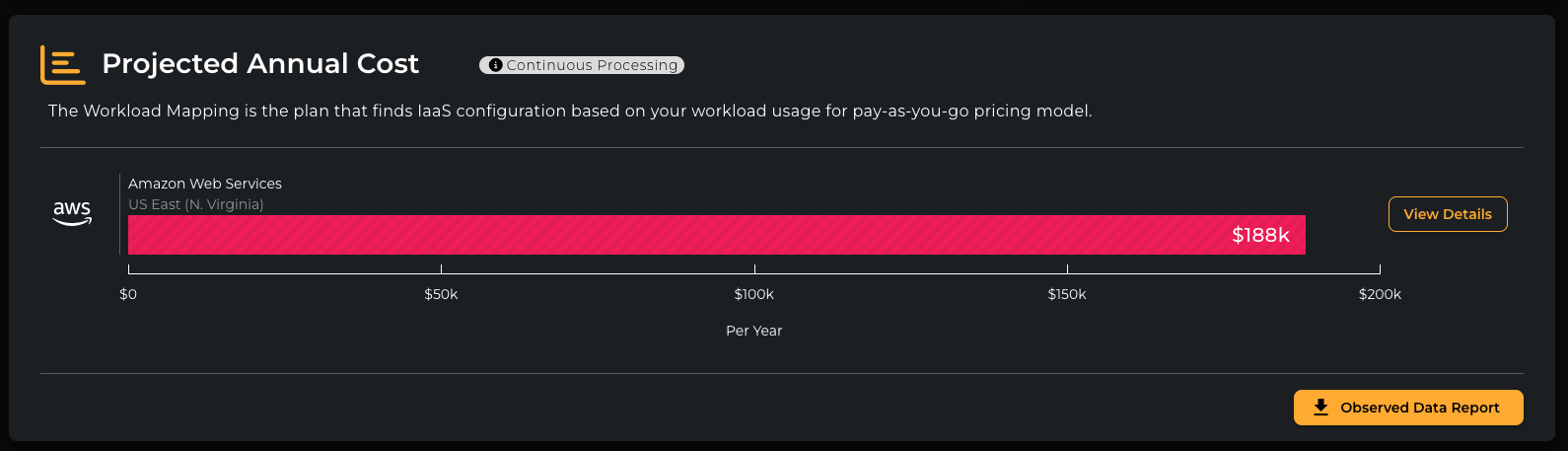
If daily design results are ready, you'll see summary details and TCO for the selected cloud providers.
-
Click View Details to see detailed infrastructure results.
-
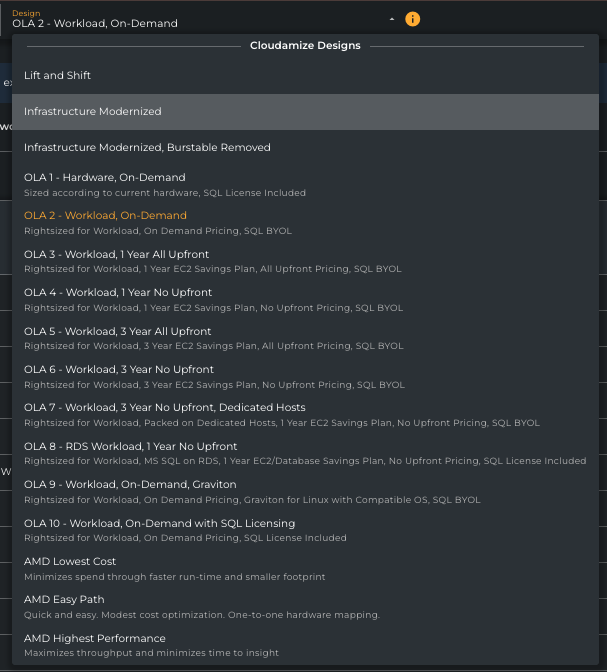
Use the design drop-down to select from designs updated once per day. Each mirrors the full assessment results, limited to the data collected so far. A notification at the top of the page indicates when full results will be delivered.
When to Use Daily Design Updates
-
When you want to monitor design changes during the assessment period
-
When you need early directional insight for planning or stakeholder discussions
-
When you want to review updated cloud cost and infrastructure recommendations as new data is collected
Daily Design Updates are best treated as an in-progress view. Recommendations, especially in the first few days, can shift meaningfully as more data is collected, and typically stabilize as the assessment progresses. Final results, based on the completed assessment, remain authoritative.
Daily Design Updates only cover Analyze results. Plan and Migrate features are not available until the full assessment is complete.
How to Enable Daily Design Updates
-
Contact the Cloudamize Helpdesk via the Helpdesk Portal or email helpdesk@cloudamize.com.
-
Provide your assessment or tenant details.
-
Ask for Daily Design Updates to be enabled for your environment.
Once enabled, design updates can take up to 48 hours to appear in the portal. You can review the latest available updates daily while assessment data is still being collected.
What to Expect
-
Design recommendations may change from day to day as more data becomes available
-
Early views are useful for planning, but final recommendations are based on the completed assessment
-
The availability and value of updates depend on the amount of collected infrastructure data
If you have any queries, please get in touch with the helpdesk via our Helpdesk Portal or by email at helpdesk@cloudamize.com.