

-
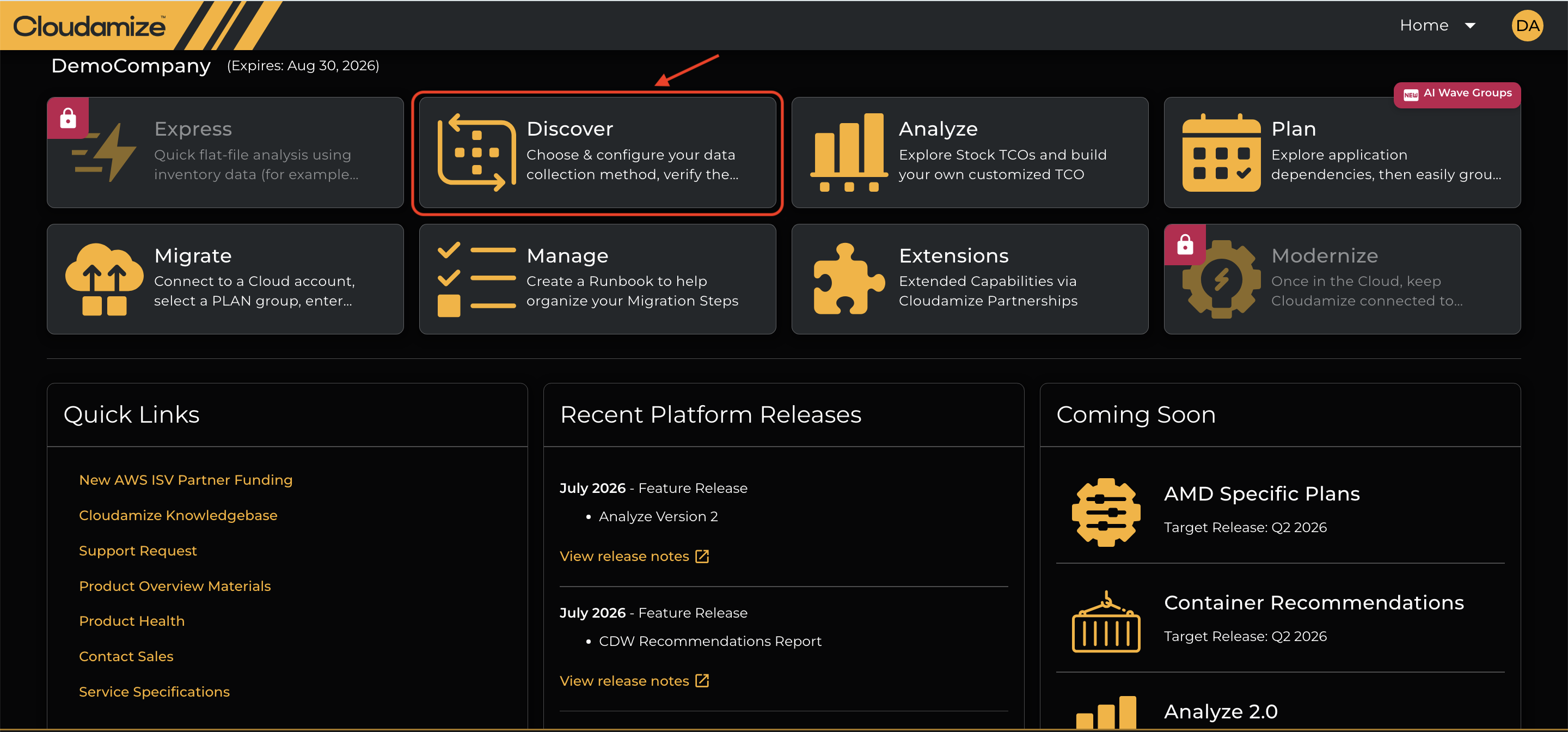
Step 1: Log in to the console portal, http://console.cloudamize.com and click on the Discover tab highlighted below under the Home page.
-
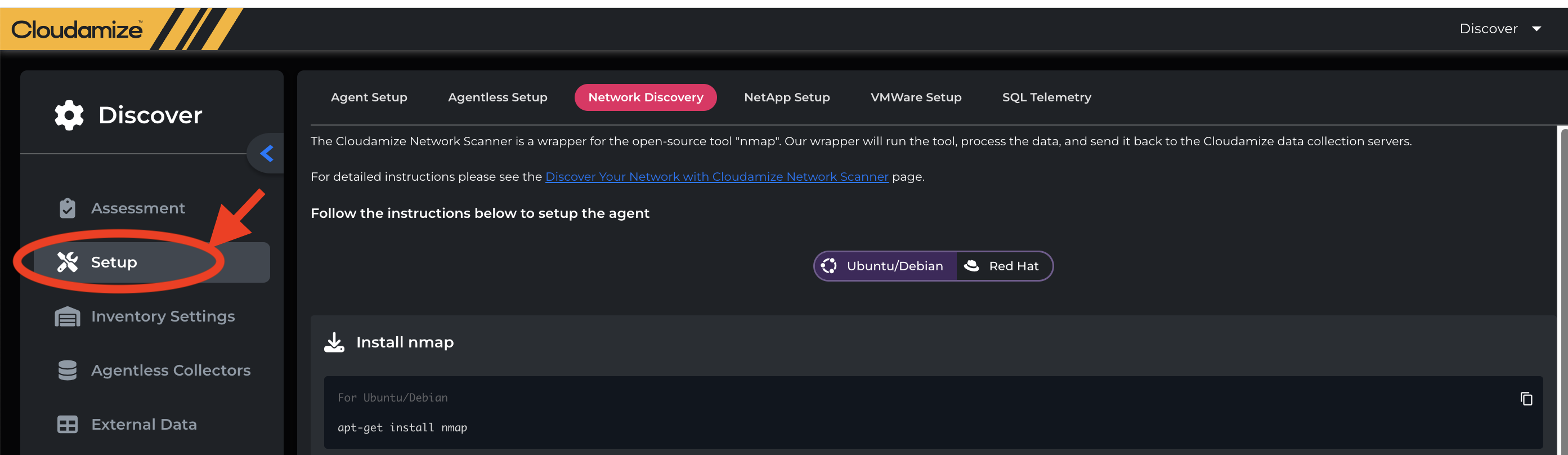
Step 2: Click on the Setup button as shown in the screenshot below and select the Network Discovery tab.
-
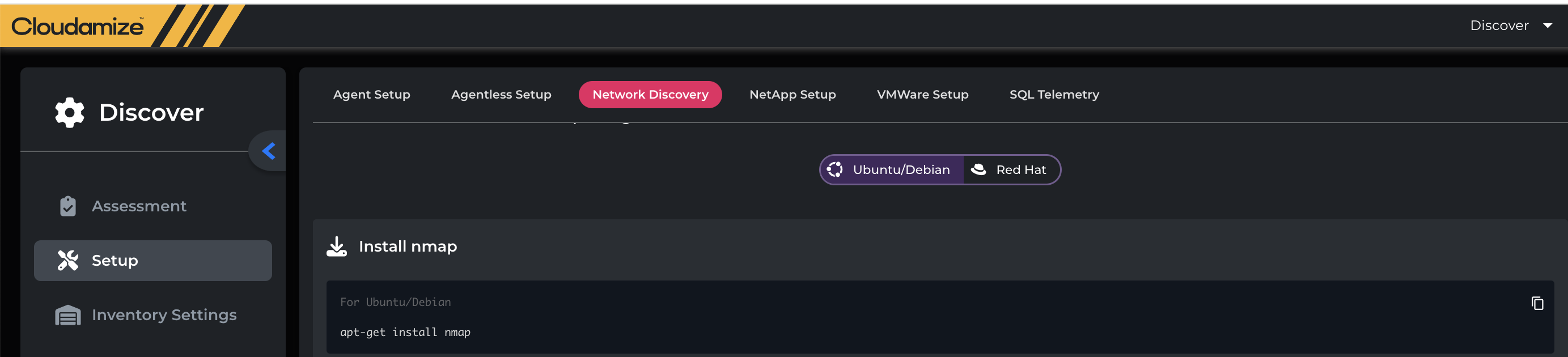
Step 3: Select the Linux Distribution(Ubuntu/Debian/Red Hat) as per the server and install nmap as shown in the screenshot below.
-
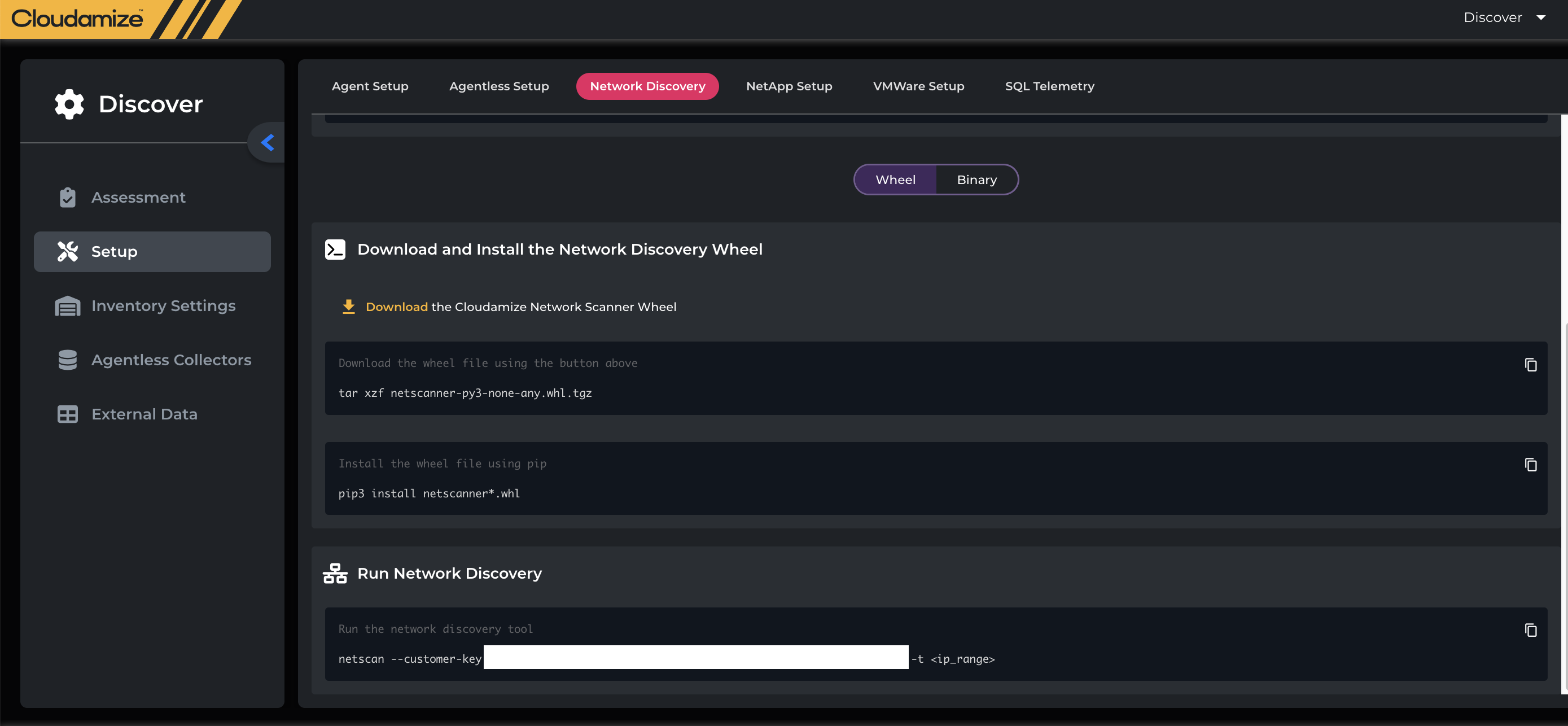
Step 4: Download and install the Network Discovery Wheel, and then run the Network Discovery by following the instructions mentioned in the screenshot below.
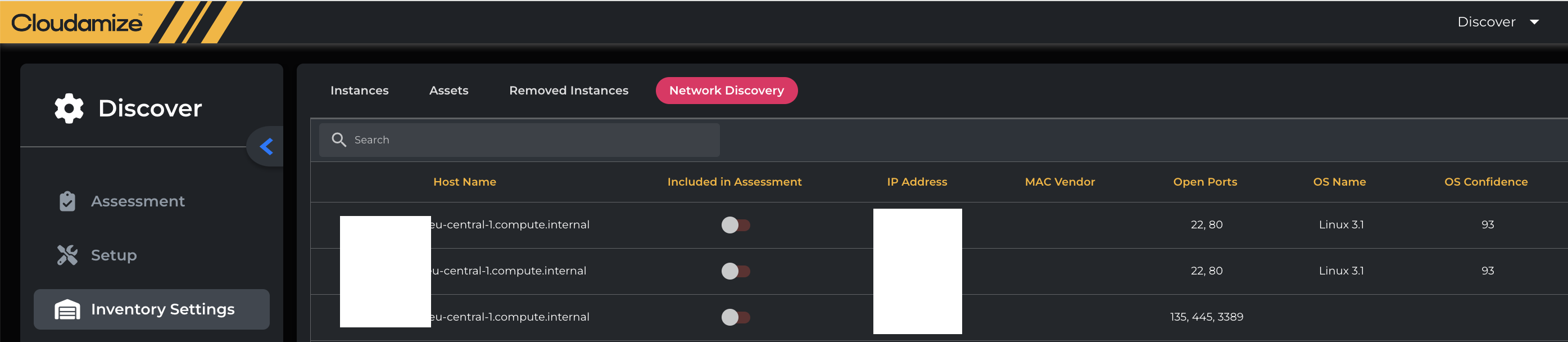
Once the Network Discovery Tool is installed, it will discover the network, and you will see the details of the discovered servers in the Inventory settings under the Network Discovery Tab, as shown below.
If you have any queries, please get in touch with the helpdesk via our Helpdesk Portal or by email at helpdesk@cloudamize.com.