

Overview
This issue is generally caused by connectivity barriers, credential mismatches, or restrictive security policies on the target machine.
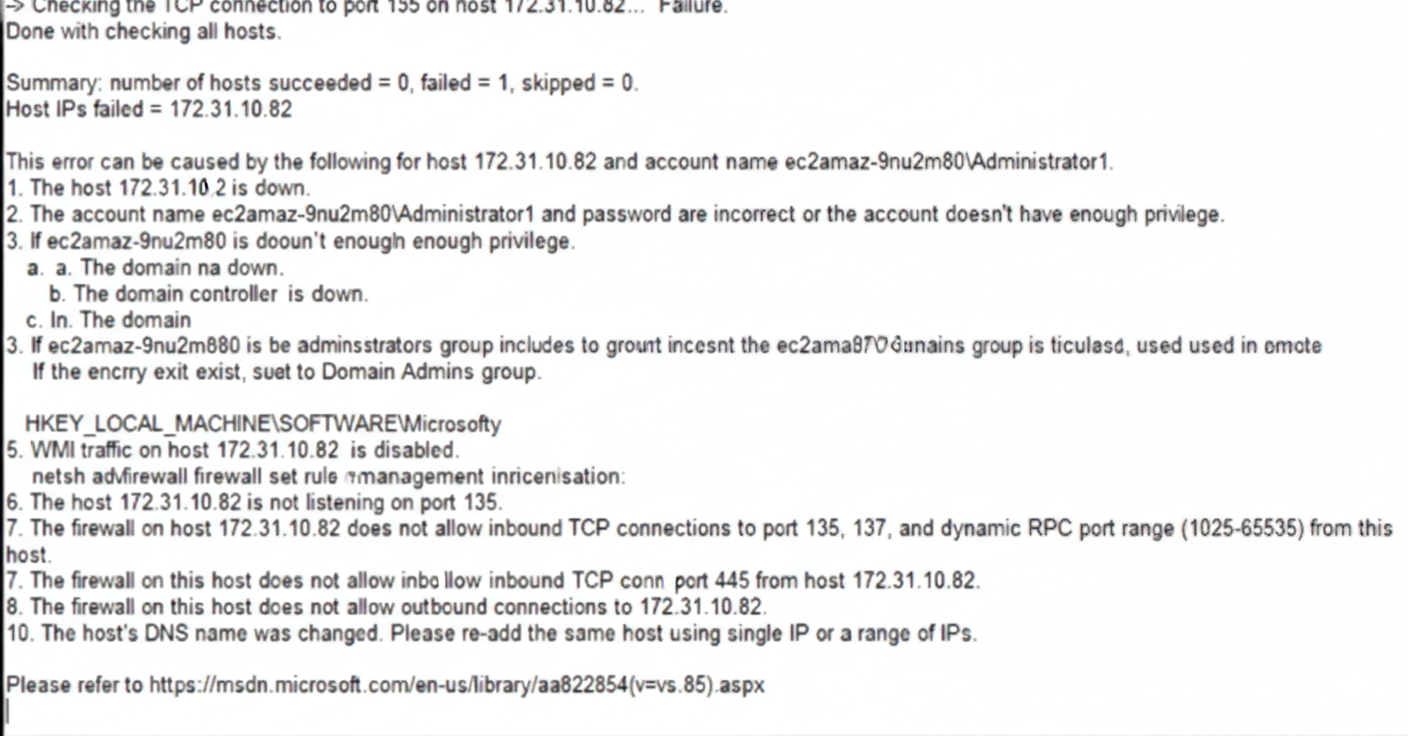
1. Basic Connectivity & Availability
-
Host Status: Verify that the target host [IP Address] is powered on and reachable over the network.
-
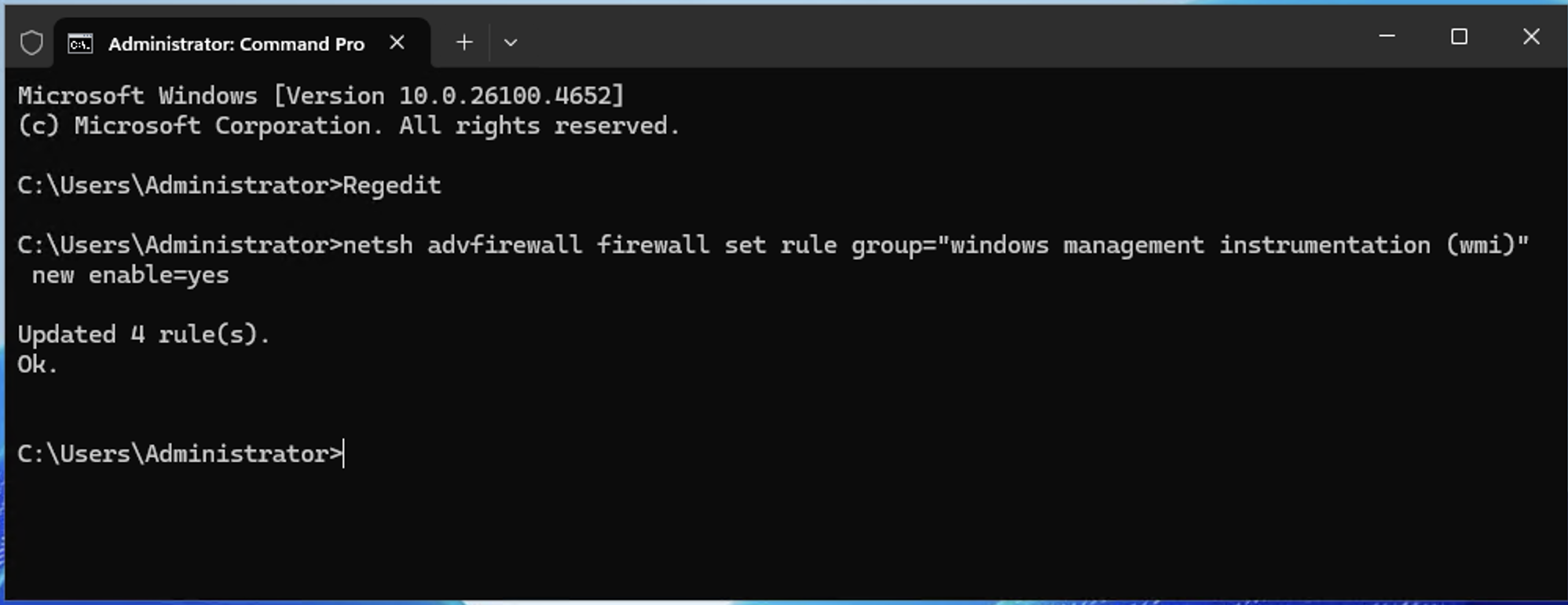
WMI Traffic: Ensure Windows Management Instrumentation (Wmi) traffic is enabled.
Run the following command in an elevated command prompt on the target machine:
netsh advfirewall firewall set rule group="windows management instrumentation (wmi)" new enable=yes
-
Firewall Settings: Check for Windows Firewall interference. Refer to the Firewall Requirements section under the Windows Agentless Data Collector Setup guide here to ensure ports 135, 445, and dynamic RPC ports are open.
2. Credential & Privilege Validation
-
Authentication Failure: Ensure the account name and password provided are correct.
-
Insufficient Privileges: The account must have administrative rights to collect telemetry data.
-
Domain Issues:
-
If the server is domain-joined, verify that the Domain Controller is running and accessible.
-
Confirm that the Active Directory Administrator group includes the necessary Domain Administrator groups.
-
Ensure the provided user account is a member of the Domain Admin group or is the specific Local Administrator account.
-
3. Local Account & UAC Workaround
If you are using a local account that is a member of the Administrators group (but is not the built-in "Administrator" account), Windows User Account Control (UAC) may block remote administrative tasks.
Disabling Remote UAC (Registry Fix)
To allow these accounts to function, you must create or modify the LocalAccountTokenFilterPolicy registry key.
Making changes to the UAC policy depends on the customer's internal security team policies and requirements. Ensure you have proper authorization before proceeding
-
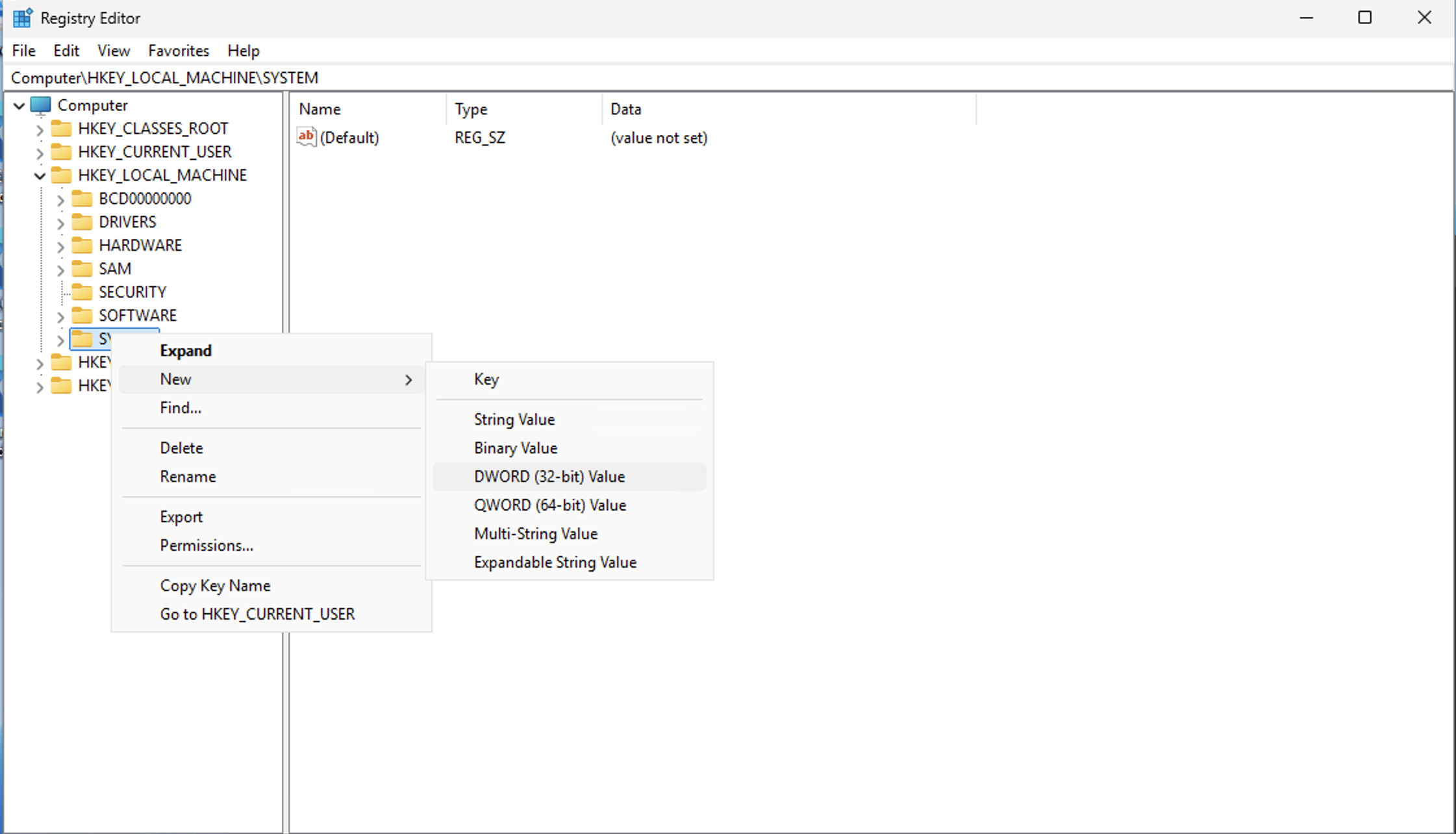
Open Regedit (Registry Editor).
-
Navigate to:
HKEY_LOCAL_MACHINE\SOFTWARE\Microsoft\Windows\CurrentVersion\Policies\system
Note: A new registry key will be required if the file path does not exist. Please note that this will require administrative privileges. -
Right-click the System folder, select New, and then DWORD (32-bit) Value.
-
Name the new entry:
LocalAccountTokenFilterPolicy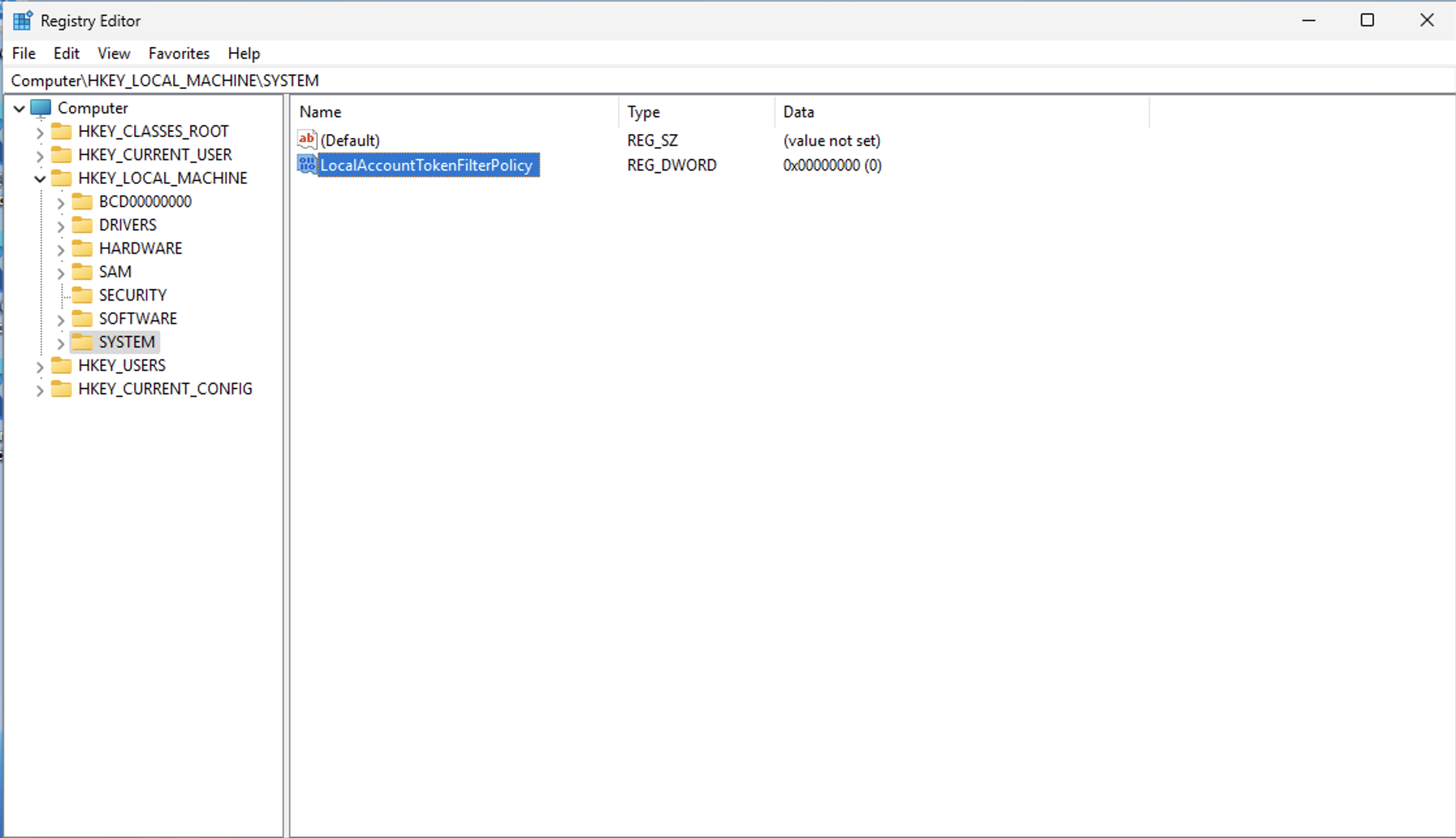
-
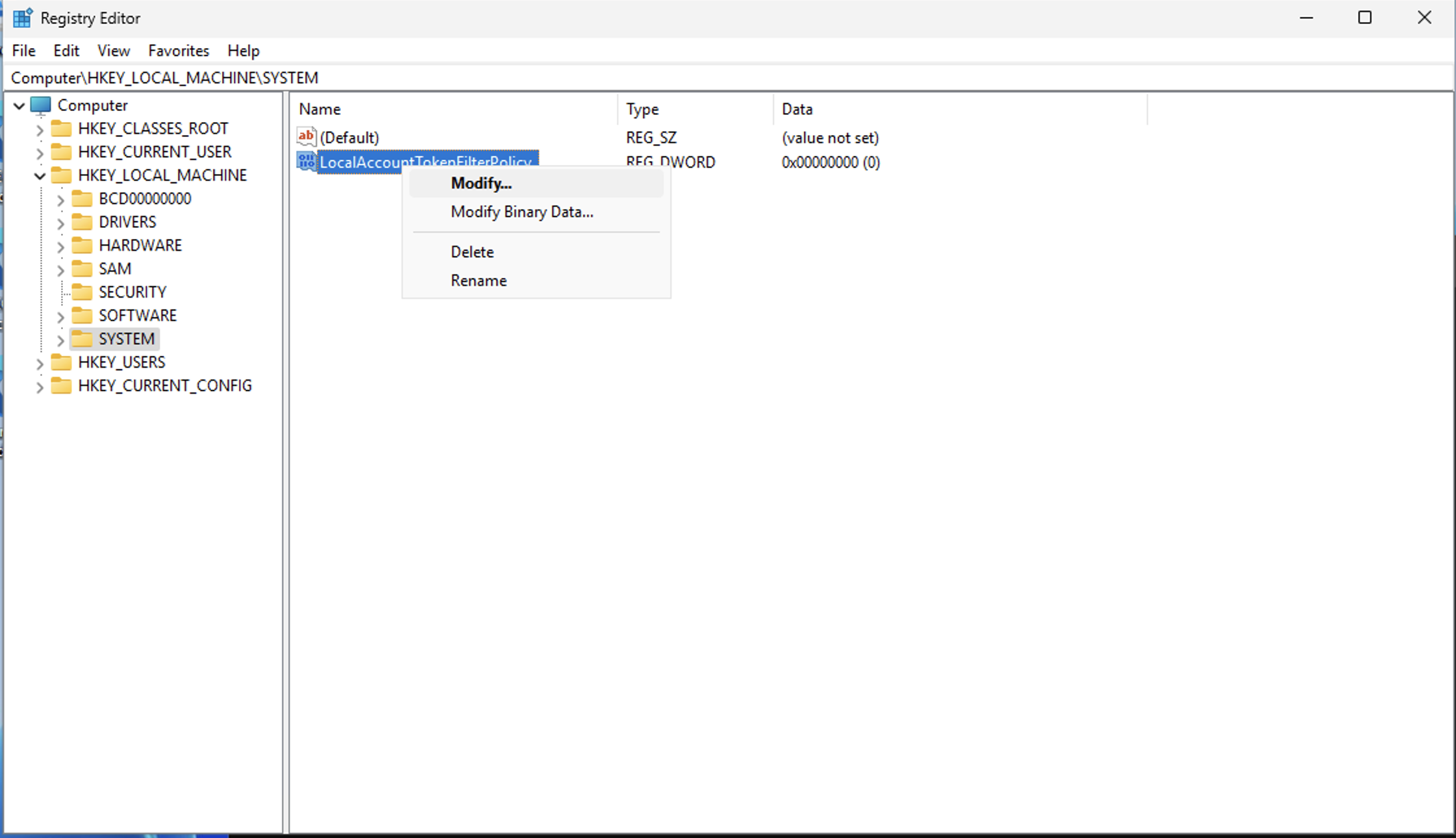
Right-click the entry and select Modify.
-
Change the Value data from
0to1.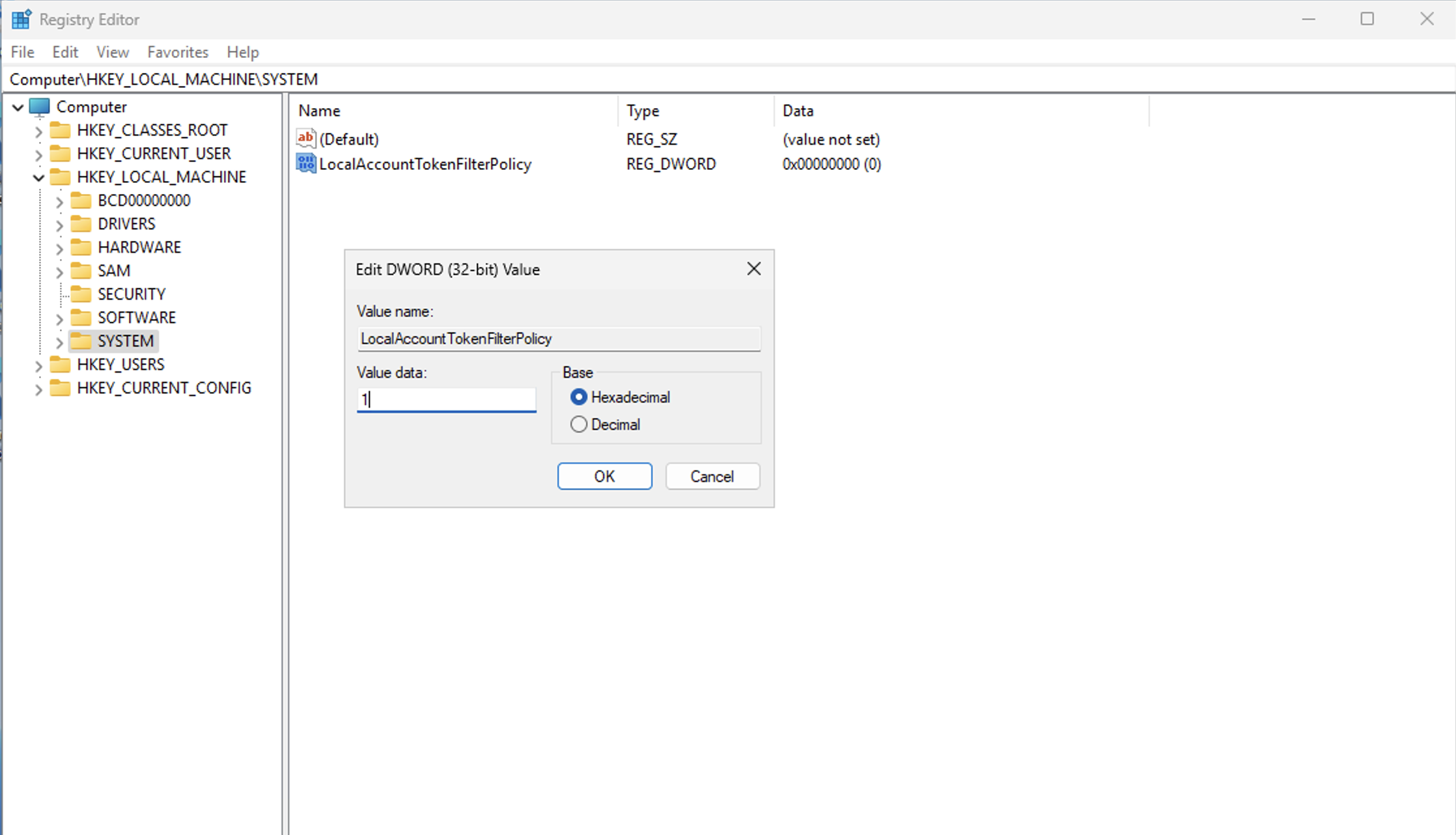
If the issue persists, please capture a screenshot of the error output and collect the log_backup.txt file from the following directory on the Cloudamize Agentless DC:
C:\Program Files (x86)\CloudamizeAgentlessDc\log_backup.txt
Please attach both the screenshot and the log file in an email to helpdesk@cloudamize.com for further investigation.
If you have any queries, please get in touch with the helpdesk via our Helpdesk Portal or by email at helpdesk@cloudamize.com.