

Removed Instances
This article provides steps for navigating and using the Removed Instances Tab within your assessment.
Instances can be removed from an assessment in certain scenarios, such as when duplicate entries are created or to clean up the portal by eliminating unwanted nodes.
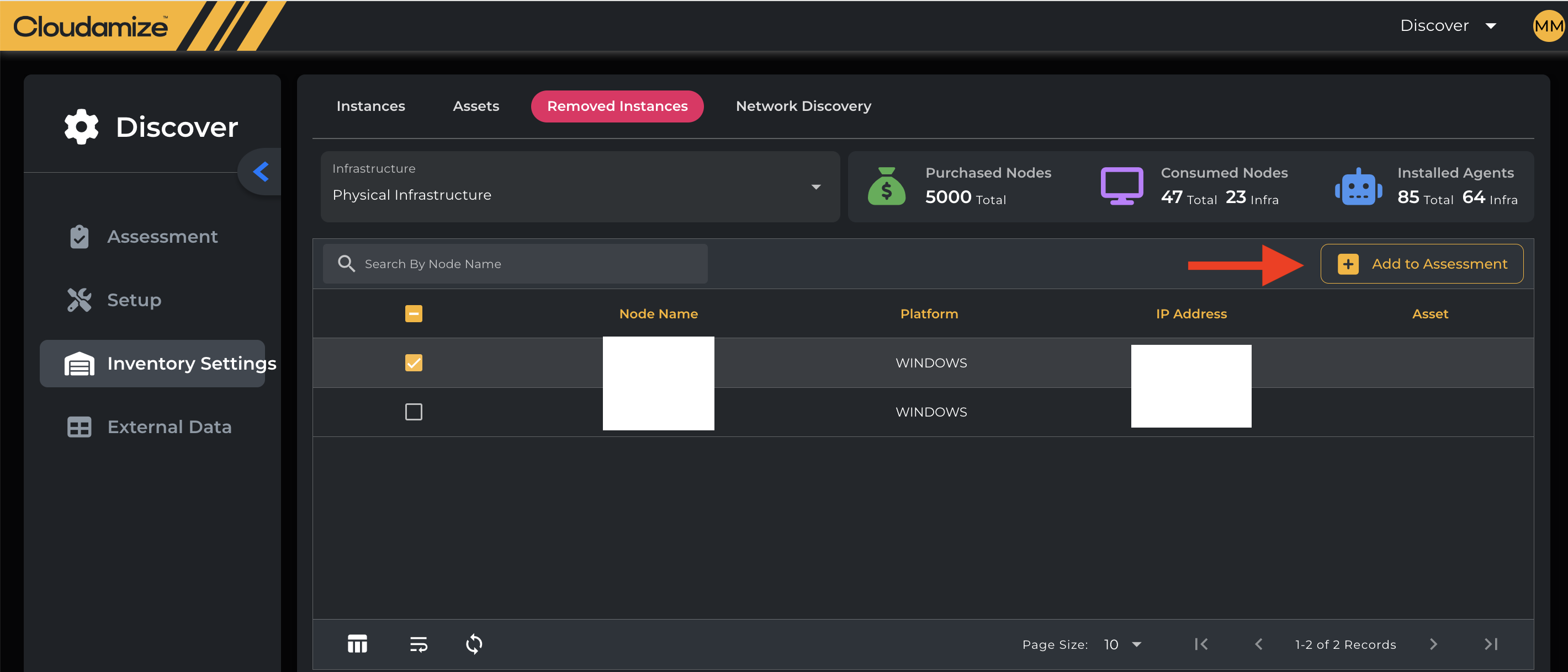
If you need to re-add an instance that was previously removed, you can view the complete list under this tab. To re-add, Select the check box next to the desired server(s) and click “Add to Assessment.”
If you have any queries, please get in touch with the helpdesk via our Helpdesk Portal or by email at helpdesk@cloudamize.com.