

Overview
Cloudamize makes it easier to turn your migration assessment results into AWS cost estimates by integrating with the official AWS Pricing Calculator.
With this integration, you can use assessment data to create AWS cost estimates without manually rebuilding your infrastructure configuration. You can either generate a shareable AWS Pricing Calculator link or download an Excel file for bulk import.
Benefits
-
Save time: Reuse assessment results instead of manually entering infrastructure details into the AWS Pricing Calculator.
-
Reduce manual effort: Assessment data is formatted for use with AWS pricing estimation workflows.
-
Choose your preferred workflow: Use a pre-populated calculator link for quick review or an Excel export for bulk import.
-
Maintain consistency: Instance, region, operating system, purchase option, and storage information are carried into the AWS pricing workflow.
Where to find AWS Pricing Calculator
-
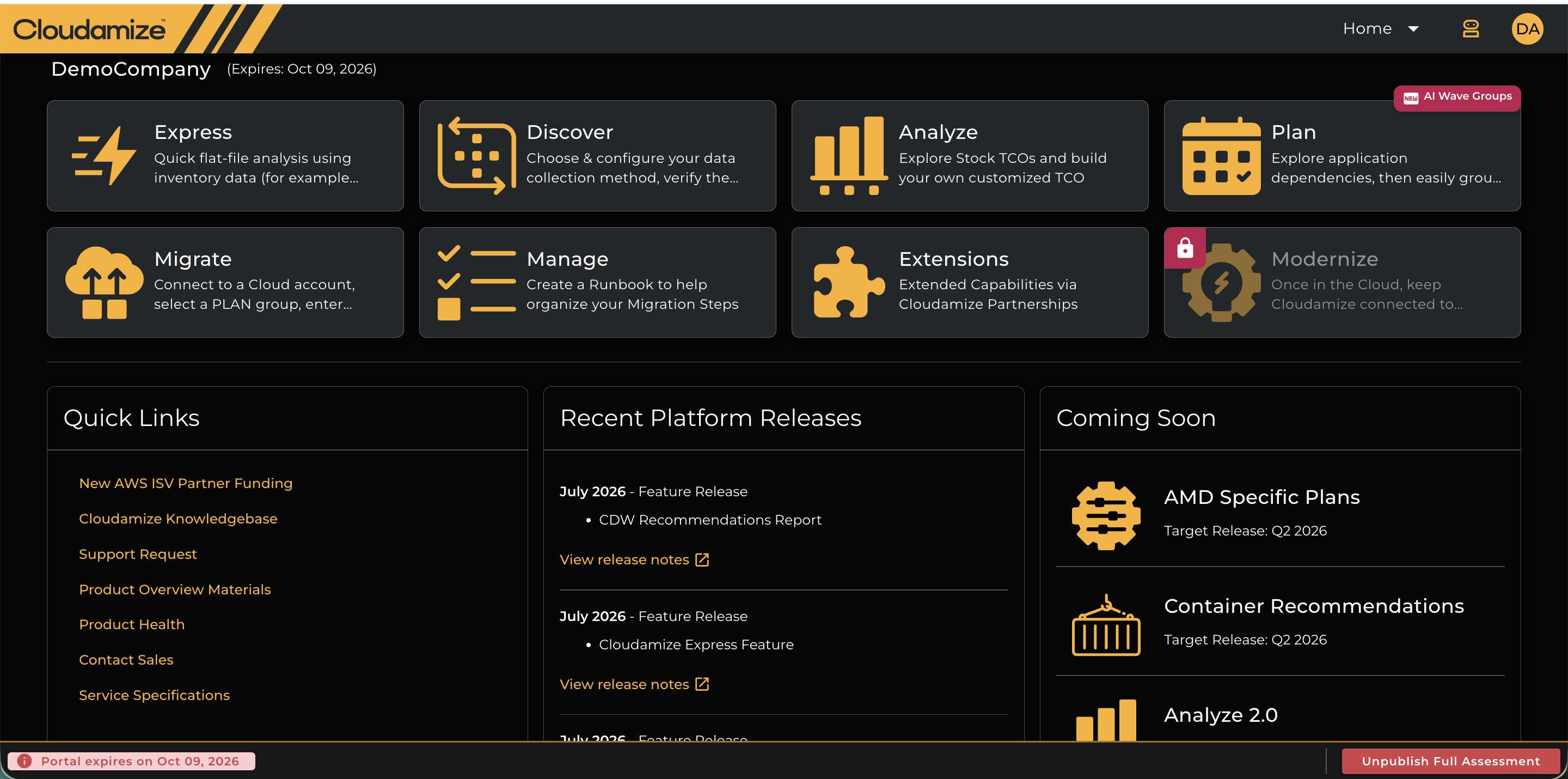
Sign in to the Cloudamize console portal using the URL https://console.cloudamize.com/#/login .
-
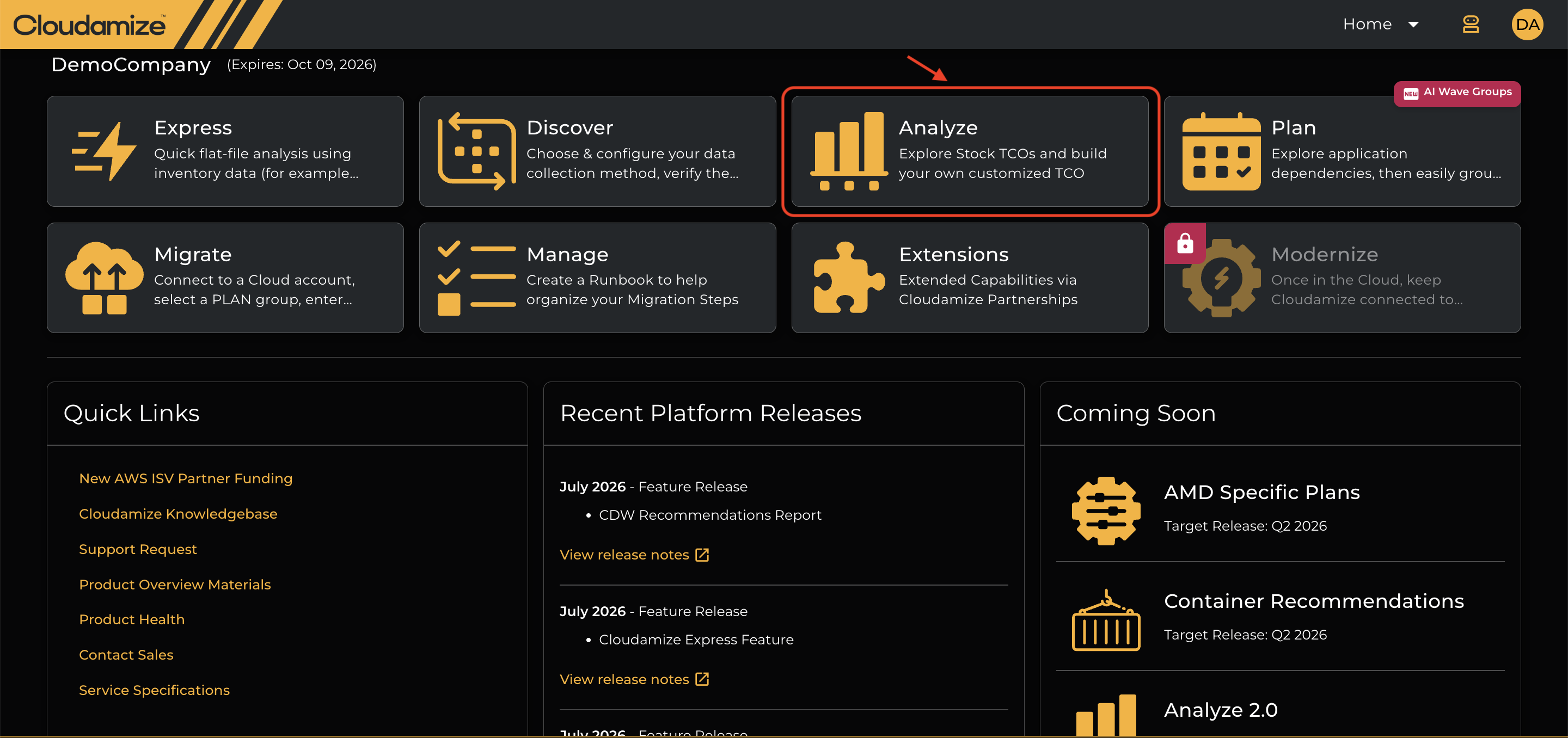
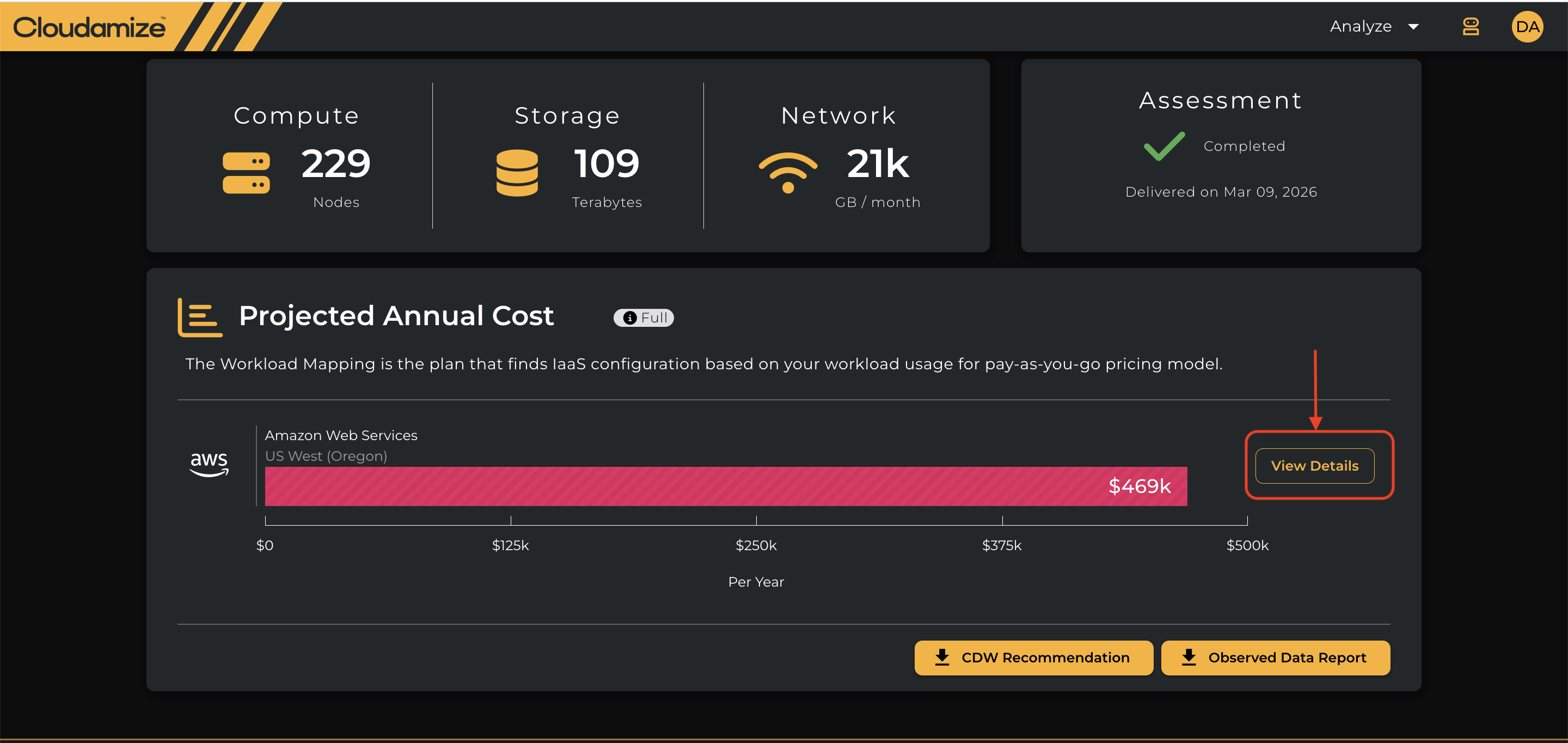
Click the “Analyze” tile on the console home page and then click “View Details” to access Reports tab.
-
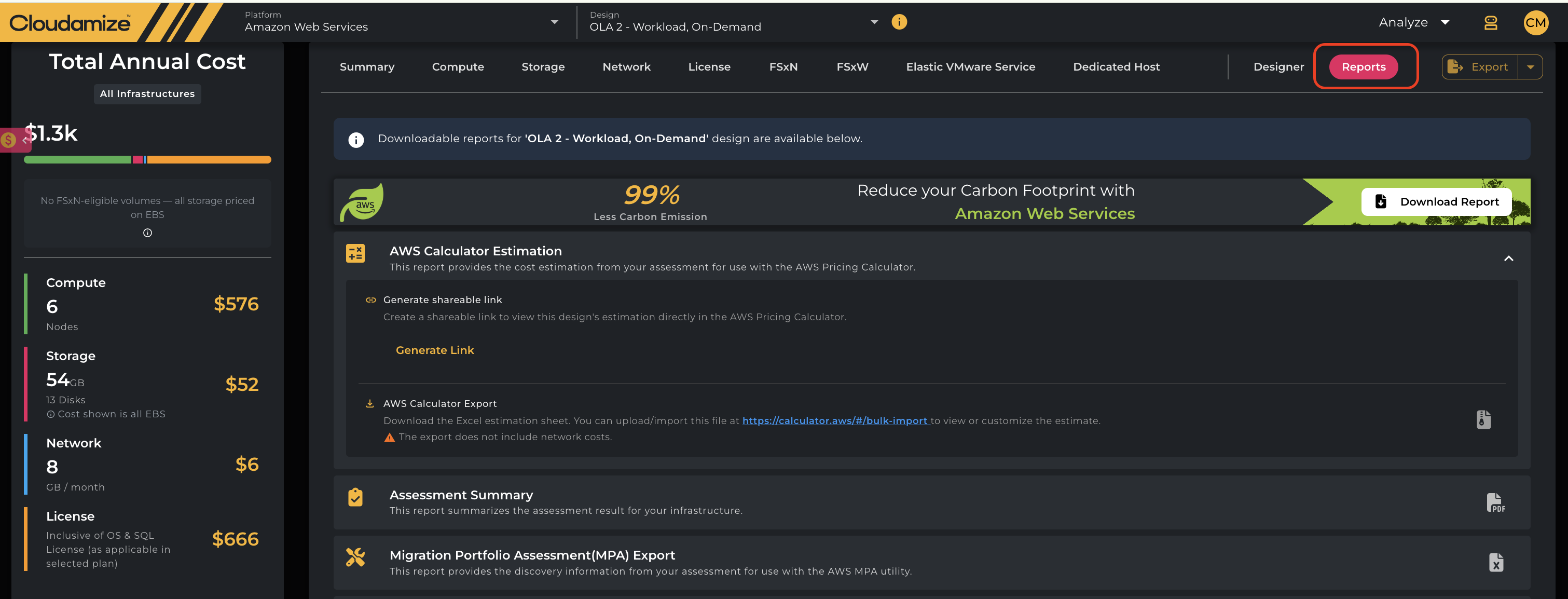
Select the Reports tab.
-
Locate the AWS Pricing Calculator section.
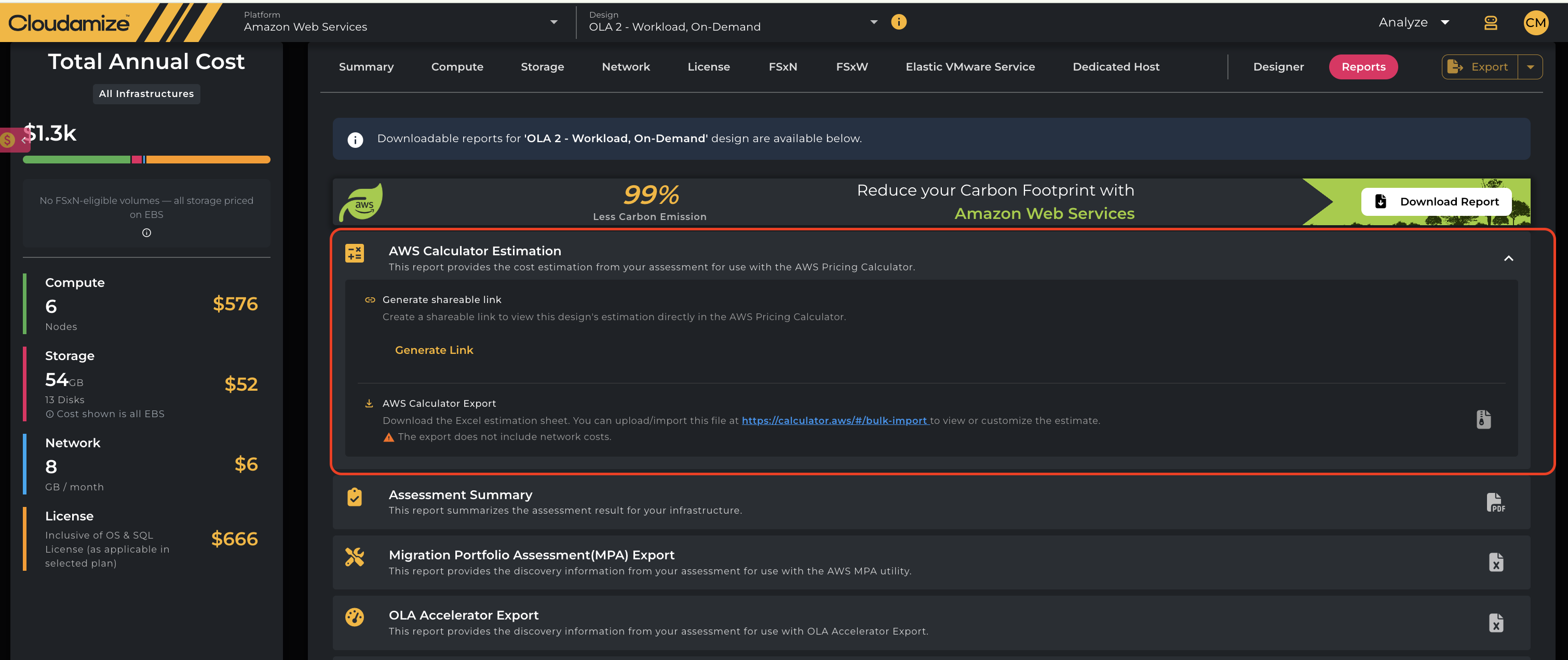
Depending on the options available, you can choose either Generate Shareable Link or AWS Calculator Export (Excel).

Generate a Shareable Link
The Generate Shareable Link option creates an official AWS Pricing Calculator URL with your assessment information pre-populated.
To generate a link
-
Go to Reports under the Analyze section.
-
Find the AWS Calculator Estimation section.
-
Click Generate Link.

-
Open the generated link in your browser in a new tab.

-
Review the estimate in the AWS Pricing Calculator.
-
Share the link with other stakeholders as needed.
This option is useful when you want to quickly review or collaborate on an AWS cost estimate without downloading a file.
Export to Excel for AWS Calculator Bulk Import
The AWS Calculator Export (Excel) option downloads an Excel workbook containing your assessment data in a format that can be used with the AWS Pricing Calculator bulk-import workflow.
To export your assessment
-
Go to Reports under the Analyze section.
-
Find the AWS Pricing Calculator section.
-
Select AWS Calculator Export (Excel).
-
Download and save the Excel workbook.

-
Open the AWS Pricing Calculator bulk-import page.

-
Upload the downloaded workbook.
-
Review the imported estimate and make any additional adjustments required.
You can access the AWS Pricing Calculator bulk-import page here
Dedicated Host Plans
For Dedicated Host plans, the AWS Calculator export provides two pre-filled Excel files:
-
Shared EC2 Instances Data Export
-
Dedicated Hosts Data Export
Network costs are excluded: Network costs are not included in the exported Excel sheets or the estimations.
For EVS plans, this feature is not available.
What information is included?
The integration formats relevant assessment information for the AWS Pricing Calculator workflow, including:
-
AWS region
-
Instance information
-
Operating system
-
Purchase option
-
Storage details
The resulting estimate can then be reviewed and adjusted in the AWS Pricing Calculator based on your specific migration and pricing requirements.
If you have any queries, please get in touch with the helpdesk via our Helpdesk Portal or by email at helpdesk@cloudamize.com.